在任意 PDF 文档中立即查找内容
.NET Blazor 的支持文本搜索的 PDF 查看器可帮助用户快速定位特定单词或短语,并更高效地浏览文档。
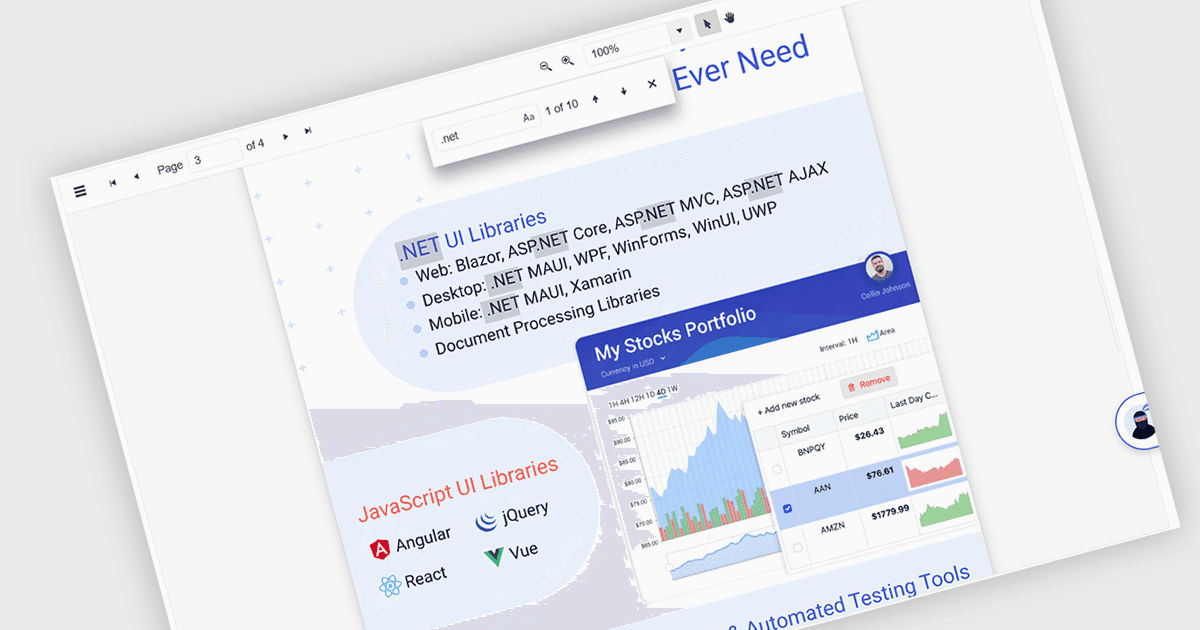
.NET Blazor 组件中的 PDF 查看器文本搜索可让用户在 PDF 文档中查找特定单词、术语或短语。此功能通过让用户能够快速识别并跳转到相关内容,提升文档导航性与可访问性,而无需手动浏览每一页。通常支持区分大小写和整词匹配等选项,搜索可通过界面控件与后端逻辑触发,使其成为用于处理大型或复杂 PDF 文件的应用中的灵活功能。对于构建以文档为主的应用的开发者而言,这一点尤其有益,因为它提高了用户效率,并确保内容发现的准确性。
一些 Blazor PDF 查看器允许用户搜索文本,包括:
- ComponentOne Studio FlexViewer(MESCIUS 的 ComponentOne Studio Blazor Edition)可让你搜索 PDF 内容,并对结果进行高亮显示,帮助用户定位关键术语。
- Telerik UI PDF Viewer for Blazor(Telerik UI for Blazor 的一部分)支持精确的关键词搜索,增强用户交互,并加快 PDF 文件中文本检索速度。
- Syncfusion Blazor PDF(Syncfusion Essential Studio Enterprise 的一部分)可在 PDF 文档中实现快速、直观的文本搜索。
如需深入了解功能与价格,请访问我们的 Blazor PDF 查看器对比。