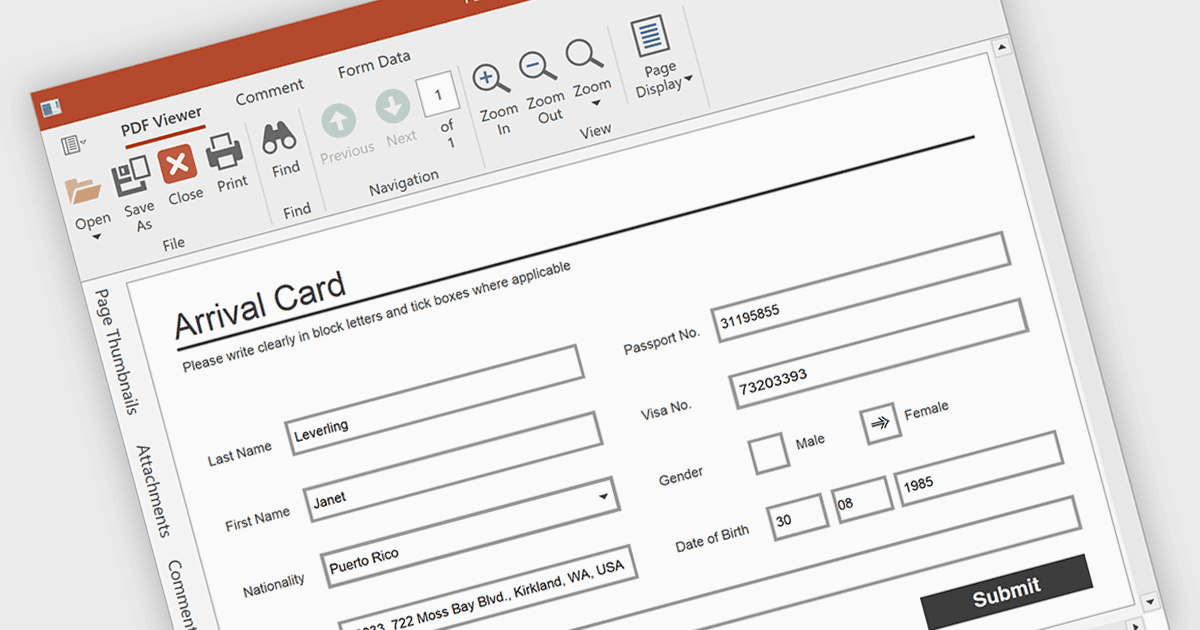
允许用户轻松填写 PDF 表单

6月 19, 2025
通过允许直接在 PDF 中编辑字段增强用户交互,以实现快速高效的数据输入。

继续用英语阅读:

Form filling in a PDF Viewer enables users to interact with editable fields such as text boxes, checkmarks, radio buttons, and selection lists - right inside the document. This functionality is ideal for scenarios like contracts, surveys, and registration forms, where structured input is essential. By integrating these capabilities, developers can improve user interactions and allow form submission without leaving the application, enhancing data capture and eliminating the need for external tools.

Several WPF PDF Viewers feature support for form filling, including:

  • Telerik UI PDF for WPF (part of Telerik UI for WPF) enables editable text, checkboxes, radio buttons, and saving completed PDF forms.
  • DevExpress WPF PDF Viewer (part of DevExpress WPF) allows you to fill, highlight, import, and export PDF form fields.
  • Syncfusion WPF PDF (part of Syncfusion Essential Studio Enterprise) allows you to fill PDF forms with text fields, checkboxes, and dropdowns.

For an in-depth analysis of features and price, visit our comparison of WPF PDF viewers.

Compare WPF PDF Viewers