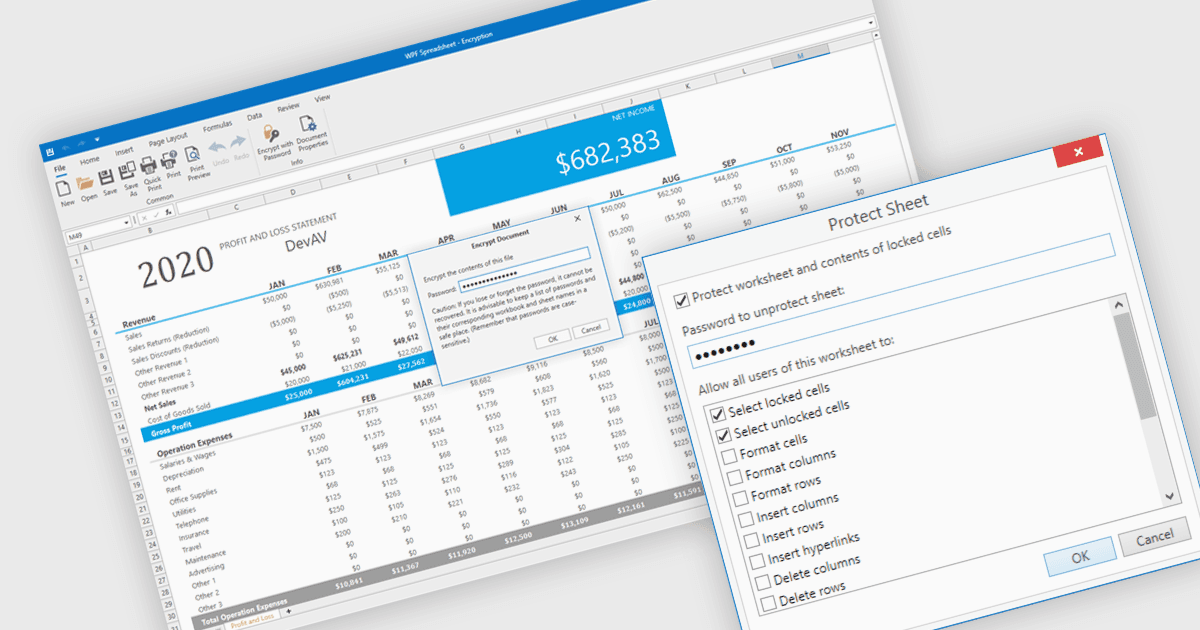
保护 WPF 电子表格应用程序中的数据

7月 8, 2025
利用电子表格安全功能来防止未经授权的访问并限制数据修改,从而在 WPF 桌面应用中授予更大的控制权。

继续用英语阅读:

Spreadsheet security features are essential tools designed to protect sensitive data, ensure data integrity, and control user access within spreadsheet applications. These capabilities typically include such measures as password protection or cell locking, and are used to prevent the unauthorized viewing or modification of content in the spreadsheet. Implementing security measures in their spreadsheets allows organizations to maintain compliance with data security standards or data governance policies, and avoid accidental or malicious data loss or alteration. This level of control is particularly important in environments where multiple users collaborate on financial models, project plans, or other critical datasets.

Several WPF spreadsheet components offer security features, including:

  • DevExpress WPF Spreadsheet (part of DevExpress WPF) offers various levels of password encryption for workbooks, worksheets and specific ranges to protect spreadsheet data.
  • Spread WPF (part of Spread.NET by MESCIUS) provides workbook and worksheet protection with support for cell locking and setting passwords in WPF spreadsheet apps.
  • Telerik WPF Spreadsheet (part of Telerik UI for WPF) includes full support for workbook and worksheet level protection mechanisms to control and enforce user rights.
  • Infragistics WPF Spreadsheet (part of Infragistics Ultimate UI for WPF) has a range of protection settings to safeguard content from unauthorized modifications.

For an in-depth analysis of features and price, visit our comparison of WPF spreadsheet components.

Compare WPF Spreadsheet Components