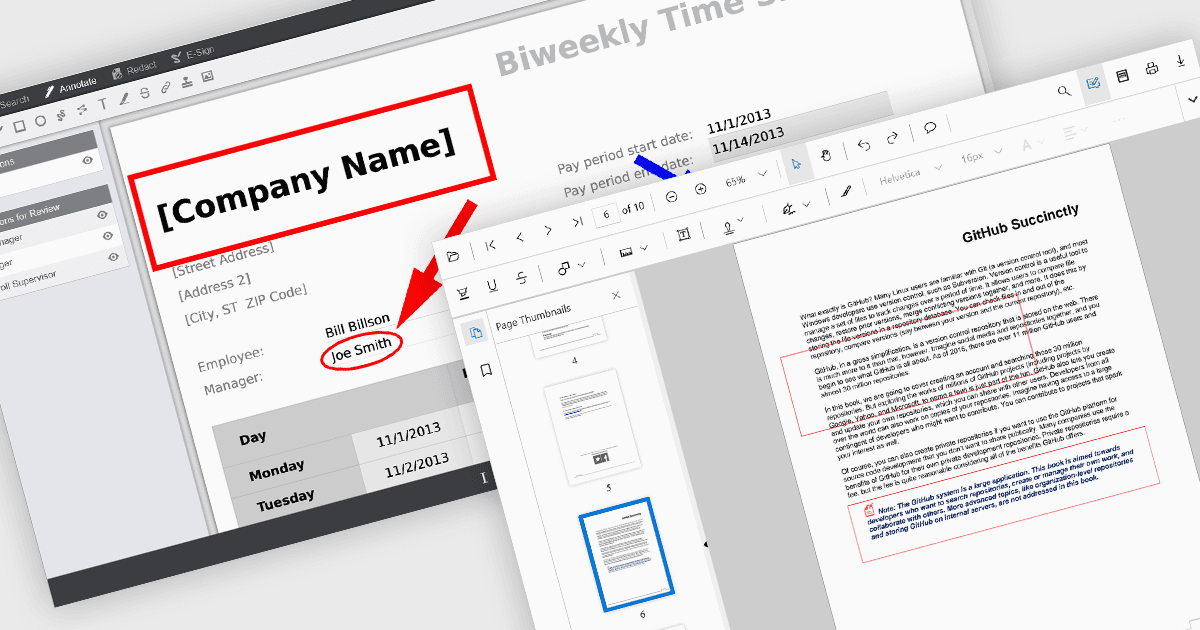
精确突出显示关键 PDF 内容

7月 25, 2025
矩形注释允许用户标记 PDF,从而使审阅、批准和协作编辑更有效、视觉更清晰。

继续用英语阅读:

Rectangle annotations in PDF viewer components enable users to highlight, mark, or comment on specific areas within a PDF document by drawing rectangular shapes. This feature is commonly used for reviewing documents, collaborating on content, or emphasizing sections in technical or legal workflows. It enhances user interactivity within the viewer, allowing for visual references and context-specific notes without altering the original document content.

Several React PDF viewer controls offer rectangle annotations including:

  • Document Solutions for PDF by MESCIUS provides rectangle annotations as part of its comprehensive annotation API, supporting precise placement and customization.
  • PrizmDoc Viewer by Accusoft includes rectangle annotations within its markup and redaction tools, offering collaborative editing capabilities with server-side processing.
  • Syncfusion PDF Viewer (part of Syncfusion Essential Studio Enterprise) supports interactive rectangle annotations through its built-in annotation toolbar.

For an in-depth analysis of features and price, visit our React PDF viewer controls comparison.

Compare React PDF Viewer Controls