用高 DPI UI 编写更清晰的文档和手册

9月 15, 2025
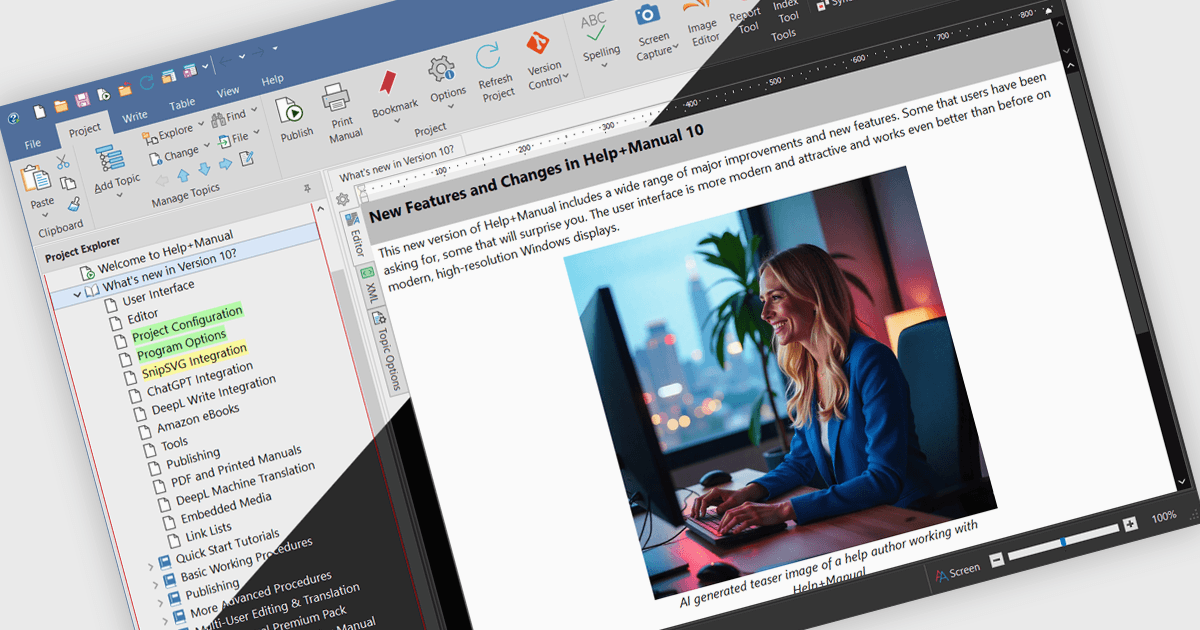
Help & Manual 版本 10 添加更新的高 DPI 用户界面,具有清晰的矢量图标、对深色模式的支持和自动主题切换。

继续用英语阅读:

Help & Manual is a software program that simplifies the creation and management of documentation. It functions as a single source for your content, allowing you to edit and update information once and automatically generate it in various formats, including online help files, PDFs, and ebooks. This streamlines the documentation process and ensures consistency across different delivery methods.

The Help & Manual 10 update introduces an updated High-DPI user interface that delivers a sharper, more consistent visual experience across all display settings. All interface and table of contents icons are now vector-based SVGs, ensuring they scale cleanly without pixelation on high-resolution monitors. The interface also includes full support for Windows dark mode, with the option to automatically follow the system theme, allowing developers to work comfortably in varied lighting environments. These enhancements provide a modern, visually optimized workspace that improves readability and reduces visual strain during extended development and documentation sessions.

To see a full list of what's new in version 10, see our release notes.

Help & Manual is licensed per user and is available as a per seat or floating concurrent license. It is available as a Perpetual license and includes 12 months maintenance (free updates and support). See our Help & Manual Basic, Help & Manual Professional and Help & Manual Floating licensing pages for full details.

Help & Manual is available in the following products: