使用可填写的 PDF AcroForms 导出报表
将报表字段导出为交互式 PDF AcroForms,便于数据录入、保持一致的格式,并兼容多种 PDF 查看器。
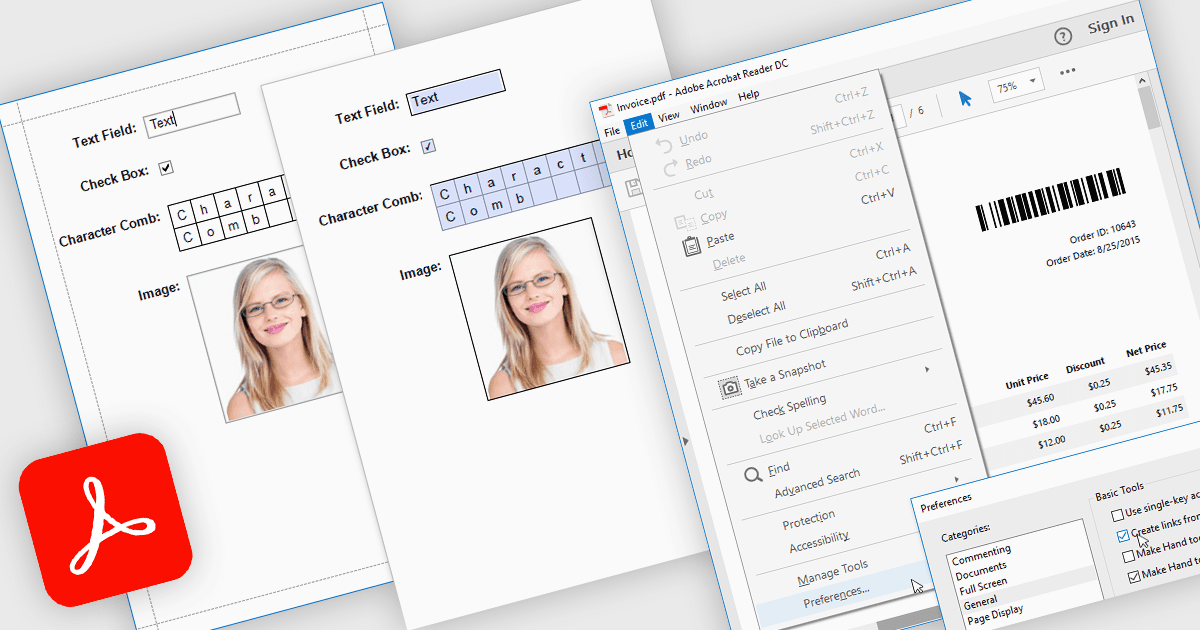
使用 AcroForms 将报表导出为 PDF,能够将报表保存为包含完全交互式表单字段的 PDF 文件,而不是静态文本。文本框、复选框、单选按钮和下拉列表等可编辑元素在导出后仍可填写,用户可直接在诸如 Adobe Acrobat Reader 之类的标准 PDF 查看器中完成表单——无需专门的软件。其优势十分显著:组织可以减少手工数据录入,在分发的文档中保持一致的格式,并提升终端用户的可访问性。比如,一家公司可以导出带可编辑账单明细的发票报表,制作接收方可进行数字化填写的问卷,或生成客户可电子填写并返回的合规表单。通过将交互式字段直接嵌入到导出的报表中,AcroForms 有助于让文档工作流更加高效、准确且用户友好。
一些 .NET WPF 报表控件支持使用 AcroForms 导出为 PDF,包括:
- DevExpress Reports (Multi-Platform) 让你可导出带 AcroForms 的交互式 PDF,从而在不同设备和查看器上实现可编辑字段。
- ActiveReports.NET(MESCIUS 提供)可创建导出为 AcroForm PDF 的报表,支持数字化数据录入、合规流程以及改进的表单分发。
- List & Label Enterprise Reporting Edition(combit 提供)便于使用 AcroForms 导出可填写的 PDF,在保留交互式字段的同时,实现专业、用户友好的数据收集。
- FastReport .NET WPF 支持将报表生成为交互式 AcroForm PDF,将动态布局与可编辑字段结合起来,以满足高效的数字化工作流。
如需深入了解功能与价格,请查看我们对 .NET WPF 报表控件的对比。