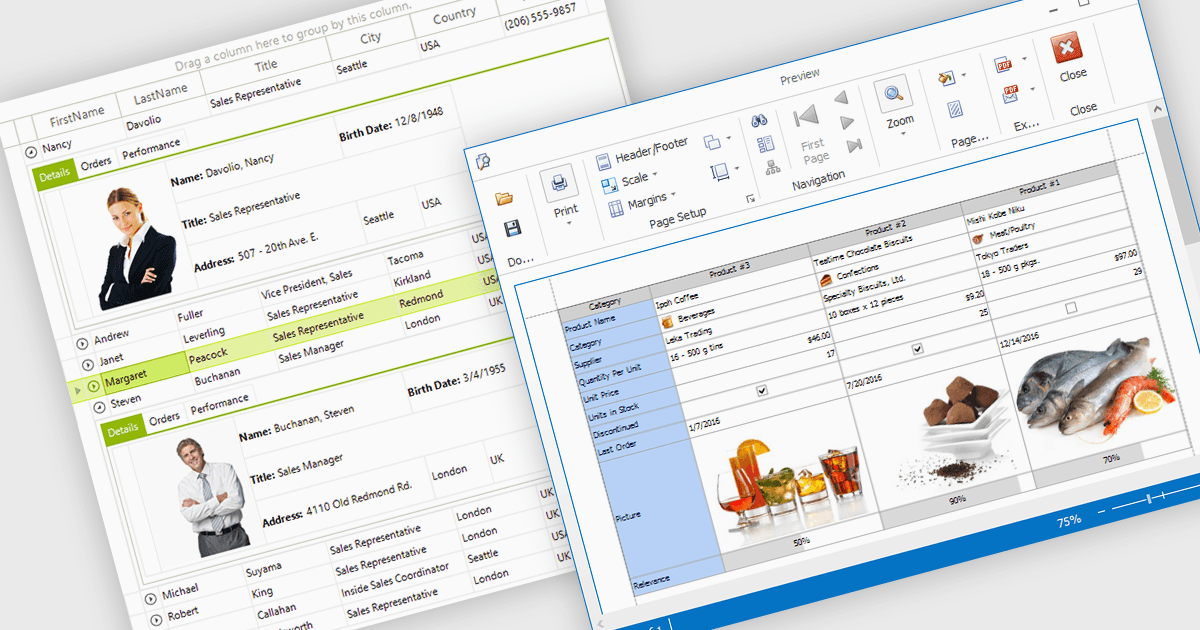
将图像添加到网格单元格以获得视觉上下文

11月 10, 2025
直接在网格单元格内显示图像,使信息立即清晰,从而提高可用性、视觉吸引力和整体数据理解。

继续用英语阅读:

Displaying an image within a grid cell allows developers to combine visual and textual data, making information more intuitive and engaging. This feature enables images such as icons, product photos, or user avatars to appear directly alongside related values, providing immediate visual context and helping users quickly interpret complex datasets. The result is a more dynamic and user-friendly interface that enhances clarity, recognition, and overall usability. Common use cases include showing product images in inventory lists, employee photos in directories, or country flags in international sales reports, allowing users to connect visuals with data for faster understanding and improved decision-making.

Many .NET WinForms grid controls support displaying images within cells, including:

  • DevExpress WinForms Data Grid (part of DevExpress WinForms) lets you embed images directly in cells, enriching data presentation with intuitive, visually informative elements.
  • Telerik UI for WinForms GridView (part of Telerik UI for WinForms) enables image display inside cells, combining visuals with data to create polished, interactive grid interfaces.
  • FlexGrid for WinForms (part of ComponentOne Studio WinForms by MESCIUS) allows you to display images alongside text, creating visually engaging data views.
  • Infragistics WinDataGrid (part of Infragistics Ultimate UI for Windows Forms) facilitates image integration within cells for enhanced clarity across complex data sets.

For an in-depth analysis of features and price, visit our comparison of .NET WinForms Grid Controls.

Compare .NET WinForms Grid Controls