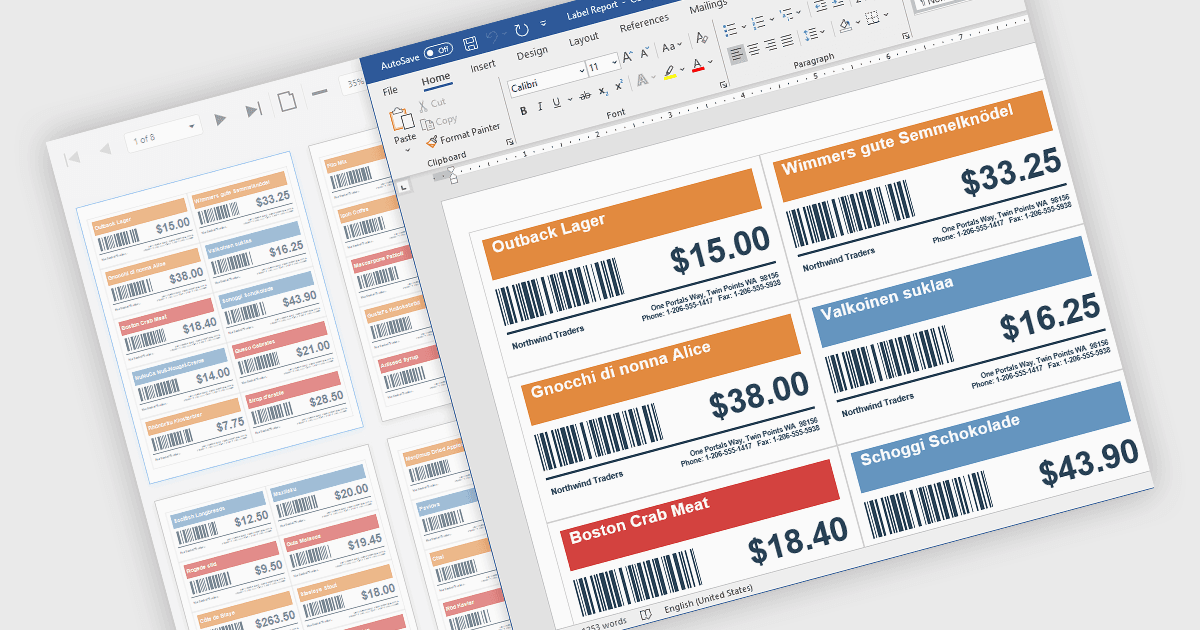
在报表中包含可扫描条码

4月 27, 2026
用条码提高报表准确性,实现快速、可靠的数据采集、系统集成并增强可追溯性。

继续用英语阅读:

Barcodes in reports involve adding machine readable codes, such as QR codes or linear barcodes, into printed or digital reports to enable quick scanning and automated data capture. This improves accuracy by reducing manual entry, increases efficiency through faster access to information, and supports integration with systems like inventory, CRM, or ERP platforms. It also enhances traceability for tracking items, documents, or transactions. Common use cases include inventory management, order processing, healthcare records, and invoice or ticket verification where speed and reliability are essential.

Several .NET WinForms Reporting controls include Barcodes including:

  • DevExpress Reporting lets you incorporate barcodes into reports for accurate data capture, improved traceability, and integration across systems.
  • TX Text Control .NET for Windows Forms Professional facilitates barcode integration within documents and reports, enabling reliable data capture, and improved tracking.
  • ActiveReports.NET Standard by MESCIUS allows you to embed barcodes in reports to enhance accuracy, accelerate processing, and connect efficiently with applications.
  • FastReport .NET WinForms lets you add barcodes to reports for fast scanning, reduced errors, enhanced traceability, and smooth data exchange with connected systems.

For an in-depth analysis of features and price, visit our comparison of .NET WinForms Reporting Controls.

Compare .NET WinForms Reporting Controls