让范围输入更简单
Range Trackbar 数据编辑器让用户可以交互式地定义最小值和最大值限制,从而减少在报表、仪表板和表单中的手动输入。
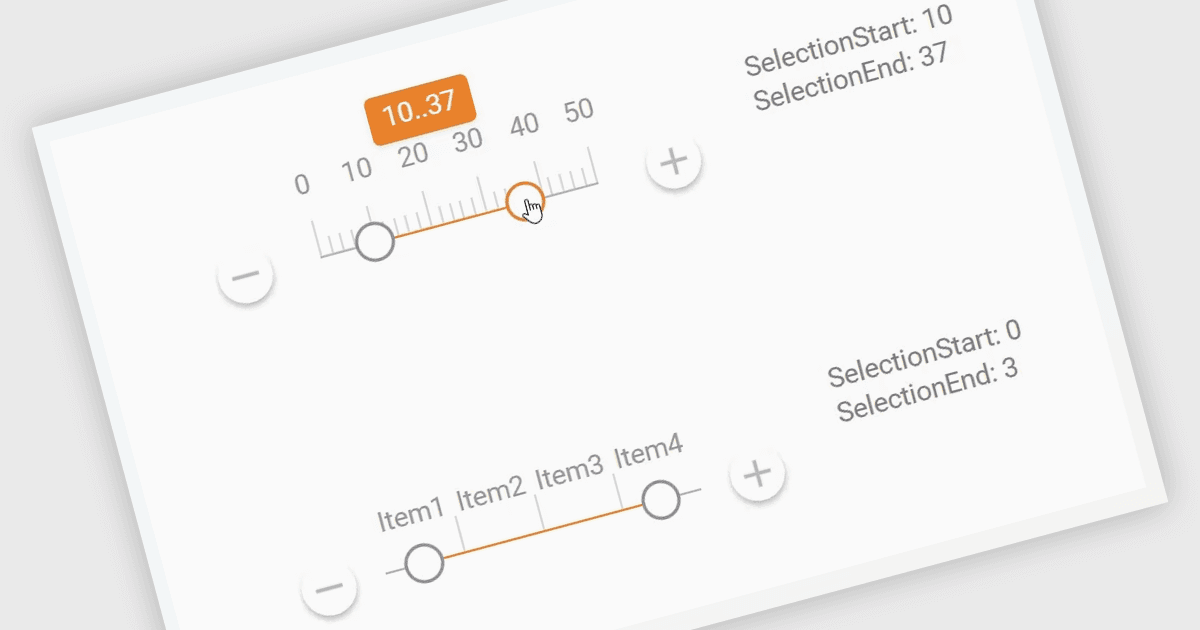
ASP.NET Core 数据编辑器中的 Range Trackbar 是一种交互式输入组件,它允许用户通过沿轨道移动两个手柄来选择一个数值范围,而不是在单独的字段中输入最小值和最大值。这使得基于范围的数据输入更快、更清晰,也更不容易出错,尤其是在有效值有边界时,例如价格、日期、百分比、评分、数量或性能阈值。对于开发者而言,它提供了一种更直观的方式来捕获结构化范围输入,同时还能控制验证、步进间隔、格式设置和默认值。在实际应用中,Range Trackbar 可用于产品筛选器中选择价格范围、报表仪表板中定义日期或分数区间、预订系统中选择可接受的时间窗口、分析工具中调整阈值限制,或用于需要用户在不手动输入精确数值的情况下配置最小值和最大值的管理表单。
许多 ASP.NET Core Assembly Data Editors 集合包含 Range Trackbar 控件,包括:
- DevExpress ASP.NET Core Data Editors(DevExpress ASP.NET & Blazor 的一部分)可让你在响应式数据表单中添加 Range Trackbar 输入,以清晰地选择数值区间。
- Telerik UI for ASP.NET Core Data Editors(Telerik UI for ASP.NET Core 的一部分)允许你为筛选器、阈值和可配置值展示 Range Trackbar 选择。
- Wisej.NET 支持在 ASP.NET Core 应用程序中进行类似 Range Trackbar 的范围选择,支持在业务数据录入中于最小值和最大值之间进行选择。
- Syncfusion ASP.NET Core Data Editors(Syncfusion Essential Studio Enterprise 的一部分)便于使用 Range Trackbar 输入来选择最小值和最大值。
如需深入了解功能和价格,请查看我们对 ASP.NET Core Assembly Data Editors 的比较。