Export Reports to Excel in ASP.NET Core Apps

7月 28, 2026
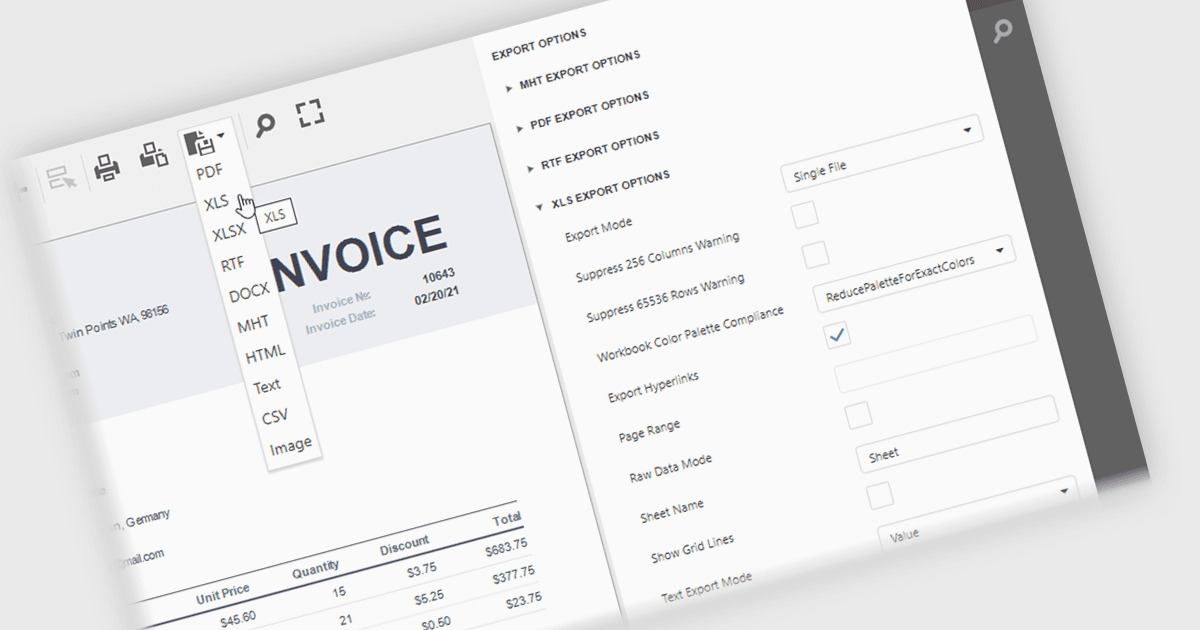
Save reports in XLS or XLSX format with preserved formatting and data, making it easy to analyze, share, and continue working in Microsoft Excel.

XLS/XLSX export in an ASP.NET Core reporting component allows generated reports to be saved in Microsoft Excel spreadsheet formats while preserving data, formatting, formulas and worksheet structure. This makes it straightforward for users to open report data in Excel for further analysis, filtering, sorting, calculations, or sharing, while giving developers a reliable way to deliver report output in a widely supported business format that integrates well with existing workflows and office productivity tools.

Several ASP.NET Core reporting controls offer export to XLS/XLSX including:

  • DevExpress Reporting lets you export reports to XLS/XLSX, preserving layouts, formatting, and data for Excel-based analysis, collaboration, auditing, and sharing.
  • ActiveReports.NET (by MESCIUS) allows you to generate XLS/XLSX exports with accurate formatting, supporting downstream analysis, collaboration and compliance.
  • Telerik Reporting supports XLS/XLSX document creation from reports, maintaining structure for filtering, calculations, integration with familiar spreadsheet tools and distribution.
  • Stimulsoft Reports.WEB lets you save reports as XLS/XLSX spreadsheets, retaining formatting, data, and structure for analysis, collaboration, and archival purposes.

For an in-depth analysis of features and price, visit our ASP.NET Core reporting controls comparison.

Compare ASP.NET Core Reporting Controls