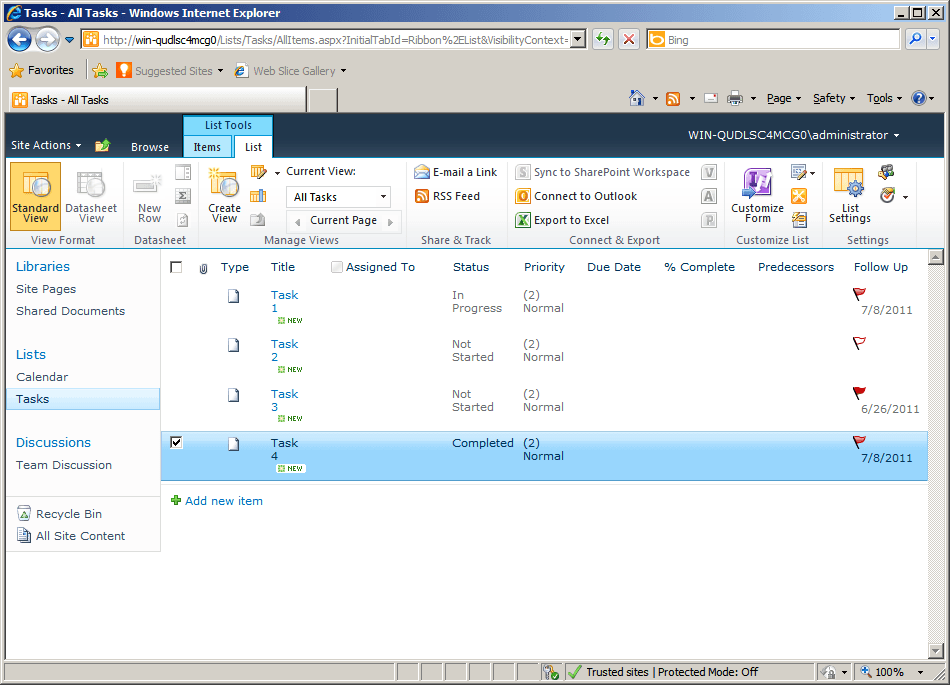
Follow-Up Column
直接在收件箱视图中跟踪和管理电子邮件跟进事项。
- 添加专用列,用于跟踪跟进状态和操作。
- 通过清晰展示对话和截止日期来组织电子邮件任务。
- 支持管理回复、提醒和责任归属的统一工作流。

起价:
加载中...
| 可单独购买 | 我们的价格 |
|---|---|
| Follow-Up Column | 加载中 |
试用版可用 联系我们,获取免费试用
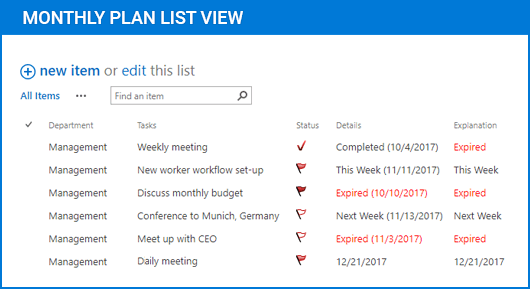
Follow-Up Column 通过一种结构化的方式扩展您的电子邮件界面,用于监控和管理后续跟进操作。它引入了一个专用列,用于显示状态、提醒和归属,帮助用户跟踪未完成的回复,并在大量消息中保持有序的沟通工作流。
专用的后续跟进列
在电子邮件列表中添加一个可见列,显示每条消息的跟进状态。这使用户无需打开单个项目或依赖单独的跟踪系统,就能快速浏览并识别哪些电子邮件需要关注。
自定义状态指示器
提供可配置的状态标记,反映跟进流程的当前阶段。用户可以分配和更新状态,以表示待回复、进行中或已完成等操作,从而提升沟通工作流的清晰度。
集成的提醒管理
支持在列上下文中直接分配提醒。用户可以将截止日期或跟进日期与消息关联,确保及时回复并降低遗漏沟通任务的风险。
集中式电子邮件任务跟踪
将跟进信息整合到收件箱视图中,无需外部跟踪工具。这种方式有助于维护管理沟通相关责任和未完成操作的单一事实来源。
改进的工作流可见性
通过将跟进数据与消息元数据并列展示,增强在大量电子邮件中的可见性。团队和个人无需切换上下文,就能快速评估工作负载、优先处理任务并监控进度。
灵活的配置选项
允许用户根据特定工作流需求定制列行为和显示信息。这包括调整状态类型、可见性规则以及跟进数据在界面中的呈现方式。
无缝的收件箱集成
直接集成到现有的电子邮件客户端界面中,在保留熟悉工作流的同时添加新功能。用户无需打乱既有流程或进行大量再培训即可管理跟进事项。
高效的任务优先级排序
通过将跟进状态与排序和筛选功能结合,实现对高优先级消息的快速识别。这有助于用户聚焦紧急沟通,并更有效地管理时间。
一致的沟通跟踪
确保在所有消息中一致地应用跟进行动。通过标准化跟进的记录和显示方式,它减少了歧义,并提升了个人或团队工作流中的责任明确性。
产品兼容性
请查看以下详细信息,以确保此产品在您的环境中受支持。
宿主应用程序
- SharePoint
- Visual Studio
关于ArtfulBits
ArtfulBits 成立于 2005 年,总部位于乌克兰哈尔科夫,专注于为 Microsoft SharePoint、.NET 和移动平台设计高质量组件和控件。其产品组合包括数据可视化控件、项目管理解决方案,以及专为支持 IT 专业人员和开发者优化工作流程而设计的工具。该品牌以用户为中心的方式处理复杂的数据处理需求,并通过持续开发确保与当前技术保持兼容而闻名。ArtfulBits 通过可靠、专为特定用途打造的组件,帮助软件团队推进他们的项目。