Link to Document Column
直接从列表列引用 SharePoint 文档和文件夹。
- 将列表项连接到 SharePoint 库中的文档和文件夹。
- 支持通过该列进行浏览、选择和直接下载。
- 通过文件夹范围和对象类型控制可选内容。

起价:
加载中...
| 可单独购买 | 我们的价格 |
|---|---|
| Link to Document Column | 加载中 |
试用版可用 联系我们,获取免费试用
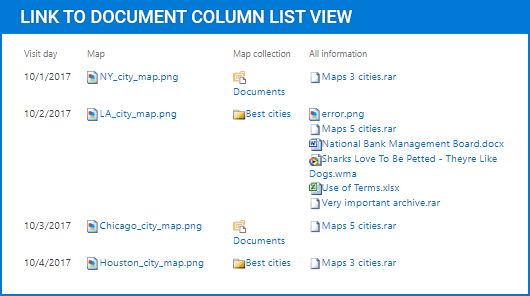
Link to Document Column 为 SharePoint 添加了一个列,用于引用存储在文档库中的文档和文件夹。它让用户可以浏览查找内容,而不是手动输入 URL,支持单选或多选,并可通过文件夹范围、对象类型、显示文本、图标和工具提示来控制可选内容。
文档和文件夹引用
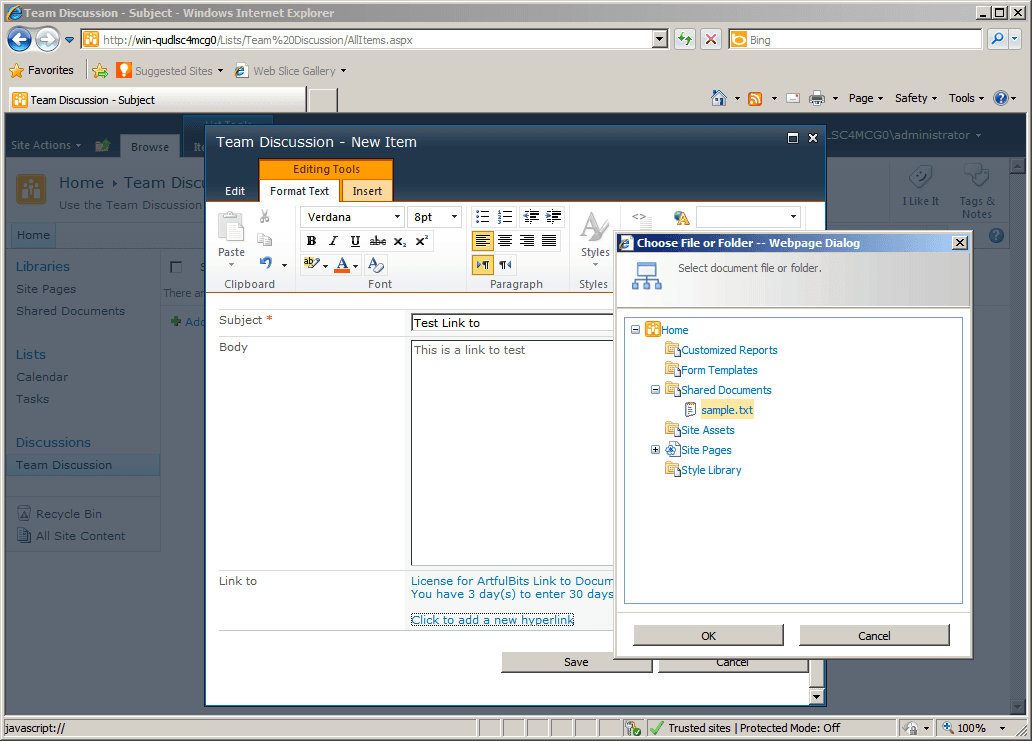
此组件添加了一个 SharePoint 列,用于存储对文档库中文档和文件夹的引用。它将列表项与现有库内容连接起来,使相关文件可从该列直接访问,而无需用户手动输入文件路径或 URL。
库浏览界面
用户可以通过选择界面浏览到所需的文档或文件夹,而不是输入链接。这使得选择引用内容更加直接,并减少在 SharePoint 表单中添加或编辑列表项时的手动输入。
直接文件访问
该列以支持可直接从列表列本身下载的方式呈现链接内容。这有助于用户无需单独浏览文档库结构,就能从相关列表项打开或检索引用文件。
单选和多选
根据列的配置方式,该组件支持在同一列中进行单个或多个引用。这使列表项可以指向一个文档或文件夹,也可以指向更广泛的一组相关库对象。
可选对象筛选
选择行为可按对象类型进行限制,允许该列同时处理文件和文件夹、仅文件夹或仅文件。这有助于根据列表需要引用的 SharePoint 内容类型来调整该列。
文件夹范围控制
该组件可以将选择限制在定义好的根文件夹内。通过设置文档选择范围,它会在编辑期间缩小可用内容,从而让用户只能从文档库中的相关区域进行选择。
可编辑的链接显示文本
该列支持编辑引用所显示的文本。这让团队可以在列表视图或项目表单中显示更有用的标签,而不仅仅依赖原始文档或文件夹名称。
可视化引用标识
它可以在每个引用旁显示文件类型图标,为用户提供链接内容的快速视觉提示。当列表包含多个引用项和不同类型的文件时,这会增加清晰度。
工具提示支持
高级工具提示为列中显示的引用提供更多上下文。这有助于用户在查看列表项时更轻松地识别链接内容,尤其是在仅凭名称无法提供足够细节的情况下。
跨站点集合查找
该组件可以在同一站点集合内跨站点查找文档库中的文档和文件夹。这使 SharePoint 列表能够引用单个站点之外的库内容,同时仍将访问集中在一个列中。
产品兼容性
请查看以下详细信息,以确保此产品在您的环境中受支持。
宿主应用程序
- SharePoint
- Visual Studio
关于ArtfulBits
ArtfulBits 成立于 2005 年,总部位于乌克兰哈尔科夫,专注于为 Microsoft SharePoint、.NET 和移动平台设计高质量组件和控件。其产品组合包括数据可视化控件、项目管理解决方案,以及专为支持 IT 专业人员和开发者优化工作流程而设计的工具。该品牌以用户为中心的方式处理复杂的数据处理需求,并通过持续开发确保与当前技术保持兼容而闻名。ArtfulBits 通过可靠、专为特定用途打造的组件,帮助软件团队推进他们的项目。