安裝后輕鬆運行應用程式

1月 19, 2024
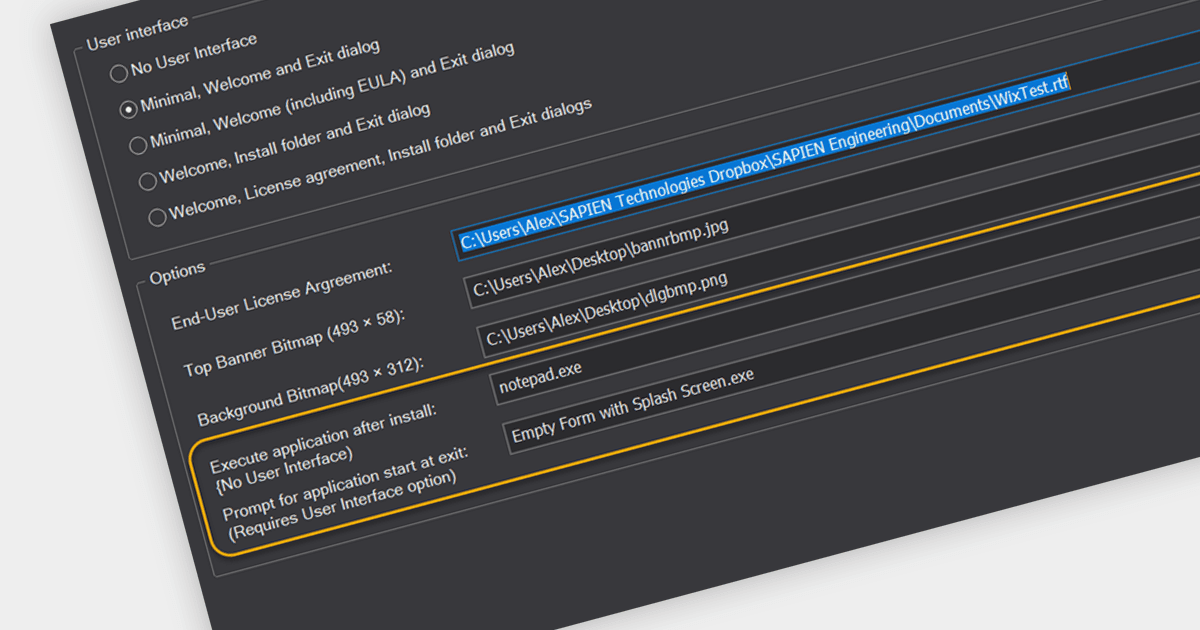
PrimalScript 2024 添加新的腳本打包器功能,可以在安裝後有選擇地執行應用程式,無論是否進行使用者交互。

繼續用英語閱讀:

PrimalScript by SAPIEN Technologies is a comprehensive integrated development environment (IDE) designed for scripting and automation tasks. Offering a powerful platform for various scripting languages, PrimalScript streamlines the development process by providing robust editing, debugging, and deployment tools. Its user-friendly interface caters to both novice and experienced developers, fostering efficient script creation. With features like script packagers and advanced debugging capabilities, PrimalScript empowers users to enhance productivity in tasks ranging from small automation scripts to complex software development projects.

The PrimalScript 2024 update answers a frequently asked question from users: "How do I run an application or command after install?". It introduces innovative features to streamline application launch and post-install actions:

  • Show readme after install automatically opens the readme file, providing users with vital information and next steps.
  • Execute application after install discreetly launches any desired application, including those outside the installer package.
  • Prompt for application start at exit adds a convenient checkbox to the final dialog of the installer, allowing users to choose whether to run the application after installation.

To see a full list of what’s new in version 2024, see our release notes.

PrimalScript is licensed per user and includes 1 year of product updates and support. Annual Premium Support is available and provides 1 Year of access to SAPIEN Technologies direct technical support ticketing system and a guaranteed response within 24 hours. The premium support package must be purchased at the same time as the initial software purchase, subscription renewal, or upgrade, and can be renewed on an annual basis. See our PrimalScript licensing page for full details.

For more information, visit our PrimalScript product page.