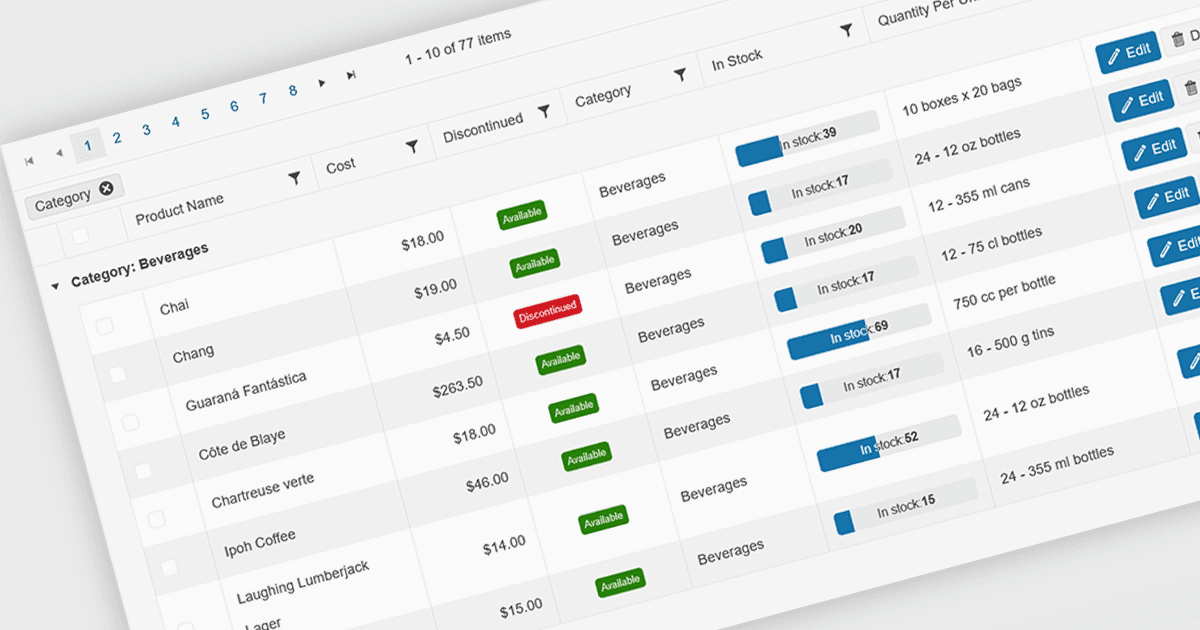
將大型資料集劃分為更易於管理的頁面

7月 19, 2024
透過在較小的塊中載入資料,分頁可以減少初始載入時間並增強回應能力,尤其是對於廣泛的資料集。

繼續用英語閱讀:

Grid paging is a user interface technique that divides large datasets into smaller, manageable pages within a grid or table. This significantly enhances performance by reducing the amount of data processed and displayed at once, improving load times and responsiveness, particularly when dealing with extensive datasets. Paging also enhances user experience by providing a clear structure for navigating through information, helping to prevent the user from being overwhelmed with excessive data.

Several Blazor grid controls offer paging support including:

  • DevExpress Blazor Grid (part of DevExpress ASP.NET and Blazor) facilitates efficient handling of large datasets through advanced paging options.
  • Telerik UI for Blazor Grid (part of Telerik UI for Blazor) empowers developers to implement paging for large datasets, enhancing performance and user experience.
  • Infragistics Blazor Data Grid (part of Infragistics Ignite UI) provides robust grid paging capabilities, optimizing performance and enabling users to explore extensive data.
  • Syncfusion Blazor DataGrid (part of Syncfusion Essential Studio Enterprise) provides flexible paging customization for tailored data presentation.

For an in-depth analysis of features and price, visit our Blazor grid controls comparison.

Compare Blazor Grid Controls