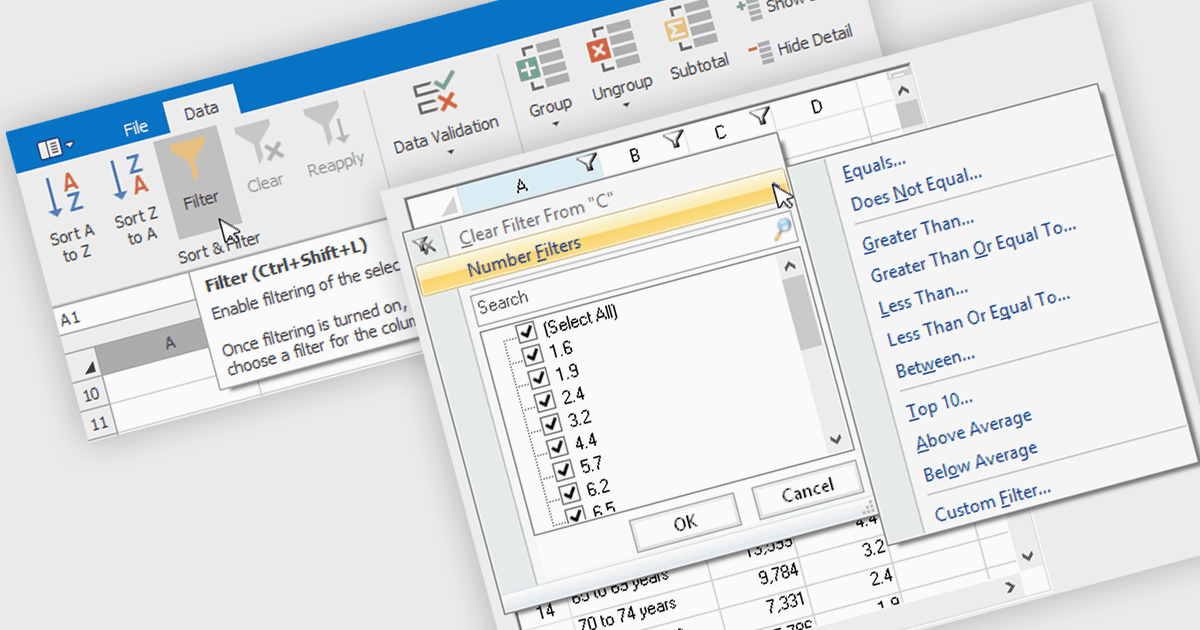
增強了試算表資料組織和分析

10月 11, 2024
使用帶有篩選器和分組功能的 WinForms 試算表控制項來隔離資料點並對相關資料進行分類,以獲得清晰、結構化的資料集視圖。

繼續用英語閱讀:

Data filtering and grouping allow spreadsheet users to efficiently organize and analyze information by categorizing and refining it. Filtering allows users to display only the data that meets specific criteria, reducing irrelevant information and focusing on key data points. Grouping, on the other hand, consolidates related rows or columns, facilitating hierarchical data organization and summarization. Together, these features enhance data manipulation capabilities by simplifying complex datasets, improving readability, and allowing for more efficient data analysis. This functionality supports productivity by providing a more structured view of data, making it easier for developers to interpret and work with extensive datasets.

Many .NET 8 WinForms spreadsheet controls contain data filtering and grouping including:

  • DevExpress WinForms Spreadsheet (part of DevExpress WinForms) enables precise data filtering and grouping, allowing seamless organization and focused analysis within your spreadsheet applications.
  • Spread.NET WinForms (part of Spread.NET by MESCIUS) provides dynamic data filtering and grouping, enhancing data visibility and enabling efficient, hierarchical organization for streamlined data processing.
  • Telerik WinForms Spreadsheet (part of Telerik UI for WinForms) offers robust data filtering and grouping capabilities, helping users to categorize and sort information for improved data analysis.
  • Infragistics WinForms Spreadsheet (part of Infragistics Ultimate UI for Windows Forms) facilitates intuitive data filtering and grouping, supporting efficient data structuring and improved insights through simplified data manipulation.

For an in-depth analysis of features and price, visit our comparison of .NET 8 WinForms spreadsheet controls.

Compare .NET 8 WinForms Spreadsheet Controls