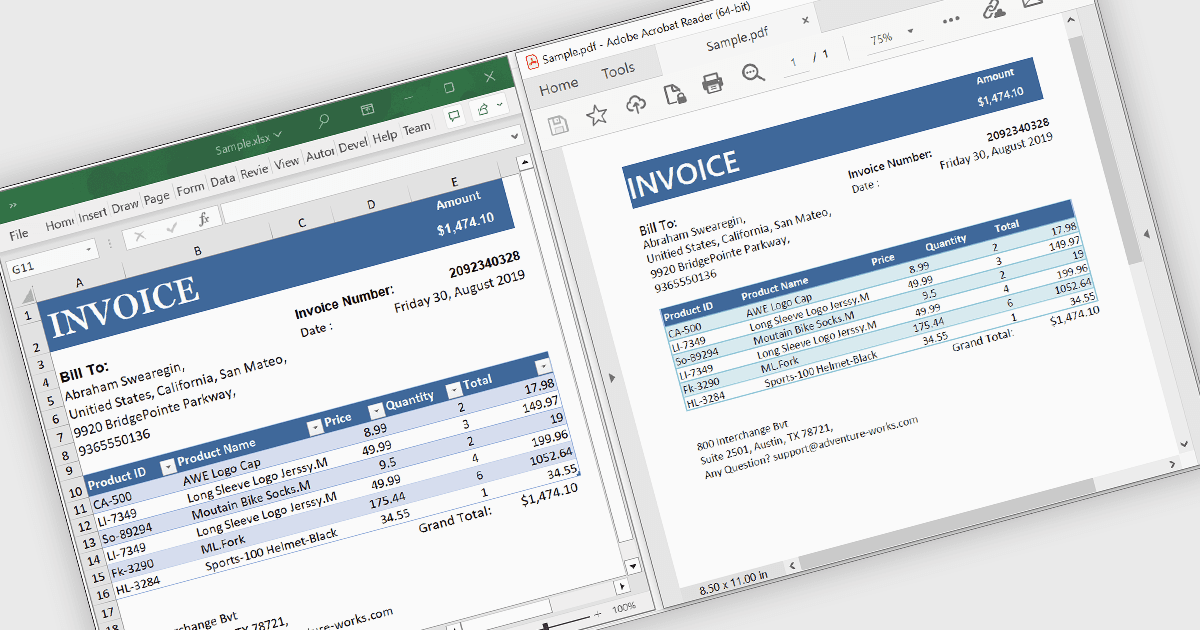
Excel 轉換 PDF 時保持格式

2月 28, 2025
在保留格式的同時將 Excel 檔轉換為 PDF,非常適合共用報表、保護敏感性資料和創建可列印文件。

繼續用英語閱讀:

Converting Excel files to PDF ensures that spreadsheets maintain their formatting, structure, and data integrity while becoming universally accessible across devices without requiring specialized software. This process enhances security by preventing unintended edits, supports password protection, and enables controlled access to sensitive data. It also optimizes file size for easier sharing and ensures consistent printing without layout distortions. Ideal for financial reports, invoices, data summaries, and official documents, Excel to PDF conversion provides a professional, fixed-format output suitable for archiving, collaboration, and compliance with industry standards.

Several .NET WinForms PDF controls offer support for Excel to PDF conversion, including:

  • Syncfusion Windows Forms PDF (part of Syncfusion Essential Studio Enterprise) converts Excel files to PDF, preserving formatting, security, and print-ready layouts for easy sharing.
  • Telerik UI PDF for WinForms (part of Telerik UI for WinForms) lets you generate high-quality PDFs from spreadsheets, ensuring accessibility, and controlled editing.
  • ImageGear for .NET (by Accusoft) facilitates Excel-to-PDF conversion with advanced formatting retention, optimized file sizes, and enhanced security for secure distribution.

Compare .NET WinForms PDF Controls