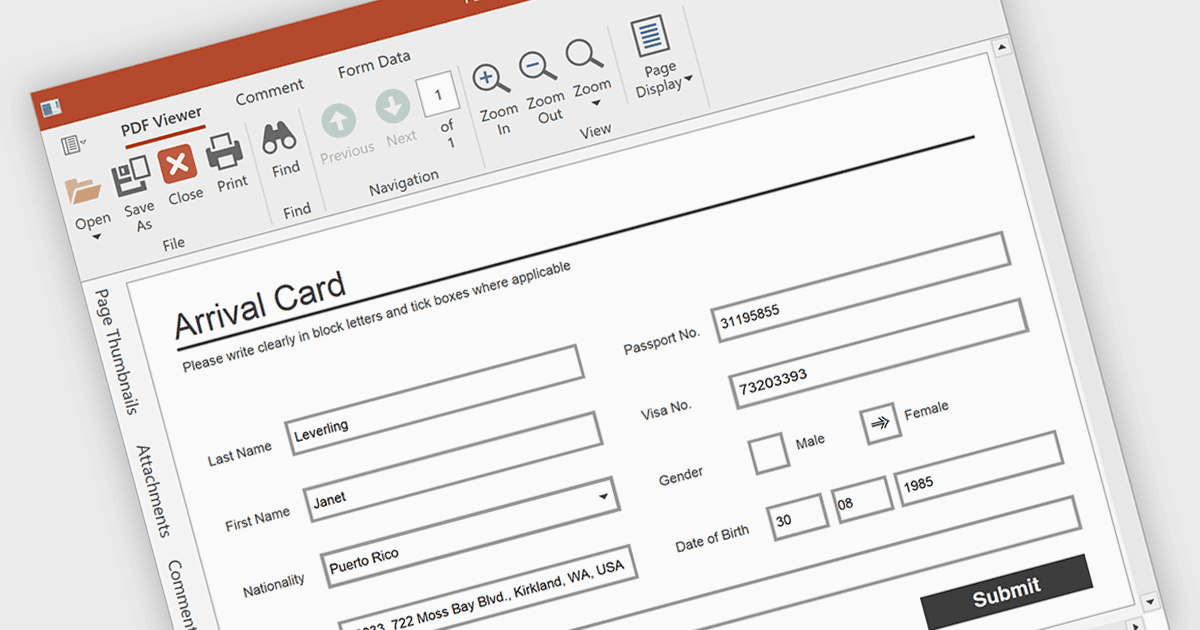
允許使用者輕鬆填寫 PDF 表單

6月 19, 2025
透過允許直接在 PDF 中編輯欄位增強使用者交互,以實現快速高效的資料登錄。

繼續用英語閱讀:

Form filling in a PDF Viewer enables users to interact with editable fields such as text boxes, checkmarks, radio buttons, and selection lists - right inside the document. This functionality is ideal for scenarios like contracts, surveys, and registration forms, where structured input is essential. By integrating these capabilities, developers can improve user interactions and allow form submission without leaving the application, enhancing data capture and eliminating the need for external tools.

Several WPF PDF Viewers feature support for form filling, including:

  • Telerik UI PDF for WPF (part of Telerik UI for WPF) enables editable text, checkboxes, radio buttons, and saving completed PDF forms.
  • DevExpress WPF PDF Viewer (part of DevExpress WPF) allows you to fill, highlight, import, and export PDF form fields.
  • Syncfusion WPF PDF (part of Syncfusion Essential Studio Enterprise) allows you to fill PDF forms with text fields, checkboxes, and dropdowns.

For an in-depth analysis of features and price, visit our comparison of WPF PDF viewers.

Compare WPF PDF Viewers