使用內建顏色工具,即刻自訂
顏色選擇器讓使用者能快速將顏色套用到儲存格或圖表,使趨勢、離群值與優先事項能一目了然地看見。
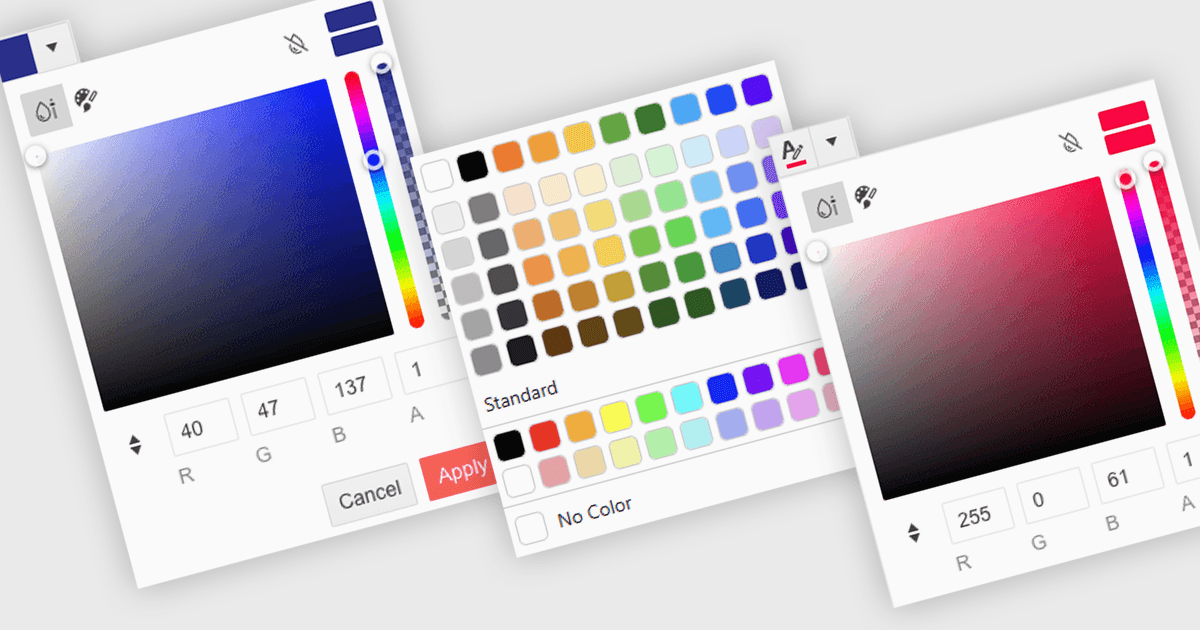
顏色選擇器是一種使用者介面元件,可讓使用者在不撰寫任何程式碼的情況下,選擇並套用顏色到資料的特定部分。它通常以小型調色盤或輸入框的形式出現;當使用者點擊時,會開啟包含顏色選項的面板,例如色票、滑桿或十六進位色碼欄位。此功能支援直覺式視覺化自訂,讓使用者可以強調模式、標記重要數值,或與企業配色方案保持一致。在進階編輯器中,顏色選擇器也能支援主題或無障礙設定,例如高對比配色。
多款 .NET Blazor 資料編輯器都能提供顏色選擇器,包括:
- Blazorise 資料編輯器讓你能使用直覺式選擇器輕鬆套用自訂顏色,提升資料呈現與使用者互動。
- jQWidgets Blazor (jQWidgets 的一部分) 資料編輯器可讓你透過內建顏色選擇器,將內容以視覺方式整理,呈現清晰且具動態效果的資料樣式。
- Syncfusion Essential Studio for Blazor Data Editors(Syncfusion Essential Studio Enterprise 的一部分)提供 顏色選擇器整合,讓你能進行視覺化格式設定。
- Telerik UI for Blazor Data Editors(Telerik UI for Blazor 的一部分)透過具回應性的顏色選擇器,協助你更精準地凸顯資料,並支援品牌一致性與清晰度。
若要深入了解功能與價格,請瀏覽我們的 .NET Blazor 資料編輯器比較。