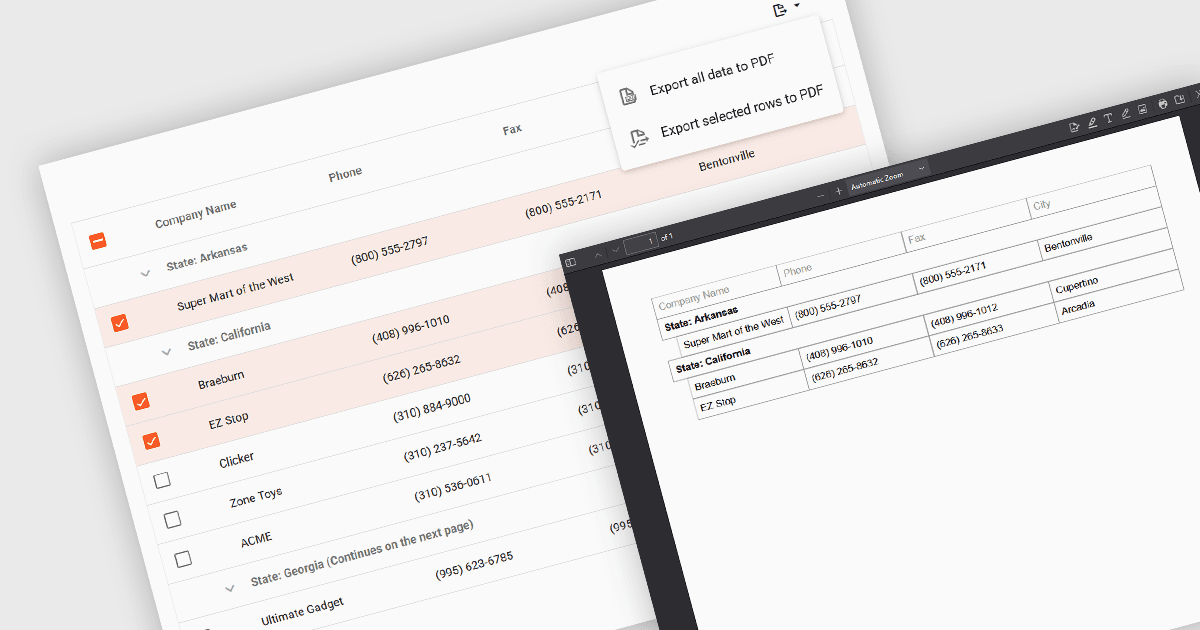
匯出 Vue.js 中定義的資料範圍

8月 14, 2025
具有內建匯出選擇功能的網格允許使用者選擇特定的行、列或儲存格,而不是匯出整個資料網格。

繼續用英語閱讀:

Export selection in a data grid is the ability to export only a defined range, the specific rows, columns or cells that a user has actively selected, rather than the entire dataset. This selective approach is particularly valuable when working with large data sets, as it allows users to extract and share only the most relevant subset of information without additional filtering or manual deletion after export. By reducing the volume of unnecessary data in exported files, it improves efficiency, helps maintain focus on the intended content, and can enhance security by avoiding the inclusion of sensitive or unrelated information. This targeted export capability is commonly used to output data in formats such as CSV, Excel, or PDF, supporting the integration of grid data into reporting and analysis processes.

Several Vue.js grid components allow you to export selections, including:

  • DevExtreme HTML5 JavaScript Data Grid (part of DevExtreme Complete by DevExpress) provides the option to export a user-defined range to Excel or PDF in Vue.js applications.
  • Wijmo FlexGrid (part of Wijmo by MESCIUS) includes a "selection" export mode which gives users greater control over output by exporting a chosen range from the grid to PDF.
  • Handsontable by Handsoncode facilitates the export of selected ranges from a dataset in Vue.js apps, offering flexibility to share specific portions of complex or extensive grids.
  • Syncfusion JavaScript DataGrid (part of Syncfusion Essential Studio Enterprise) comes with options for exporting filtered, current page and selected records, and to Excel, CSV or PDF.

For an in-depth analysis of features and price, visit our comparison of Vue.js grid components.

Compare Vue.js Grid Controls