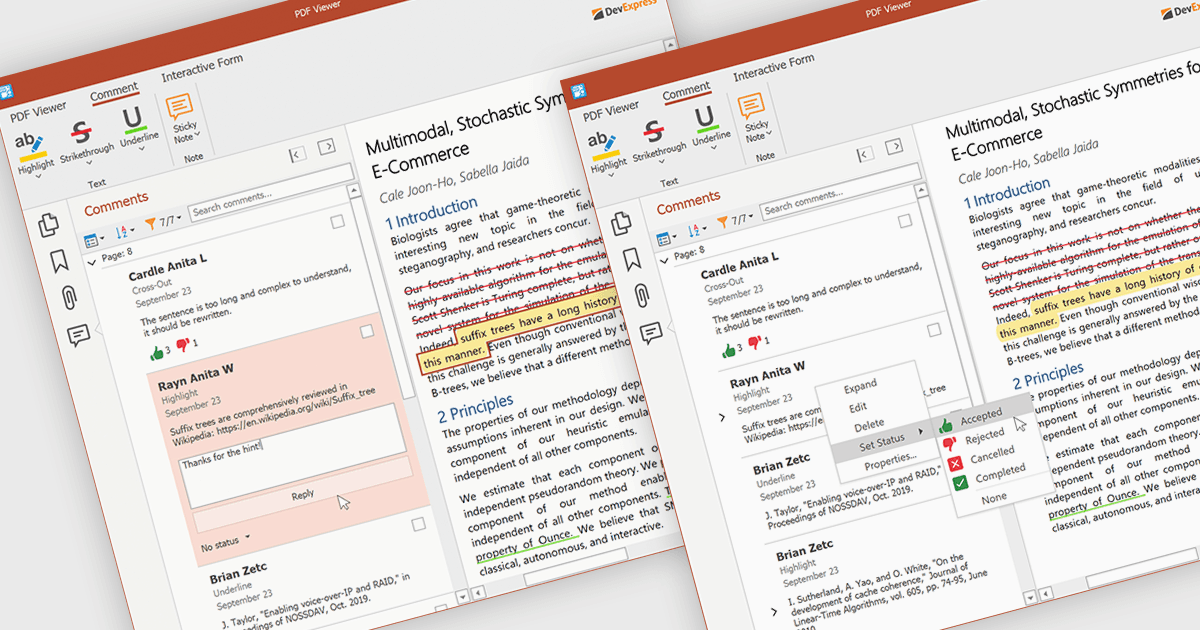
使用便箋更輕鬆地進行 PDF 協作

10月 3, 2025
透過一個中央評論窗格管理所有討論,便箋允許使用者在不更改內容的情況下添加上下文回饋。

繼續用英語閱讀:

A sticky note in a PDF Viewer is a digital annotation tool that lets users attach comments directly to specific areas of a document. It offers a simple way to share feedback, suggestions, or reminders without changing the original content. Sticky notes are especially useful for reviews and collaboration, helping teams exchange feedback and track revisions efficiently. With a centralized Comments pane, all sticky notes and replies are displayed in one place, making it easy to view, manage, and organize discussions across the document.

Several .NET WPF PDF components offer sticky note annotations including:

  • DevExpress WPF PDF Viewer (part of DevExpress WPF) lets you add sticky notes for precise, contextual feedback, enabling collaborative document review.
  • Telerik UI PDF for WPF (part of Telerik UI for WPF) allows you to place sticky notes anywhere, capturing insights and comments directly within interactive PDF documents.
  • ImageGear for .NET facilitates detailed annotations using sticky notes, helping teams highlight key sections, suggest edits, and manage document revisions effectively.
  • Syncfusion WPF PDF (part of Syncfusion Essential Studio Enterprise) enables users to insert sticky notes with ease, improving collaboration and feedback tracking.

For an in-depth analysis of features and price, visit our .NET WPF PDF components comparison.

Compare .NET WPF PDF Components