使用關鍵字搜尋在 PDF 中定位資訊
使用 PDF 搜尋快速尋找文字,協助使用者即時定位關鍵字、瀏覽文件並存取相關內容。
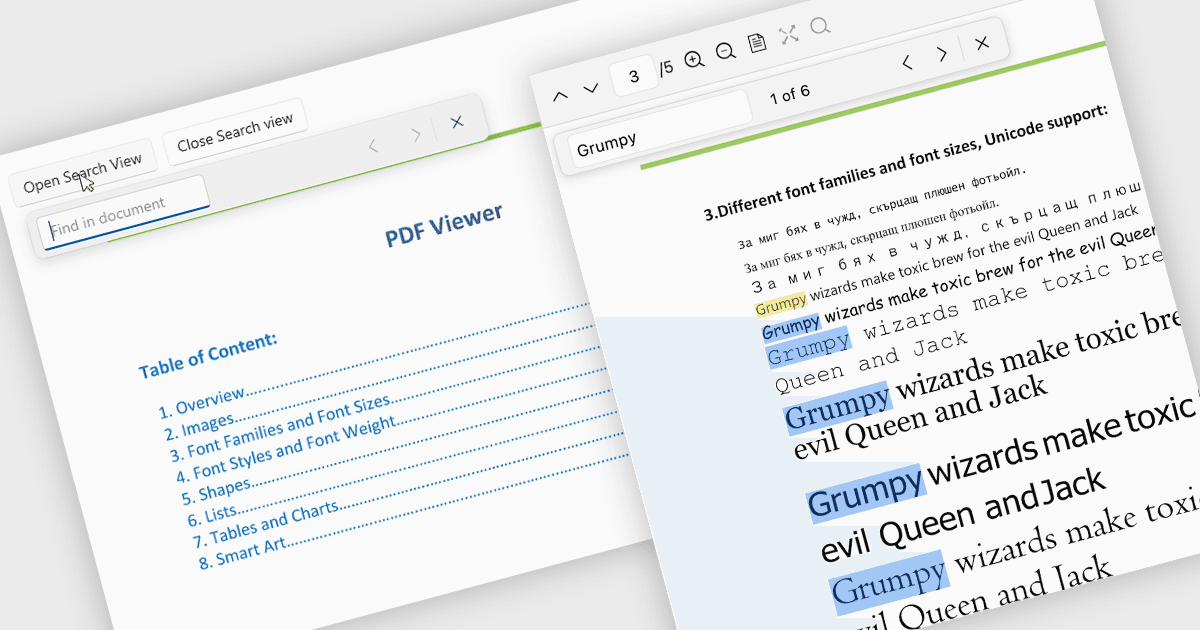
在 PDF 檢視器中搜尋可讓使用者快速在文件中找出特定字詞、片語或資料,而無需手動逐頁掃描。透過即時醒目提示並在結果之間導覽,搜尋能讓處理大型或複雜 PDF(例如報告、手冊、合約或研究論文)變得更容易。這項功能可協助使用者更快找到相關資訊、在脈絡中理解內容,並直接移至重要章節,從而提升生產力。
多個 .NET PDF Viewer 控制項可讓您在 PDF 檔案中搜尋文字,包括:
- Telerik UI for .NET MAUI PDF Viewer(Telerik UI for .NET MAUI 的一部分)可讓您快速搜尋文字、醒目提示相符項目,並在各頁面之間導覽結果。
- IronPDF for .NET 由 Iron Software 提供,讓您能以程式設計方式搜尋 PDF 文字、識別關鍵字並擷取相關內容。
- ImageGear for .NET 由 Accusoft 提供,可在 PDF 頁面內快速進行文字搜尋,使應用程式能找出片語、醒目提示結果並引導導覽。
- GroupDocs.Viewer for .NET 讓開發人員能在所檢視的 PDF 文件中快速搜尋文字、迅速找出相符項目,並在應用程式內顯示醒目提示結果。
如需功能與價格的深入分析,請造訪我們的 .NET PDF Viewer 控制項比較。