啟用 PDF 內批註以獲得更清晰的回饋

4月 21, 2026
允許使用者直接在文件中添加注釋、突出顯示和視覺標記,從而將回饋集中在一處且清晰易懂。

繼續用英語閱讀:

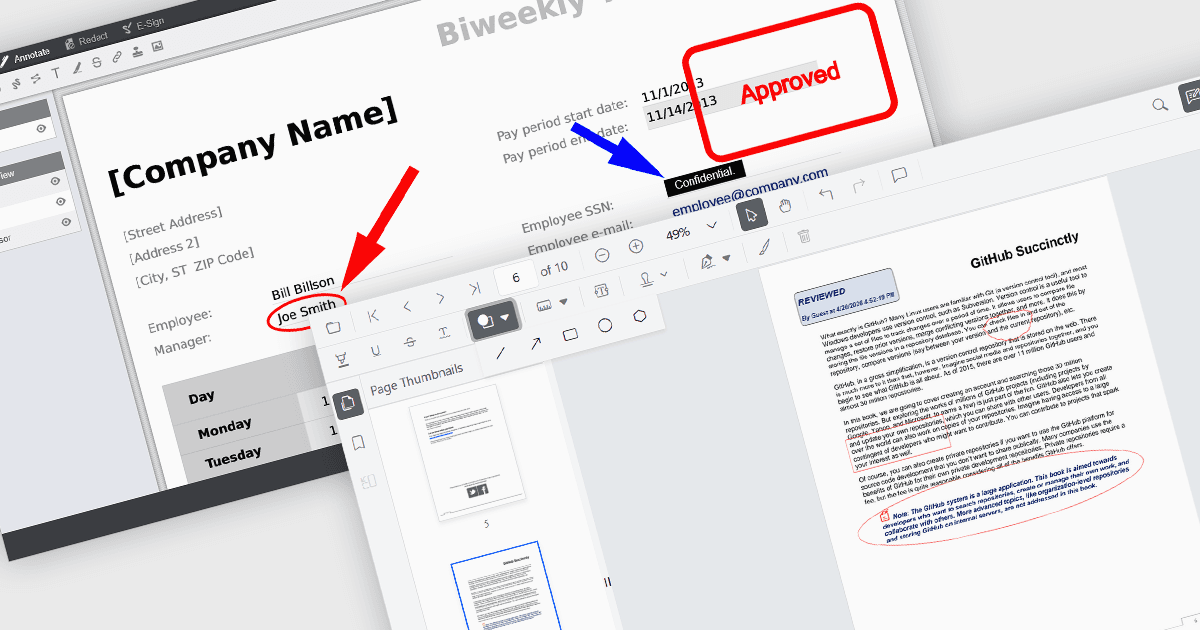
Annotation capabilities in PDF Viewer components allow users to interact with documents through visual and textual markup, supporting review, collaboration, and documentation processes. Tools such as Line, Rectangle, and Free text help highlight structure and add clarity, while Sticky note and Stamp annotations provide contextual feedback and status indicators. By embedding these capabilities directly into a viewer, applications can offer a cohesive experience for editing and reviewing PDFs without requiring external software.

Common annotations include:

  • Ellipse annotations offer a circular or oval shape tool for highlighting regions in a less rigid form than rectangular annotations.
  • Free text annotations let users insert editable text anywhere on the page for inline commentary or corrections.
  • Freehand draw (Ink) annotations enable natural, pen-like input for signatures, sketches, or handwritten notes.
  • Line annotations allow users to draw straight connectors or highlights between points, often used for pointing out relationships or alignment.
  • Rectangle annotations provide a way to frame areas of interest, making it useful for emphasizing sections of a page.
  • Stamp annotations apply predefined or custom labels, such as approval or review statuses, directly onto the document.
  • Sticky note annotations add comment markers that can store detailed feedback without cluttering the document visually.

For an in-depth analysis of features and price, visit our JavaScript PDF viewer components comparison.

Explore JavaScript PDF Annotation Features