從PDF文件中提取文字
透過允許使用者在Blazor應用程式中的PDF檢視器內直接選取並複製文字,提供便捷的方式來擷取及重複使用資訊。
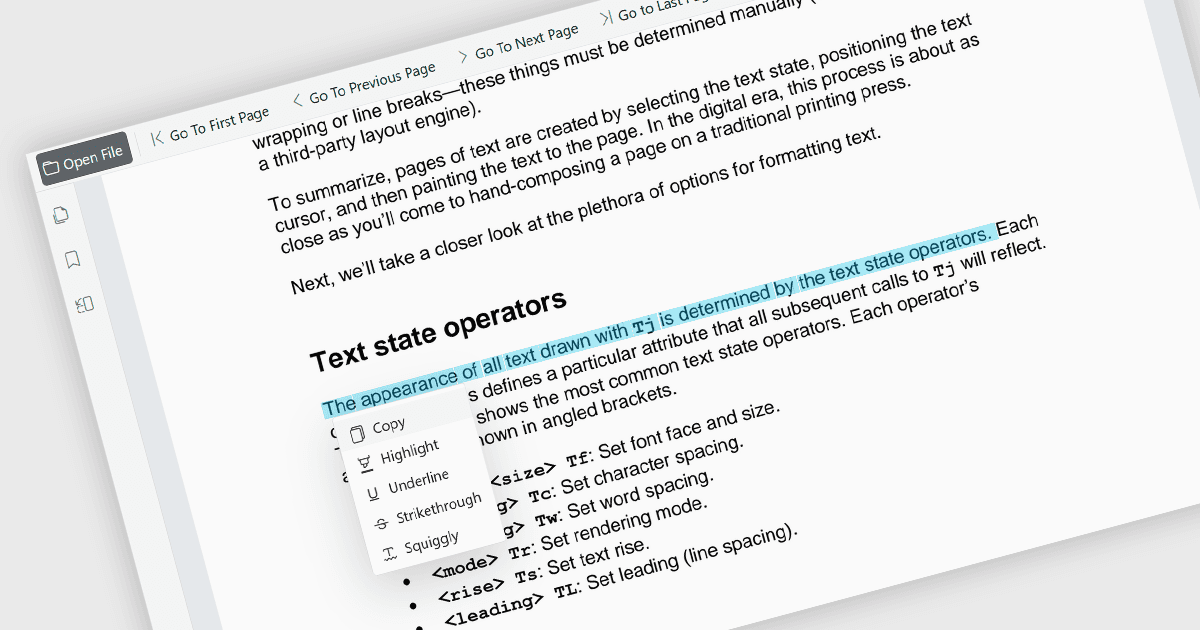
能直接在PDF檢視器內選取並複製文字,讓使用者能夠標註內容並將其傳輸到其他應用程式,而無需離開文件。此功能能有效從PDF檔案中擷取資訊,減少手動輸入內容的需求,並幫助降低錯誤發生。它支援包括研究、文件審閱、內容重用及跨團隊協作等多種使用情境。此功能提升生產力,因其讓資訊重複使用更方便,提取重要細節,支援研究活動,並將內容整合至報告、電子郵件、簡報或其他商業文件,同時保持高效的閱讀體驗。此外,它也增強了無障礙性及可用性,使使用者能以更靈活且實用的方式與文件內容互動。
多款Blazor PDF檢視器元件提供選取及複製文字的功能,包括:
- ComponentOne Blazor FlexViewer(MESCIUS的ComponentOne Studio Blazor Edition部分)允許使用者在PDF文件中選取文字,並將選取的內容複製至剪貼簿,以便其他地方使用。
- Telerik UI Blazor PDF Viewer(Telerik UI for Blazor部分)提供文字選取功能,允許使用者直接在顯示的PDF檔案中選取並互動文字,支援常見的文件審閱、參考及內容擷取情境。
- Syncfusion Blazor PDF Viewer SDK(Syncfusion Essential Studio Enterprise部分)支援文字選取及複製操作,讓使用者能擷取PDF檔案中的內容,並將選取的文字傳輸至其他應用程式使用。
欲了解功能與價格的詳細分析,請造訪我們的Blazor PDF檢視器元件比較頁面。