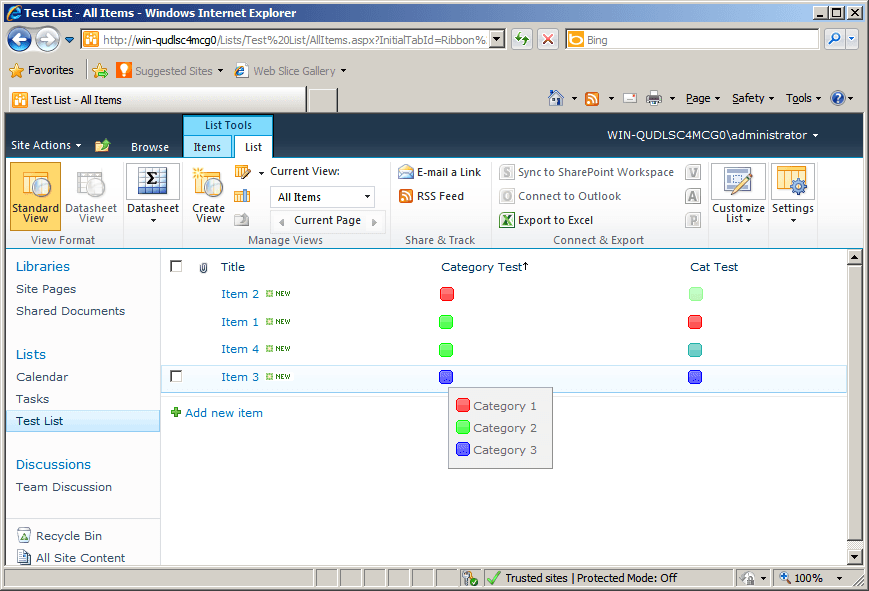
Category Column
以可自訂的排序與分組功能顯示已分類的資料。
- 提供可自訂欄位,用於顯示已分類資料。
- 支援類別內的排序與分組。
- 可順暢整合至以資料為導向的應用程式。

起價:
載入中...
| 可單獨購買 | 我們的價格 |
|---|---|
| Category Column | 載入中 |
試用版可用 聯絡我們,享受免費試用
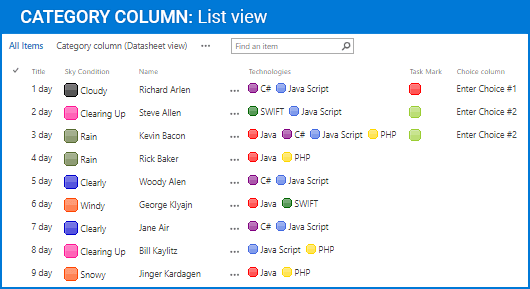
Category Column 介紹了一種在表格介面中呈現產品類別資料的結構化方式,讓每個項目都能對應到其分類。它有助於更清晰的目錄組織、提升大規模資料集的導覽效率,並可直接整合到可設定的表格版面中,以靈活呈現資料。
Category 資料顯示
提供專屬欄位,以表格版面顯示分配給每個產品的類別。這使使用者能立即辨識項目如何分組,並在處理大量目錄或多類別資料集時提升可視性。
強化目錄組織
將每筆項目與其對應類別配對,以組織產品資訊。此結構有助於更清楚地解讀資料,尤其是在管理大型庫存、且分類在導覽與篩選中扮演關鍵角色時。
表格版面整合
可直接整合至表格式元件,讓類別資訊與其他產品屬性並列顯示。這可確保資料視圖的一致性,並能無縫納入既有的以表格為基礎的介面中。
可自訂欄位位置
允許在表格中重新調整類別欄的位置。使用者可依其他欄位調整其相對位置,確保版面符合特定工作流程或資料可視性的需求。
彈性的欄位設定
支援欄位命名與對齊等設定選項。這使欄位能調整為符合介面慣例,或符合產品目錄與應用程式中使用的特定術語。
提升資料可讀性
以一致且結構化的格式呈現類別資訊,使產品清單更容易掃描與解讀。當在同一資料集中比較多個類別中的項目時,這尤其有用。
支援以類別為基礎的導覽
透過在表格中直接顯示類別脈絡,讓導覽更快速。使用者可辨識相關項目並探索分組產品,而無需切換視圖或執行額外查詢。
可擴充以應付大型目錄
透過在每一列中維持清楚的分類來處理大量產品資料。這種可擴充性支援企業級目錄,而高效率的資料呈現對可用性至關重要。
一致的資料呈現
確保所有項目的類別資訊都以統一方式顯示。這種一致性可減少歧義,並有助於在跨多個資料集或介面時維持資料完整性。
支援產品交叉參照
讓使用者可透過共享類別辨識產品之間的關聯。這有助於在相同分類結構中進行分析、比較與發掘相關項目。
產品相容性
請查看以下詳細資訊,以確保此產品在您的環境中受支援。
宿主應用程式
- SharePoint
- Visual Studio
關於ArtfulBits
ArtfulBits 成立於 2005 年,總部位於烏克蘭的 Kharkiv,專注於為 Microsoft SharePoint、.NET 和行動平台設計高品質的元件與控制項。其產品組合包括資料視覺化控制項、專案管理解決方案,以及專為支援 IT 專業人員與開發人員優化工作流程而量身打造的工具。該品牌以能夠因應複雜的資料處理需求、採取以使用者為中心的方法,並持續積極開發以確保與當前技術維持相容而聞名。ArtfulBits 透過可靠、專為特定用途打造的元件,協助軟體團隊推進其專案。