by innoheim - Product Type: Application
CamVerce by innoheim
URLs: camverce, innoheim
Create professional tutorials, training videos, multimedia presentations and video lectures in minutes. CamVerce allows you to record, edit, convert and play videos without using any other applications. CamVerce supports 11 popular video formats EMX, EXE,SWF,AVI,ASF,WMV,MOV,RM,HTML,DOC and PPT. You can draw on your screen while you're recording and add callouts, images and audio to your project.
CamVerce Includes:
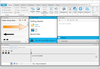
Recorder: CamVerce Recorder doesn’t just record screen but also allows you to draw on screen while you’re recording. Recording Wizards will guide you whatever you want to record
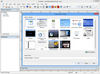
Studio: You can add callouts, images and audio to your project. Its intuitive frame editing and interactive features will polish your project even more
Converter: You need to export to multiple formats? You can export to 11 different file formats: EMX, EXE, SWF, AVI, ASF, WMV, MOV, RM, HTML, DOC and PPT.
Player: Allows you to play interactive enabled files you exported
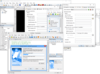
Launcher: CamVerce Launcher makes it easier to switch between applications. You can run all CamVerce applications from one window
CamVerce Features
Record desktop activities with mouse cursor and your voice
You can draw on your screen while you're recording
Made a mistake while recording? Don’t worry, you can edit it after with CamVerce
Record video playing on your computer screen. It records whether it's streaming or non-streaming
You can take screenshots whenever you want while your mouse cursor and narration are being recorded to minimize the file size
You can add callouts, images and audio to your project
You can export to 11 different file formats: EMX, EXE,SWF,AVI,ASF,WMV,MOV,RM,HTML,DOC and PPT.
What's new in CamVerce V1.85?
Improved compatibility with Windows 7 64-bit OS.
Current resources have been revised and resources for Windows 7 have been added.
Visual C++ 2005 Redistributable has been replaced.
Certificate of authentication for code sign has been applied to all the exe files.
Improved sound quality for some sound cards producing inferior sound quality in Windows Vista/7.
Sync issue for recordings with specific settings in Windows Vista/7 fixed.
The issue that CamVerce did not close when microphone is not configured in Windows Vista/7 fixed.
The issue that CamVerce did not close when computer sound is selected as audio device for systems using specific sound cards in Windows Vista/7 fixed.
Generates an error message when recording cannot be completed in some systems.
Create professional tutorials, training videos, multimedia presentations and video lectures in minutes.
Pricing: CamVerce V1.85 1 User License, CamVerce V1.85 5 User License
Evals & Downloads: Read the CamVerce Manual - Requires Acrobat Reader, Read the innoheim License Agreement, Download the CamVerce V1.85 evaluation on to your computer - Expires After 30 Days
Operating System for Deployment: Windows 7, Windows Vista, Windows XP
Architecture of Product: 32Bit, 64Bit
Product Type: Application
Keywords: CamVerce
Multimedia media
Demonstration demonstrate demos demo presentation presents present
Part numbers: PC-541085-401357 541085-401357 PC-541085-401358 541085-401358
Publisher
Primary Category
Related Products
Related Categories