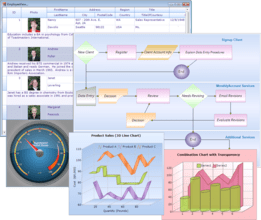
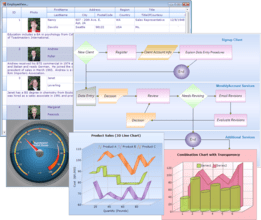
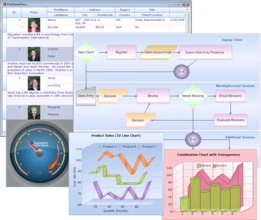
Screenshot Preview

Syncfusion Essential Studio User Interface Edition - Summary

by Syncfusion - Product Type: Component / ASP.NET WebForms / ASP.NET MVC / .NET WinForms / .NET WPF / Silverlight

Summary

Syncfusion Essential Studio User Interface Edition by Syncfusion

URLs: syncfusion-essential-studio-ui, syncfusion essential studio ui, syncfusionessentialstudioui, syncfusion

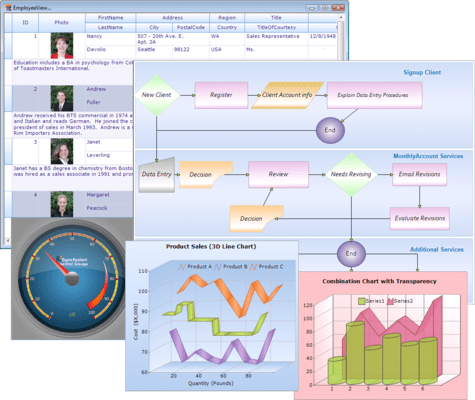
A complete set of user interface components for Windows and Web development. Syncfusion Essential Studio User Interface Edition includes high-performance grids, docking and menu frameworks, data binding controls, scheduler, data visualization charts, gauges, diagrams, and more. Essential Studio UI Edition includes the following individual products: Essential Grid, Essential Tools, Essential Chart, Essential Diagram, Essential Schedule, Essential Edit, Essential PDF Viewer (Windows Forms, WPF), Essential HTMLUI (Windows Forms), Essential Gauge, Essential Gantt (WPF, Silverlight), and Essential Maps (WPF, Silverlight, Windows Phone).

Essential Studio User Interface Edition Includes:

ASP.NET—More than 60 AJAX-enabled controls/frameworks with complete documentation and samples. Easily add advanced jQuery UI features to your Web Forms applications with unique wrappers for jQuery UI controls.

Essential Grid

Essential Tools

Essential Chart

Essential Diagram

Essential Schedule

Essential Gauge

Windows Forms—More than 100 user interface components/frameworks with complete documentation and samples. High-performance, lightweight component set that includes an Excel-like grid, docking managers, Office 2010-style controls, menus, business charts, Visio-like diagramming tools, and much more. Extensive design-time experience helps incorporate the latest UI in your application in minutes.

Essential Grid

Essential Tools

Essential Chart

Essential Diagram

Essential Schedule

Essential Edit

Essential HTMLUI

Essential PDF Viewer

Essential BI PivotGrid

Silverlight—More than 20 user interface components/frameworks with complete documentation and samples. High-performance, lightweight component set that includes Office 2010-style ribbon, gauges, business charts, project management tools, and much more. Includes several built-in themes that make it easy to style your application.

Essential Grid

Essential Tools

Essential Chart

Essential Gauge

Essential Schedule

Essential Diagram

Essential BI PivotGrid

Essential Maps

Essential Spreadsheet

Essential Gantt

ASP.NET MVC—A comprehensive component set designed especially for the ASP.NET MVC framework. Extremely lightweight components that help build high-performance scalable Web sites.

Essential Grid

Essential Tools

Essential Chart

Essential Diagram

Essential Schedule

Essential Gauge

WPF—More than 35 user interface components/frameworks with complete documentation and samples. High-performance, lightweight component set that includes an Excel-like grid, docking manager, Office 2010-style controls, gauges, business charts, Visio-like diagramming controls, and much more. Includes several built-in themes that make it easy to style your application.

Essential Grid

Essential Tools

Essential Chart

Essential Diagram

Essential Edit

Essential Gauge

Essential Schedule

Essential BI PivotGrid

Essential Maps

Essential Spreadsheet

Essential Gantt

Essential PDF Viewer

Windows Phone—More than 10 interface components/frameworks to jumpstart your Windows Phone development with complete documentation and interactive samples. This set of high-performance, lightweight components include business charts, maps, gauges, and much more.

Essential Tools

Essential Chart

Essential Gauge

Essential Maps

Mobile MVC—Designed specifically for the ASP.NET MVC framework, this set of components allows you to develop once and deploy on any mobile platform whether Windows Phone, iOS, Android, or BlackBerry with a set of extremely lightweight components.

Essential Tools

Essential Chart

What’s new in Essential Studio User Interface Edition 2012 Volume 1?

Essential Grid for ASP.NET

JSON Support - The AJAX Grid control allows you to increase grid performance. It has two modes: server and JSON. The JSON mode can be enabled to handle paging, sorting, grouping and filtering.

Essential Schedule for ASP.NET

Schedule Navigation - The Schedule control provides a secondary pane that allows you to navigate between decades, individual years, months and days. When a selection is made, the primary pane will display the selected month, allowing you to drill down to a detailed view of any given week or day.

Essential Tools for ASP.NET

Calendar Navigation - The Calendar control has a navigation pane that makes browsing by day, week, month, year, and even decade easier. This JavaScript implementation is fast and gives users a fluid experience.

Rotator Control Improvements - An auto-play button can be added to the Rotator control to allow users to automatically scroll a list up or down, and left or right, with one simple click. While in this button mode, the rotator control retains all its other features.

Essential Diagram for ASP.NET MVC

HTML 5 Diagram Modes - Essential Diagram has two HTML 5-enhanced modes: SVG (Scalable Vector Graphics) mode and Canvas mode—which utilizes the CANVAS element. You can choose the mode that is best suited to your particular needs and required performance.

Export to Image - The Diagram control can export the current layout in the diagram area to multiple image formats, specifically .jpeg, .bmp, and .png.

Polyline Support - When in SVG mode, Essential Diagram can support polylines—multiple lines connected by intermediate points—for straight and orthogonal line connectors. The intermediate points in a polyline are visually represented as vertices.

Printing Support - Essential Diagram gives you the ability to print a diagram layout when in SVG mode; this includes nodes, line connectors, custom shapes and custom content.

Saving and Loading Diagram Edits - In SVG mode, the Diagram control can save and reload information regarding changes to nodes and line connectors to and from a database.

Data Binding - Diagram data binding has been enhanced to support the ADO.NET Entity Model.

Essential Grid for ASP.NET MVC

Editing via Unbound Columns - Editing via unbound columns allows you to make changes to multiple fields in a grid at the same time. Editing, updating and deleting are controlled by buttons on the row itself. You can edit or delete fields associated with a single data record by using these buttons instead of the toolbar.

Essential Tools for ASP.NET MVC

AutoComplete Control Enhancements - The AutoComplete control, used to suggest entries as users type in a text box, has been enhanced with client-side data fetching to increase performance, highlighting for searched text, customizable list positioning, and support for left-to-right text alignment.

Captcha Control Refresh - The Captcha control has a refresh button that allows you to regenerate an image of the code that has to be entered in the verification text box.

Dragging and Dropping Tree Nodes - With drag and drop support, tree nodes can be repositioned at different levels in the same tree or dropped into a different tree, even if the other tree has different characteristics. For example, when dragging a node that doesn’t have a check box to a tree where nodes do have check boxes, the dragged node will automatically take on a check box.

Splitter Control - The Splitter control can be used to create separate panes in a work area that can be resized or collapsed by dragging or clicking. Any number of panes and split bars can be created. Features include horizontal or vertical orientation, pane resizing, content template support and collapsible panes.

TimePicker Control - When you need to set a time, the TimePicker control makes time selection easy by giving users a grid of values that can be selected just by clicking. Four primary fields can be set: hours, minutes, seconds, and a.m. or p.m. Also, by just hovering over a value, the display will be updated instantly—a live update. Minimum and maximum values are also supported.

A complete set of user interface components for Windows and Web development.

Pricing: Syncfusion Essential Studio User Interface 2012 Vol 1 (V10.1.0.44) - Binary 1 Developer License (with 1 Year Subscription), Syncfusion Essential Studio User Interface 2012 Vol 1 (V10.1.0.44) - Binary 1 Developer Annual Subscription Renewal License (for subscriptions soon to expire or up to 30 days past expiration), Syncfusion Essential Studio User Interface 2012 Vol 1 (V10.1.0.44) - Binary 1 Developer Reinstatement of Lapsed Subscription License (for subscriptions lapsed longer than 30 days up to one year), Syncfusion Essential Studio User Interface 2012 Vol 1 (V10.1.0.44) with Source Code 1 Developer License with Source Code (with 1 Year Subscription), Syncfusion Essential Studio User Interface 2012 Vol 1 (V10.1.0.44) with Source Code 1 Developer Annual Subscription Renewal License (for subscriptions soon to expire or up to 30 days past expiration) with Source Code, Syncfusion Essential Studio User Interface 2012 Vol 1 (V10.1.0.44) with Source Code 1 Developer Reinstatement of Lapsed Subscription License (for subscriptions lapsed longer than 30 days up to one year) with Source Code, Syncfusion Essential Studio User Interface 2012 Vol 1 (V10.1.0.44) - Binary Site Licenses Site License - with 1 Year Subscription - Allows upto 500 Developers at a single address, Syncfusion Essential Studio User Interface 2012 Vol 1 (V10.1.0.44) - Binary Site Licenses Site Annual Subscription Renewal License (for subscriptions soon to expire or up to 30 days past expiration) - Allows upto 500 Developers at a single address, Syncfusion Essential Studio User Interface 2012 Vol 1 (V10.1.0.44) - Binary Site Licenses Site Reinstatement of Lapsed Subscription License (for subscriptions lapsed longer than 30 days up to one year) - Allows upto 500 Developers at a single address, Syncfusion Essential Studio User Interface 2012 Vol 1 (V10.1.0.44) - with Source Code Site Licenses Site License with Source Code - with 1 Year Subscription - Allows upto 500 Developers at a single address, Syncfusion Essential Studio User Interface 2012 Vol 1 (V10.1.0.44) - with Source Code Site Licenses Site Subscription Renewal (subscriptions soon to expire/30 days past expiration) with Source Code - Allows upto 500 Developers at a single address, Syncfusion Essential Studio User Interface 2012 Vol 1 (V10.1.0.44) - with Source Code Site Licenses Site Reinstatement of Lapsed Subscription (lapsed longer than 30 days up to one year) with Source Code - Allows upto 500 Developers at a single address

Evals & Downloads: Read the Syncfusion Site License Agreement, Read the Syncfusion Essential XlsIO help file, Read the Syncfusion Essential PDF help file, Read the Syncfusion Essential Grouping help file, Read the Syncfusion Essential DocIO help file, Read the Syncfusion Essential Studio brochure - Requires Acrobat Reader, Read the Syncfusion Company brochure - Requires Acrobat Reader, Read the Syncfusion License Agreement - Requires Acrobat Reader, View the Syncfusion Studio Comparison Matrix - Requires Acrobat Reader, Download the Syncfusion Essential Studio 2012 Vol 1 (V10.1.0.44) evaluation on to your computer - Expires After 30 Days

Operating System for Deployment: Windows 7, Windows Vista, Windows XP, Windows 2000

Architecture of Product: 32Bit

Product Type: Component

Component Type: ASP.NET WebForms, ASP.NET MVC, .NET WinForms, .NET WPF, Silverlight

Built Using: Visual C# .NET

Compatible Containers: Microsoft Visual Studio 2010, Microsoft Visual Studio 2008, Microsoft Visual Studio 2005, Microsoft Visual Basic 2010, Microsoft Visual Basic 2008, Microsoft Visual Basic 2005, Microsoft Visual C++ 2010, Microsoft Visual C++ 2008, Microsoft Visual C++ 2005, Microsoft Visual C# 2010, Microsoft Visual C# 2008, Microsoft Visual C# 2005, Delphi 8.0, C#Builder, .NET Framework 4.0, .NET Framework 3.5, .NET Framework 3.0, .NET Framework 2.0, Silverlight 4

Product Class: User Interface Components

Keywords: syncfusion essential studio user interface, essential studio user interface, essential studio ui, syncfusion user interface, syncfusion ui, syncfusion studio ui, buy syncfusion essential studio ui, buy essential studio ui, buy syncfusion user interface, buy syncfusion ui, buy syncfusion studio ui, order syncfusion essential studio ui, order essential studio ui, order syncfusion user interface, order syncfusion ui, order syncfusion studio ui, syncfusion essential studio ui upgrade, essential studio ui upgrade, syncfusion user interface upgrade, syncfusion ui upgrade, syncfusion essential studio ui reseller, essential studio ui reseller, syncfusion user interface reseller, syncfusion ui reseller, syncfusion essential studio ui distributor, essential studio ui distributor, syncfusion user interface distributor, syncfusion ui distributor, essential studio ui cost, syncfusion ui cost, essential studio ui pricing, syncfusion ui pricing

Syncfusion Sync fusion

Product Suites Suite bundles bundle

Chart Charting Charts Graph Graphing Graphs

datagrid controls, datatable controls, datagrid components, datatable components, datagrid, data grid, data table, net gridview, net datagrid, data grid, grid control, net datatable, c# gridview, c# datagrid, asp.net datagrid, grid asp, vb.net datagrid

User Interface Collections UI

Calendar calendaring calendars Scheduling Schedule Schedules

Part numbers: PC-534092-435616 534092-435616 PC-534092-435628 534092-435628 PC-534092-435640 534092-435640 PC-534092-435622 534092-435622 PC-534092-435634 534092-435634 PC-534092-435646 534092-435646 PC-534092-435652 534092-435652 PC-534092-435655 534092-435655 PC-534092-435658 534092-435658 PC-534092-435661 534092-435661 PC-534092-435664 534092-435664 PC-534092-435667 534092-435667

Product Search

Enter search words:

Award Award Award