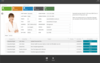
Screenshot Preview

Krypton Ribbon

by Component Factory - Product Type: Component / .NET WinForms / .NET Class

Krypton Ribbon is now officially part of Krypton Suite

If you require information on upgrading this product, please visit the page above or Contact Us for pricing and availability.

Add the Office 2007 Ribbon to your applications. Krypton Ribbon is a Office 2007 stile Ribbon component with rich design time support so you can have a professional looking application up and running in minutes. Krypton Ribbon functionality includes KeyTips, Vista Glass, quick access toolbar, auto sizing groups, application button and much more. Full C# source code with 12 months support and updates available. Krypton Ribbon works with Visual Studio 2005 (VS2005) and higher (i.e. VS2008)

Screenshot of Krypton Ribbon - .NET - V3.5

What’s New in Krypton Ribbon?

  • KryptonGallery:This standalone control is used to present the user with a set of images they can select from. It has up/down scrolling buttons and a drop button that presents a context menu of all available images when pressed

New Elements:

  • KryptonRibbonGroupColorButton, KryptonRibbonGroupClusterColorButton: Both elements are specializations of the standard button and present a context menu used to select colors. They draw the selected color within the image area of the button so the user can see the current color.
  • KryptonRibbonGroupGallery: Provide a gallery of images that the user can select from. When reduced in size it becomes a large button that when pressed shows the images in a context menu.

What’s New in Krypton Ribbon Version 2? 

New Events

MinimizedModeChanged

This event is fired whenever the MinimizedMode property changes value. It can change value either by a user action such as double clicking a ribbon tab header or because code has programmatically changed the value.

Bug Fixes

Visible property on groups and elements is not working

If you change the Visible property of a ribbon group or any of the group elements then it does not react immediately. Instead you have to wait until the ribbon is changed in size before the change occurs. This is now fixed.

TextLine1, TextLine2 on Group Buttons not updating

Just like the above Visible property change the changing of the text properties on a group button was updating the display immediately. This is fixed.

RibbonStrings.CustomizeQuickAccessToolbar

This string property was incorrectly converting any string you assign into capitals which is clearly not the required operation. Now it uses the actual string you assign without altering it.


Krypton Ribbon is a easy to use Ribbon control for VS2005 and higher. Developing with Krypton Ribbon is simple. Just drag the Krypton Ribbon from the Toolbox and drop it onto a Krypton Form and your ribbon is up and working. Adding tabs, groups and items is just as simple with single mouse click. As the user resizes the window, Ribbon groups are automatically reorganized to show the optimum amount of information.


Krypton Ribbon main features include:

  • Quick Access Toolbar
  • Contextual tabs
  • KeyTips just like Office 2007
  • Automatic group resizing
  • Rich design time support
  • Supports Vista glass
  • Embed custom control in the ribbon
  • Rich ToolTip support

Full C# source code with 12 months support and updates available.


Product Search

Enter search words:

Quick Links

Publisher

Primary Category

Related Products

Related Categories

Development Savings

Read our White Paper on
calculating ROI

Lines of Code: 56,000
Person Months: 56
Labor Cost: $280,000

Functions Required:

Effort per 1,000 LoC:

Labor Cost per Month:

Award