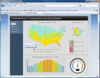
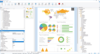
Screenshot Preview

SharePoint

   查看:   主推产品 | 畅销产品 | 热门下载 | 热门评价 | 新发布的产品 | A-Z

推荐产品

‎相关新闻

View All Related News... 

热门评价

  • ComponentArt Web.UI for ASP.NET AJAX by ComponentArt

    平均评分: 基于 1 评分

    I've utilized Web.UI on a number of projects over the past couple of years. It's rock solid and its evolution continues to impress me. The best feature of the control library, in my opinion, is the Client Side databinding capability combined with Web Service mode. This allows the rich functionality of the control to be utilized without having to post-back the page. Next to that is the client ...

     请阅读评价全文
  • ComponentArt UI Framework for .NET by ComponentArt

    平均评分: 基于 1 评分

    I've utilized Web.UI on a number of projects over the past couple of years. It's rock solid and its evolution continues to impress me. The best feature of the control library, in my opinion, is the Client Side databinding capability combined with Web Service mode. This allows the rich functionality of the control to be utilized without having to post-back the page. Next to that is the client ...

     请阅读评价全文
  • AtalaSoft DotImage BarcodeReader Add-On by Atalasoft

    平均评分: 基于 1 评分

    Stop looking you have found the best. I manage a large scale document imaging department and have looked extensively for a software toolkit that would give us the ability to write custom capture applications and more to have more control over my capture process. I have found nothing but outragously priced items that were only parts of the components I needed which were scanner capture, barcode re ...

     请阅读评价全文
  • dtSearch Text Retrieval Engine for Win and .NET (32-bit / 64-bit). by dtSearch Corp.

    平均评分: 基于 1 评分

    This is a great product I heard about it from Windows Magazine – they say: "Very powerful ... a staggering number of ways to search"

  • Infragistics NetAdvantage for .NET by Infragistics

    平均评分: 基于 22 评分

    I'm using the tools from Infragistics since a few months and saw many others. I'm still satisfied with this toolset and miss nothing. Although I'm primarily working with Windows Forms and WPF, I also tried ASP.NET and Silverlight for another project recently. ASP.NET is already very voluminous, may be a bit too much. Silverlight on the other hand has only a few controls so far, but they are very p ...

     请阅读评价全文

查看所有 热门评价

畅销产品

  • DXperience DXv2 by DevExpress (Developer Express)

    快照DXperience DXv2

    所有Visual Studio .NET的构建套、库和IDE工具是由Developer Express在一个软件包中生成的。 DXperience DXv2 包含所有的Developer Express .NET Windows Forms 构件, ASP.NET 构件及IDE工具(CodeRush 和Refactor!), eXpress 的持久性对象(一种商业应用框架)和eXpressApp 框架。 Windows 表单产品是100% 基于C#的并且针对Visual Studio 2005/2008进行了全面优化。只需点击几次鼠标,您就可以通过XtraBars和XtraNavBar套装软件增加导航和对接功能,通过XtraEditors、XtraGrid、XtraTreeList、XtraVerticalGrid 套装软件来提供数据浏览和编辑功能,并通过XtraPrinting Library 和 XtraReports 套装软件等真正便于使用的灵活的打印和报告工具对您的应用程序进行增强。 DXperience DXv2 企业版/通用版的按需付费包括所有Windows Forms和ASP.NET构件的源代码,不包括CodeRush、Refactor! 和ActiveX产品线的源代码。 还包括优先技术支持。

  • Infragistics NetAdvantage for Windows Forms by Infragistics

    快照Infragistics NetAdvantage for Windows Forms
     * 

    Create modern user interfaces for your Windows Forms applications. Infragistics NetAdvantage for Windows Forms provides developers with UI controls to rapidly build and style high-fidelity line of business application user interfaces with the look and feel of Microsoft Office. With Infragistics NetAdvantage for Windows Forms developers receive every control (data grids, trees, toolbars, calendars, editors, charts, gauges, scenic ribbons and more) needed to create superior user experiences with stability, performance and robustness. NetAdvantage for Windows Forms includes an annual subscription to developer support, source code, all updates and upgrades, documentation and samples.

  • Infragistics NetAdvantage for .NET by Infragistics

    快照Infragistics NetAdvantage for .NET

    在您的.NET、Visual Studio 2005/2008、ASP.NET、WPF、Silverlight和平板电脑应用程序中增加网格、ribbon、日程、工具条、功能选单、列表条、树、用户界面和编辑功能。 Infragistics NetAdvantage for .NET是一个综合性的表示层工具集,可对梅花的应用程序用户界面进行快速创建和风格设计,并可为Wind Forms、ASP.NET、WPF和Silverlight提供极佳的用户体验。 NetAdvantage for .NET 包含所有基本的UI控件(共100多个),可用于用Visual Studio 创建的应用程序: 网格、日程、图标、仪表、导航、ribbon、工具条、功能选单、列表条、树、标签、浏览条、用户界面等编辑器,以及应用程序的风格设计、Excel导入/导出,以及 Document Export Engine for PDF 和 XPS格式。 Infragistics NetAdvantage for .NET 工具可在本机与Visual Studio 2005和2008作用,并包含Office 2007 风格、Vista 风格和对Vista 的支持。 在每次购买NetAdvantage for .NET时, Infragistics 均提供产品支持,控件和框架的源代码,每年发布两次的顾客驱动产品等其他功能。

  • Studio FX Premium Subscription by Software FX

     * 

    All the Software FX products in one package. Studio FX Subscription offers access to the entire line of Software FX data visualization products for developers, including .NET, Java, COM, SharePoint and mobility products. Licensed on a per developer/per machine basis, the Studio FX Premium Subscription provides the most advanced business intelligence components for your client, server and web based applications. The subscription includes upgrades, service packs, access to new products for SharePoint and mobility and priority support for one year.

  • Aspose.Total for .NET by Aspose

    为您的.NET应用程序增加图表、电子邮件、拼写检查、条码生成、临时查询生成、重复图案、流程和流行文件格式的管理等功能。 Aspose.Total可向您提供 Aspose所有现有的构件以及在您一年的订阅期内新发布的构件。 有了Aspose.Total,您可以通过编程的方式对一些最流行的商业文件格式进行管理: Word、Excel、 PowerPoint、 Project、 PDF和Flash。 除了文件管理构件以外,Aspose.Total还包含图表、电子邮件、拼写检查、条码生成、临时查询生成、重复图案、工作流程方面的构件。

查看所有 畅销产品

为什么从ComponentSource购买?

ComponentSource 提供独特的全球国际服务, 在世界各地共有超过1,000,000开发者客户.

星期一到星期五24小时营业

国际客服中心位于美国,英国和日本.

ComponentSource 在47个国家设有免费专线

我们提供英语,法语,德语,义大利语,西班牙语,日语,韩语, 粤语和中文服务。

选择自己的语言

您可选取您要的语言来游览网页, 或使用我们的LiveChat 服务.

选择自己的语言

我们接受订单, 支票, 银行转帐, 或者是20种货币的信用卡.

选择您的产品

超过10,000个产品供您选择. 每一个产品都是我们一个一个挑选, 最好品质的产品.

选择您的产品

享受我们的特殊的Back-2-Back服务品质保证.

专业的建议

我们的产品专家提供免费的产品建议.

专业的建议

超过14年的经验, 我们拥有足够的市场知识.

可以信赖的厂商

身为正式的代理商, 我们提供全球的法人(组织), 代理商, 和政府机构.

您所需的都在这一家

您可以在这里, 一个网站, 找到全部您所需要的.

更多讯息 | 关于我们

新发布的产品

  • Knowledge Management Suite by Layer 2

    快照Knowledge Management Suite
     * 

    Use managed metadata to drive navigation, discovery and reusability of content. Knowledge Management Suite for Microsoft SharePoint makes it easy to manage tags, to tag content and to use tags for knowledge browsing, navigation, content discovery and search.  It was developed using the SharePoint Server Enterprise Metadata Management API, and no legacy or other external systems are used. You may include any external data source without any restrictions using Business Data List Connectors.

  • Cloud Connector for Microsoft SharePoint 2010 and Office 365 by Layer 2

    快照Cloud Connector for Microsoft SharePoint 2010 and Office 365
     * 

    Connect to Office 365, SharePoint 2010 and Azure. Cloud Connector for Microsoft SharePoint 2010 and Office 365 takes your local data and distributes it to cloud-based or hosted SharePoint systems. Content stored on almost any corporate data source (databases, files, ERP / CRM / ECMS) and in applications (Dynamics, SharePoint, Active Directory, SAP) is replicated to cloud based native SharePoint lists via secure Web services. Cloud-to-cloud connections e.g. to Azure, Twitter, Facebook, Google etc. are also supported.

  • ComponentOne Doc-To-Help Enterprise 2012 by ComponentOne

    快照ComponentOne Doc-To-Help Enterprise 2012
     * 

    Create professional Help Systems and Manuals from HTML or Word.  Whether you are converting from RoboHelp or creating new projects, Doc-To-Help empowers you to create HTML or Microsoft Word content and convert it to virtually every popular Help file format or printed documentation.  Doc-To-Help Enterprise can produce help files in popular formats including HTML Help, Cross-Platform HTML-based Help, JavaHelp, WinHelp, Visual Studio .NET-style Help, and printed documentation. Since Doc-To-Help Enterprise uses a simple style markup to create Help systems, you have the freedom to use any editor. Doc-To-Help Enterprise supports Windows 7, Vista and the 2010 Microsoft Office System including seamless integration with Word 2010. Doc-To-Help Enterprise now offers integration with SharePoint which allows you to upload your content to a SharePoint library and take advantage of SharePoint’s management and workflow features. Doc-To-Help Enterprise also includes exclusive features such as one-click RoboHelp project conversions. Doc-To-Help for Enterprise includes updates and upgrades for 1 year. Platinum Support including 1 year of unlimited phone support also available.

  • Nevron SharePoint Vision by Nevron

     * 

    Create digital dashboards and reports in SharePoint. Nevron Data Visualization technology for Microsoft SharePoint Server is designed to provide exceptional reporting and dashboarding features to SharePoint IT professionals. Nevron SharePoint Vision is a turn-key solution for every SharePoint IT professional that wants to create advanced digital dashboards and reports in SharePoint - quickly, on budget and on time.

  • Nevron Gauge for SharePoint by Nevron

     * 

    Advanced data visualization for your SharPoint Dashboards, KPIs and Scorecards. Nevron Gauge for SharePoint is an advanced web part, which delivers a complete set of radial and linear gauges, numeric displays and state indicators which are driven by pivot data aggregation. This allows the creation of complex gauges, KPIs, Scorecards and Dashboards, that are tightly integrated with your data, to be done visually and directly in SharePoint environment.

  • Nevron Chart for SharePoint by Nevron

     * 

    Deliver advanced charting solutions to the SharePoint environment. Nevron Chart for SharePoint is an advanced chart web part, which delivers a complete set of 2D and 3D charting types, highly customizable axes, advanced data analysis features, tight data integration and visual effects to your SharePoint sites. It combines the Nevron Charting engine for ASP.NET together with the elegant Nevron Pivot Data Aggregation engine. This allows Nevron Chart for SharePoint users to create complex pivot charts visually and directly in the SharePoint environment.

  • SharePoint Permission Workflow by SharePointBoost

     * 

    A SharePoint Web part that manages item-level permission. SharePoint Permission Workflow offers a productive way for IT administrators to manage item-level permissions among all the users and user groups by streamlining the whole process.With SharePoint Permission Workflow, item-level permissions are able to be automatically assigned to selected users and user groups for all items in a SharePoint list at one time. Meanwhile, administrators are also empowered to apply item-level permissions for the existing items within a list with only one click.

  • SharePoint List Collection by SharePointBoost

     * 

    The SharePoint List Collection web part can congregate lists from different SharePoint sites into one single view. In the view, you can work with the data and then export it to a spreadsheet.To create a SharePoint list collection web part, firstly, you should select a site, a list in the site and a list view of the list.Then choose list columns to collect data, select or input new column names for original ones so these columns will be aggregated and displayed in the SharePoint list collection web part. Repeating above actions, you can get SharePoint combined lists.

  • SharePoint Item Permission Batch by SharePointBoost

     * 

    Assign item-level permissions to users and user groups for all items in a SharePoint list. SharePoint Item Permission Batch offers SharePoint Administrators a convenient place to add or remove custom permission settings for all the items within a SharePoint list simultaneously. In additions, IT administrators are empowered to restore the default permission settings for all the items within a list at one time, which will further alleviate their workload and accelerate the speed of an organization’s daily operation as well. Moreover, SharePoint Item Permission Batch enables administrators to specify certain users and user groups that will be assigned custom permissions by setting complex conditions based on administrators’ various consideration.

  • SharePoint Permissions Boost by SharePointBoost

     * 

    All-in-one SharePoint permissions management solution. SharePoint Permissions Boost is a suite of all three SharePointBoost permission tools: Column/View Permission, Permission Workflow, and Item Permission Batch. SharePoint Column/View Permission allows administrators to manage access to all list content by setting field-level and view-level permission settings. SharePoint Permission Workflow assigns item-level permissions to users and user-groups as items are created or modified, and can retroactively apply permissions for previously existing items within a SharePoint list. SharePoint Item Permission Batch enables administrators to quickly and easily remove all custom permission settings within a SharePoint list and restore defaults for specified users or user-groups in bulk.

查看所有 新发布的产品

注意

还未完成翻译的产品说明, 我们提供了Google 翻译的连结方便您使用. 但请注意, 自动翻译有时候可能会有翻译错误.
强力驱动
在Firefox 和Opera 需要Flash.

产品搜索

输入搜索词:

产品筛选

对 SharePoint