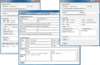
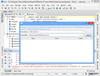
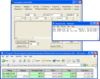
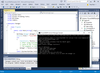
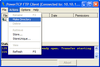
최신 기술을 지원하는 빠르고 쉬운 설치 프로그램입니다. InstallShield 11 Express를 사용하면 복잡한 설치 프로그램을 직접 작성하지 않고도 쉽게 만들어낼 수 있는 설치 프로그램 제작 도구를 제공합니다. 어떤 교육도 받을 필요 없이 Windows 및 모바일 장치의 설치 프로그램을 쉽게 개발, 시험 및 구현할 수 있습니다. InstallShield 11 Express의 설치 프로그램 제작 도구는 Windows Installer 3.1, IIS 6.0 및 트라이 앤 바이(Try and Buy) 기능과 같은 최신 기술 및 업계 표준을 지원합니다. Express 판은 12년이 넘는 오랜 경험을 바탕으로 한 업계를 선도하는 신속한 설치 프로그램 제작 솔루션으로 명성을 떨치고 있습니다. Express 판은 사용자의 예산에 딱 맞춰주는 비용 효율적인 솔루션이어서 Windows 또는 모바일 장치 설치 프로그램의 전문적 외관을 만들어낼 수 있습니다.
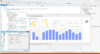
응용프로그램에 Business Intelligence 기능을 추가. ContourCube는 윈도우, 웹 기반 비즈니스, 통계 솔루션에 삽입할 수 있는 대화형 보고, 데이터 분석, 정보 전달 기술을 제공합니다. ContourCube를 이용하면 사용자는 데이터와 상호 작용이 가능해 OLAP 서버를 추가하지 않고도 수초 이내의 응답 시간으로 분할(slice), 분리(dice), 회전(pivot), 드릴다운(drill down), 롤업(roll-up)이 가능합니다. ContourCube에는 또한 여러 고급 비즈니스 지향 기능, 공식 언어, 보고서 배포에서 혁신적인 접근을 이용한 다양한 새로운 보고 기법이 포함되어 있습니다.
Data retrieval, manipulation, presentation and update capabilities for client/server, multi-tier and thin-client Web-based applications. With Sybase Datawindow.Net you can build data driven Windows and Web forms based applications in RAD style. Data can originate from a relational database or other data source (.xls,.txt,…). A DataWindow object defines the source of the data and its display characteristics and can be used for data entry and reporting. Sybase DataWindow .NET lets you take advantage of the rich interface and ease-of-use of the Sybase DataWindow in the .NET environment.
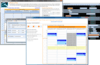
고도의 시간관리 기능을 응용 프로그램에 구성하였습니다. 간트 타임 버케이지는 타임 블록을 처리하는 유저 인터페이스 컴포넌트를 하나로 정리한 것입니다. 타임 블록은 간트 차트 또는 스키마 보기로 표시됩니다. 각 타임은 프로젝트 내의 개인 또는 엑티비티 등 소유자에게 접속됩니다. 각 타임간의 의존 관계 및 충돌을 표시하여 최종 사용자가 프로젝트를 그래픽컬하게 표시 및 수정하는 것도 가능합니다.
어느 플랫폼이나 응용 프로그램을 도입할 수 있습니다. InstallAnywhere Enterprise 에디션의 목적은 2가지 있습니다. 하나는 바탕화면, 원 타입 라이즈, 다층 Web 서비스 등 모든 종류의 소프트웨어를 어떠한 플랫폼이라도 인스톨이 가능하도록 하는 것입니다. 또 한 가지는 그러한 응용 프로그램을 제대로 설정해서 최적을 성능을 도출시키는 것입니다. Java, C++, Perl, C# 중 한 가지에서 응용 프로그램을 작성하는 경우에도 EJB 또는 .NET Web 서비스를 도입하는 경우에도 인스톨의 모든 상세한 부분은 모두 자동적으로 처리됩니다. InstallAnywhere Enterprise 에디션에 의하여 복잡한 인스톨 작업이 간소화되고, 개발자는 최대한 사용자 정의를 할 수 있게 됩니다. 또한 사용자와의 풍부한 대화기능이나, 클라이언트 /서버 기능을 갖추고 있어서 29개국 언어로 로컬라이즈되고 있습니다.
2 리뷰(s).
Flexible, solid, easy to use, nice layout. GET IT!!!
2 리뷰(s).
Excellent component! Solutions::Schedule saved us a great deal of development time. We tested it against other similar controls for the functionality that we required and found Solutions::Schedule "did exactly what it said on the tin" but was far more flexible and reliable and even simpler to code than the others ...D A Baldwin, Director, Working Pulse Ltd (TimeZone Workforce Management).
2 리뷰(s).
Couldn't agree more! The only problem I ever had with this was purely down to me not reading the manual. Support gave me the solution very quickly and politely!
2 리뷰(s).
Simply Spectacular
1 리뷰.
The PowerTCP WinSock Tool is the EASIEST to implement and use component that I have seen on the market. I can not believe it's flexibility that has made the integration into my applications extremely smooth. I have previously used direct calls to the WinSock library and other tools (such as SocketWrench) and I can definitely say that DART's PowerTCP WinSock tool is the best.
Build professional document imaging into your applications. LEADTOOLS Document Imaging includes API, C++ Class Libraries and .NET Class Libraries for Win32 and x64 with features that include comprehensive annotations (Text, highlights, sticky notes, stamps, and more), specialized bitonal image display and processing such as scale-to-gray and favor-black. Also features performance and memory optimizations for bitonal images, document image clean-up including hole-punch, line and staple removal and scanning with TWAIN or ISIS. Now includes JBIG2, ABIC, JPEG2000 and LEAD CMW.
어느 플랫폼이나 응용 프로그램을 도입할 수 있습니다. InstallAnywhere Enterprise 에디션의 목적은 2가지 있습니다. 하나는 바탕화면, 원 타입 라이즈, 다층 Web 서비스 등 모든 종류의 소프트웨어를 어떠한 플랫폼이라도 인스톨이 가능하도록 하는 것입니다. 또 한 가지는 그러한 응용 프로그램을 제대로 설정해서 최적을 성능을 도출시키는 것입니다. Java, C++, Perl, C# 중 한 가지에서 응용 프로그램을 작성하는 경우에도 EJB 또는 .NET Web 서비스를 도입하는 경우에도 인스톨의 모든 상세한 부분은 모두 자동적으로 처리됩니다. InstallAnywhere Enterprise 에디션에 의하여 복잡한 인스톨 작업이 간소화되고, 개발자는 최대한 사용자 정의를 할 수 있게 됩니다. 또한 사용자와의 풍부한 대화기능이나, 클라이언트 /서버 기능을 갖추고 있어서 29개국 언어로 로컬라이즈되고 있습니다.
Add professional imaging libraries and controls to your application. LEADTOOLS Raster Imaging Pro is a NET Class Library, C++ Class Library and DLL Imaging API SDK with 150+ raster file formats (JPEG, GIF, TIFF...), image processing with 2000+ effects, Image transforms and filters, extensive loading and viewing options, TWAIN scanning, printing, thumbnail browser, Internet and database imaging functions, compression, screen capture, drawing, color conversion, Internet/intranet imaging, graphics conversion, common dialogs, etc. Also includes digital paint functionality for developers who need to incorporate paint capability into their applications. Please note that Raster Imaging Pro and Raster Imaging Pro for .NET have been combined into one SDK.
어플리케이션에서 전문적인 문서 이미지 처리를 구축. LEADTOOLS Document Imaging은 API, C++ Class Libraries, Win32와Win64용 .NET Class Libraries를포함합니다. 기능은광범위한주석(텍스트, 색깔강조, 접착식메모지, 스탬프등), 특수흑백이미지표시, 그레이스케일과favor-black 같은 처리를 포함합니다. 또한흑백이미지를위한성능과메모리최적화, 펀치구멍, 선, 스테이플자국제거를포함한문서이미지명료화, TWAIN이나ISIS를이용한스캐닝기능도추가되었습니다. 이제JBIG2, ABIC, JPEG2000, LEAD CMW를 포함합니다.
최신 기술을 지원하는 빠르고 쉬운 설치 프로그램입니다. InstallShield 11 Express를 사용하면 복잡한 설치 프로그램을 직접 작성하지 않고도 쉽게 만들어낼 수 있는 설치 프로그램 제작 도구를 제공합니다. 어떤 교육도 받을 필요 없이 Windows 및 모바일 장치의 설치 프로그램을 쉽게 개발, 시험 및 구현할 수 있습니다. InstallShield 11 Express의 설치 프로그램 제작 도구는 Windows Installer 3.1, IIS 6.0 및 트라이 앤 바이(Try and Buy) 기능과 같은 최신 기술 및 업계 표준을 지원합니다. Express 판은 12년이 넘는 오랜 경험을 바탕으로 한 업계를 선도하는 신속한 설치 프로그램 제작 솔루션으로 명성을 떨치고 있습니다. Express 판은 사용자의 예산에 딱 맞춰주는 비용 효율적인 솔루션이어서 Windows 또는 모바일 장치 설치 프로그램의 전문적 외관을 만들어낼 수 있습니다.
Sybase
Quick and easy installations that support today's technologies. InstallShield Express is easy to use and shields setup authors from installation complexities of building a setup. You can rapidly build, test and implement Windows and mobile device installations in record time without any training. InstallShield Express keeps setup authors up to date with support for the latest technologies and industry standards, including Windows Vista, .NET 3.0 support and Try and Buy functionality. The Express Edition is a cost-effective solution that will fit into any budget, making it possible for everyone to create professional looking Windows or mobile device installations.
최신 기술을 지원하는 빠르고 쉬운 설치 프로그램입니다. InstallShield 11 Express를 사용하면 복잡한 설치 프로그램을 직접 작성하지 않고도 쉽게 만들어낼 수 있는 설치 프로그램 제작 도구를 제공합니다. 어떤 교육도 받을 필요 없이 Windows 및 모바일 장치의 설치 프로그램을 쉽게 개발, 시험 및 구현할 수 있습니다. InstallShield 11 Express의 설치 프로그램 제작 도구는 Windows Installer 3.1, IIS 6.0 및 트라이 앤 바이(Try and Buy) 기능과 같은 최신 기술 및 업계 표준을 지원합니다. Express 판은 12년이 넘는 오랜 경험을 바탕으로 한 업계를 선도하는 신속한 설치 프로그램 제작 솔루션으로 명성을 떨치고 있습니다. Express 판은 사용자의 예산에 딱 맞춰주는 비용 효율적인 솔루션이어서 Windows 또는 모바일 장치 설치 프로그램의 전문적 외관을 만들어낼 수 있습니다.
Post-processing PDF creation developer tool. novaPDF OEM is a PDF solution that can be used by software developers to generate PDF files that will be post-processed by their own applications. novaPDF OEM works as a normal PDF printer (offers the features of novaPDF Professional) only that the output PDF file is saved to a location set programatically during installation using parameters. novaPDF OEM can be installed on Windows 2000/XP/2003 Server/Vista (32-bit and 64-bit) and comes in two editions: Desktop and Server. novaPDF OEM Server edition has all the features of the Desktop edition, plus the ability to run on Terminal Servers, through Remote Desktop Connection or to be shared as a network printer. novaPDF OEM is compatible with virtually all Microsoft, IBM, Oracle and Sybase development environments.