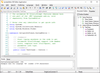
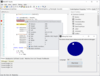
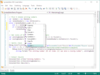
Screenshot Preview

BCGPEdit (BCGSoft Professional Editor) - Summary

by BCGSoft - Product Type: Component / DLL / VC++ Class Library / Source Code / Static Link Library

Summary

BCGPEdit (BCGSoft Professional Editor) by BCGSoft

URLs: bcgsoft-professional-editor, bcgsoft professional editor, bcgsoftprofessionaleditor, bcgsoft

Advanced edit control with syntax highlighting, color blocks, IntelliSense, markers, symbol support, drag/drop support, undo/redo support and more. BCGPEdit (BCGSoft Professional Editor) is an MFC extension library for incorporating an advanced edit control into any MFC-based application. Features include: Syntax highlighting, Support for collapsible nodes (outlining), Color Blocks, IntelliSense, Markers, Symbol support, Drag/Drop support, Undo/redo support, A CView-derived class. In addition, BCGPEdit provides built-in support for all standard features such as keyboard/mouse selection, Copy/Paste and Print. Source Code Included.

BCGPEdit (BCGSoft Professional Editor) Editor library implements a number of features not found in standard edit controls. This set of features includes:

Syntax highlighting, for creation of a syntax file (in XML format) to support any programming language. Also, a set of virtual functions is offered. You can override these functions and incorporate any logic you want into the edit control

Support for collapsible nodes (outlining). The out of the box outline parser recognizes C++ files and can be customized either programmatically or using an external XML file

Color Blocks, you can define various color blocks and implement single-line and multi-line comments

IntelliSense advanced support. Based on this support you can create editors like editors found in Microsoft VC++ or Visual Basic IDE

Markers - Built-in support for bookmarks and breakpoints, creation of various types of custom markers, single line and multi-line static and dynamic color blocks

Symbol support. You can easily create chat clients with built-in images like smiles

Drag/Drop support

Undo/redo support

Easy integration with MFC document-view architecture

Export to HTML and RTF: You can easily export the editor content to HTML or RTF formats.

A CView-derived class (CBCGPEditView) allows an easy integration with MFC document-view architecture.

In addition, BCGPEdit provides a built-in support for all standard features such as keyboard/mouse selection, Copy/Paste and Print.

The Editor Library is suitable for large number of applications - from simple chat clients to complicated development tools.

The Editor Library is suitable for a large number of applications, from simple chat clients to complicated development tools.

What's New BCGPEdit (BCGSoft Professional Editor) Editor library V16.0

Added support for Microsoft Visual Studio 2010

New Editor language schemes. Outline parser customization was extended. Added new Lexeme::m_dwData, BlockType::m_dwData members. Extended LexemType enumerator. MDIEditor sample demonstrates how to implement the following schemes using new mechanism: C++, HTML, BASIC, Pascal, C#, Assembler, XML, SQL

CBCGPEditCtrl::ExportBuffer has a new optional parameter 'BOOL bForceAnsi'. Setting it to TRUE forces exporting editor's text in ANSI format

Added new function GetCurLine (CString& strLine)

Added new member m_bEnableCurrentLineCopy. Setting this flag to TRUE allows to copy the current line to the clipboard if there is no selection. It works similar to m_bEnableWholeTextCopy

Advanced edit control with syntax highlighting, color blocks, IntelliSense, markers, symbol support, drag/drop support, undo/redo support and more.

Pricing: BCGPEdit (BCGSoft Professional Editor) V16.0 1 Developer Subscription License per Developer (1-4 Developers), BCGPEdit (BCGSoft Professional Editor) V16.0 1 Developer Subscription License per Developer (5-10 Developers), BCGPEdit (BCGSoft Professional Editor) V16.0 1 Developer Subscription License per Developer (11-20 Developers), BCGPEdit (BCGSoft Professional Editor) V16.0 1 Corporate License (Allows unlimited developers inside a single company), BCGPEdit (BCGSoft Professional Editor) V16.0 - Renewal 1 Developer Subscription Renewal License

Evals & Downloads: Download and read the BCGSoft Professional Editor help file, Browse the BCGSoft Professional Editor Screenshot Web page, Download the BCGControlBar Library V16.0 Demonstrations on to your computer

Operating System for Deployment: Windows XP, Windows Server 2003, Windows ME, Windows 2000, Windows 98, Windows NT 4.0, Windows 95

Architecture of Product: 32Bit, 64Bit

Product Type: Component

Component Type: DLL, VC++ Class Library, Source Code, Static Link Library

Built Using: MFC V4.2 / V6.0

Compatible Containers: Microsoft Visual Studio 2010, Microsoft Visual Studio 2008, Microsoft Visual Studio 2005, Microsoft Visual Studio .NET 2003, Microsoft Visual Studio .NET, Microsoft Visual Studio 6.0, Microsoft Visual C++ 2010, Microsoft Visual C++ 2008, Microsoft Visual C++ 2005, Microsoft Visual C++ .NET 2003, Microsoft Visual C++ .NET, Microsoft Visual C++ 6.0, .NET Framework 4.0, .NET Framework 3.5, .NET Framework 3.0, .NET Framework 2.0, .NET Framework 1.1, .NET Framework 1.0

Product Class: User Interface Components

Keywords: BCGPEdit, BCGSoft Professional Editor

BCGSOFT BCG

Syntax

Code Creation Editing

User Interface UI

Part numbers: PC-514929-397206 514929-397206 PC-514929-397207 514929-397207 PC-514929-397208 514929-397208 PC-514929-397209 514929-397209 PC-514929-397210 514929-397210

Product Search

Enter search words:

Why buy from ComponentSource?

ComponentSource offers a unique global service, used by over 1,000,000 software developers worldwide.

More Info | About Us

Award