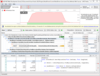
DevPartner for Visual C++ BoundsChecker Suite - Visual Studio Edition, Concurrent Users - Summary

by Micro Focus - Product Type: Application

Compuware and Micro Focus recently signed an agreement for Micro Focus to acquire the Compuware Quality Solutions product line.

Summary

DevPartner for Visual C++ BoundsChecker Suite - Visual Studio Edition, Concurrent Users by Micro Focus

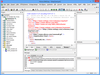
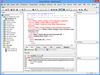
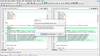
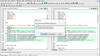
Build reliable, high-performance applications, components, and web services. DevPartner for Visual C++ BoundsChecker Suite helps developers to quickly and easily locate errors in application source code and at runtime, locate performance issues and measure the level of testing accomplished, for any combination of Visual Studio .NET and native Windows code, and across physically distributed systems.

DevPartner for Visual C++ BoundsChecker Suite has new and essential features such as:

Detection of memory leaks and other memory-related problems using BoundsChecker technology

Code performance and code coverage analysis

Ability to display code call graphs

Ability to compare two performance profiling runs for differences

Thread deadlock detection

Speed development of Visual C++ components and applications for the enterprise and the Internet

Automatic error detection with BoundsChecker technology helps developers pinpoint static, stack and heap errors memory/resource leaks; and ensures correct usage of the latest Windows APIs including ActiveX, Win32, Internet, OLE/COM and ODBC. Errors are reported by an easy-to-use interface.

Performance analysis aids Visual C++ developers in increasing the speed and usability of their software by providing the most detailed and accurate performance data possible. With the optional DevPartner Studio Server license, performance data can be collected across the distributed environment, supplying true, end-to-end performance profiling.

Code coverage aids developers in building reliable code by automatically tracking and measuring application execution. DevPartner for Visual C++ BoundsChecker Suite collects coverage information each time your application is run and merges it with information from previous sessions. With the optional DevPartner Studio Server license, code coverage is collected across distributed machines.

What's new in DevPartner for Visual C++ BoundsChecker Suite V9.1?

Windows 7, Windows Server 2008 R2, Internet Explorer 8 Support - DevPartner 9.1.0 runs on both Windows 7 and Windows Server 2008 R2 operating systems. All existing DevPartner product capabilities from installation, operation, documentation, and integration with Visual Studio and other systems remain intact with these Windows operating systems. DevPartner also supports Internet Explorer 8 under these operating systems with limitations. See the item "Web Script Coverage and Performance Yield Incomplete Results on Internet Explorer 8.0" in the DevPartner 9.1.0 Known Issues for more information.

Internet Information Services (IIS) 7.5 Support - DevPartner 9.1.0 provides full analysis capability for ASP.NET applications and services hosted on Microsoft Internet Information Services (IIS) 7.5. Full DevPartner Support for IIS is across all supported DevPartner operating system platforms, including Windows 7 and Windows Server 2008 R2.

Experimental Support for Micro Focus Studio Enterprise Edition (EE) COBOL for .NET Projects - DevPartner now allows you to analyze Micro Focus Studio EE COBOL for .NET project types. This includes memory analysis, performance analysis, coverage analysis for managed COBOL for .NET projects. In-depth performance for COBOL for .NET projects can be done where standard disk I/O, network and other Microsoft standard .NET calls are used. Micro Focus Studio Enterprise Edition must be installed on the same computer as Visual Studio to enable the Micro Focus Studio EE COBOL for .NET project type for analysis. Support is limited to experimental usage in this release, and no Code Review or native COBOL support is provided. DevPartner customers who wish to provide feedback on this capability should identify themselves through the Micro Focus SupportLine Customer Care web site.

Compile, Instrument Unmanaged Code, Set Environments, and Build from the Command Line - With DevPartner 9.1.0, a single command lets you compile, instrument unmanaged code in a project or solution, and build the project or solution from the command line. The NMDEVENV command combines the code instrumentation and compile capability of the DevPartner NMCL command with build capability of the Visual Studio DEVENV command. NMDEVENV replaces the Visual Studio DEVENV command and gives you the flexibility to instrument, compile, and build solutions in batch processing and from the command line without multiple commands. NMDEVENV uses Visual Studio instrumentation options set for the project or solution being instrumented and built, ending the need to enter instrumentation options in command syntax.

What's new in DevPartner for Visual C++ BoundsChecker Suite V9.0?

Visual Studio 2008 Support - V9.0 provides full Microsoft Visual Studio support. This includes full support the analysis of applications developed using Microsoft Visual Studio, and full integration into the Visual Studio 2008 IDE.

Project Types - V9.0 supports Microsoft Visual Studio 2008 Project types. The project types supported by each DevPartner feature are now documented in the DevPartner Help system and in the Understanding DevPartner manual.

LINQ Support - V9.0 provides LINQ block level support for analysis.

AJAX Support - V9.0 provides performance and coverage analysis support for AJAX language features in Visual Studio 2008.

Analyzing Mixed Code Solutions - You can now collect data for unmanaged code portions when profiling a Visual C++ mixed-code solution.

Compuware and Micro Focus recently signed an agreement for Micro Focus to acquire the Compuware Quality Solutions product line.

Build reliable, high-performance applications, components, and web services.

PartNumbers: PC-514511-262295 514511-262295

Publisher PartNumbers: VC-DEVP-CP

PurchaseOptions: DevPartner for Visual C++ BoundsChecker Suite V9.1 - per Concurrent User 1 Developer License per Concurrent User with Subscription Plus (Annual support + updates)

Resources: Read the MicroFocus End User License Agreement (EULA) - Requires Acrobat Reader, Read the DevPartner for Visual C++ BoundsChecker Suite Manual - requires Acrobat Reader, Read the DevPartner for Visual C++ BoundsChecker Suite Data Sheet - Requires Acrobat Reader, Download the DevPartner for Visual C++ BoundsChecker Suite V9.1 evaluation on to your computer - Expires After 14 Days

Operating System for Deployment: Windows 7, Windows Server 2008, Windows Vista, Windows XP, Windows Server 2003

Architecture of Product: 32Bit

Product Type: Application

Compatible Containers: Microsoft Visual Studio 2008, Microsoft Visual Studio 2005, Microsoft Visual Studio .NET 2003, Microsoft Visual Studio .NET, Microsoft Visual Studio 6.0, Microsoft Visual C++ 2008, Microsoft Visual C++ 2005, Microsoft Visual C++ .NET 2003, Microsoft Visual C++ .NET, Microsoft Visual C++ 6.0, .NET Framework 3.5, .NET Framework 3.0, .NET Framework 2.0, .NET Framework 1.1, .NET Framework 1.0

Product Class: Component Development Tools

Keywords: Debugging debug debugs Testing Test Tests Micro Focus microfocus Professional Partner Bounds Checker

Product Search

Enter search words:

Why buy from ComponentSource?

ComponentSource offers a unique global service, used by over 1,000,000 software developers worldwide.

More Info | About Us

Screenshot Gallery

Award Award