von Dundas Software - Produkttyp: Komponente / .NET WinForms / 100% Managed Code
Dundas Chart for Windows Forms Professional Edition by Dundas Software
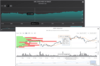
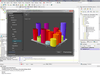
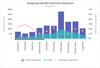
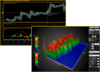
Add advanced Windows Forms charting to your applications. Dundas Chart for Windows Forms Professional Edition lets you to add stunning, 100% fully managed charts to your projects. It is easy and flexible to use and will let you get things up and running in no time. The Professional Edition of Dundas Chart for Windows Forms takes full advantage of GDI + and its advanced features such as anti-aliasing, alpha blending and shadowing, to add stunning charts to your applications. Also included are Zooming, Scrolling, Real-Time support, and true Date and Time support.
The Professional Edition of Dundas Chart for Windows Forms takes full advantage of GDI + and its advanced features such as anti-aliasing, alpha blending and shadowing, to add stunning charts to your applications. Also included are Zooming, Scrolling, Real-Time support, and true Date and Time support.
All common and many advanced chart types are supported, as well as unmatched chart flexibility, customization and ease of use.
What are the differences between the Windows Forms Editions and the ASP.NET Editions?
Although the two different Editions of Dundas Chart for .NET have much in common, they are designed for different purposes in mind. The ASP.NET versions have more flexibility for those who are interested in mass deployment of charts, while the Windows Forms Editions offer more Interaction and Performance.
What's new in Dundas Chart for .NET V6.x?
Optimized For Visual Studio 2008 - You can now utilize the next generation of Microsoft technology
New Rose Chart Styles - Two new Rose Chart types have been added: Stacked and Radial Gap. Both requested by Dundas customers, Stacked allows you to display one set of data atop another for a more versatile Rose Chart. The Radial Gap offers the option of providing a hole in the center of the Rose Chart - a subtle change, but it offers a similar visual difference in the way a Pie Chart can become a Doughnut Chart
Vertical Column Labels - A new attribute for 2D column charts, labels can now be painted vertically inside the column, adding greater flexibility when considering labels
Data Point Label Offset Attribute - With Chart 6.1, you can now customize the exact offset of the data point to the label. It's just another way for Dundas Chart to ensure you have the exact look you want
New Custom Colors Property - Custom colors can now be applied for each point individually, giving your charts more visual power and versatility
What's new in Dundas Chart for .NET V6.0?
Rose Charts - Version 6.0 of Dundas Chart includes the new Rose Chart type. The Rose Chart type is a circular chart that allows for great data comparison between data series. (Part of the Enterprise Edition).
Chart Builder - The new Chart Builder lets developers and non- developers alike, quickly create, modify and enhance new and existing charts with just a few clicks. With full import/export abilities, and more.
New Palettes - Dundas Chart has added new 11 new Color palettes to the original Dundas Chart Palettes. These Palettes include Acid Wash, Art Deco, Dundas Dark, Kindergarten, Milkshake, Mild Day, Rainbow Vapors, Tanzanite, Tan, Vegas, and Water Lilies.
Multiple Axis Support -Multiple Axis allows for greater control and flexibility when dealing with data. Each sub axis can be customized using its properties to meet your needs.
Horizontal Error Bars - Version 6.0 gives developers the ability to add error bars to bar charts, which offers additional statistical information regarding the data on the chart for more in depth analysis. (Part of the Enterprise Edition).
What's new in V5.5x?
AJAX Implementation with Zooming/Scrolling Functionality on the web.
Web based User Interface using AJAX with interactive:
Property Pages
Context Menus
Interactive Toolbars
Scale Breaks
Legend Enhancements
New 2D/3D Visualizations
Whats new in Dundas Chart V5.0?
Visual Studio 2005 Features Including
Full Visual Studio 2005 Integration
Smart Tags
High Level Data Binding
Debugging Display
Data Series Visualizer
Side by side installation for Visual Studio 2003 & 2005 - To ensure a smooth transition between Visual Studio 2003 and Visual Studio 2005, Version 5.0 offers separate installations for each development platform
Custom label enhancements - New to Version 5.0, developers can associate a custom label to an image, a tooltip, an HREF or even an object
Improved Data Labeling - Developers now have the opportunity to seperate different groups of data using distinct boxes, improving readability
Enhanced sample framework - With new samples, added gallery images, expanded overviews and accompanying screenshots, the sample framework is easier than ever before to get you started with Dundas Chart for .NET
What's new in V4.5?
Included in Version 4.5 are several exciting new chart types including Pyramid, Funnel, Polar and FastLine(TM)
New User Interface functionality is also available in the latest release, consisting of Toolbars, Property Pages, Context Menus and Chart Commands. Other additions include Data Point Label Customization as well as the inclusion of a Custom Attribute Builder
What's New in V4.1
Annotation Objects (Enterprise Edition Only) - Annotations allow users of Dundas Chart for .NET to add a wide range of different shapes to the chart without the complexity of custom drawing. In addition, the Windows Forms Edition allows the end user to dynamically add annotations to the chart using several different shapes
Animation Frame Rate Control (Enterprise Edition Only) - Control the Frames per second on your animated Flash Charts
Extended Data Binding - Existing Data Binding functionality has been extended to provide greater flexibility in series binding, allowing automatic data binding of charts to data sources based on the data provided
Optimized Smart Client Security Requirements - Use Dundas Chart and Smart Client controls in an Intranet environment without any needed changed to permissions, and with slight modifications in an Internet environment
Dundas Chart Version 4.0 adds new features such as:
Animation (ASP.NET Enterprise Edition only) - Version 4.0 now lets you enable charts with Flash and SVG Animation, to add a new level of presentation to your charts. With a variety of pre built animation Themes, and the ability to customize your own, Dundas Chart for .NET 4.0 gives you so much flexibility in your charts.
Flash Rendering (ASP.NET Enterprise Edition only) - Looking for Flash Charts to complement your current or new web projects? Version 4.0 now fully supports Flash, opening up a whole new dimension to what you can do with Dundas Chart for .NET.
Renko Chart Type (Enterprise Edition only) - Renko charts isolate the underlying price trend by filtering out the minor price changes. They can be very useful for determining major trend lines or support and resistance levels.
Kagi Chart Type (Enterprise Edition only) - Kagi charts display a series of connecting vertical lines where the thickness and direction of the lines are dependent on the price action. These charts ignore the passage of time but can be used illustrate the forces of supply and demand on a security.
Point and Figure Chart Type (Enterprise Edition only) - Point and Figure Chart uses a series of X's and O's to determine price trends. They show trends by eliminating minor price trends and time and focuses on long term indicators. The X' represent an upward trend and the O's represent a downward trend.
Three Line Break Chart Type (Enterprise Edition only) - These charts display a series of vertical boxes ("lines") that are based on changes in prices. Similar to Kagi, Renko, and Point & Figure charts, Three Line Break charts ignore the passage of time.
Chart template support - Create a chart with the look and feel you want, save the appearance properties, or the full chart as a template and use them on future charts to save time, and ensure consistency.
Other new features
Specify a separate color for each of the custom axis label text and markings
More control of the drawing width of data points
New samples (VB and C#)
Significantly improved performance. We've made version 4.0 much faster, especially with large data sets
What's new in V3.6?
Smart Data Labels
Smart Data Labels allow for less cluttered displays of data points, with a multitude of settings to get just the look you need. Get collision free data point labels with version 3.6.
New Marker Styles
Version 3.6 has 4 new Marker Styles. Now use 4, 5, 6 and 10 sided stars to help mark data points on your charts.
Axis Grouping Labels
Add an additional 10 rows of labels for enhanced data-grouping functionality.
Logarithmic Axis of any base
Version 3.6 lets you change the base of the logarithmic axis for greater flexibility.
Improved Logarithmic support for Grid Lines and Tick Marks
Grid lines and tick marks now have Logarithmic support for any base.
EMF Support
Charts can be now be rendered as Enhanced Windows Meta Files files.
Scrollbar positioning outside the chart area
Windows Forms Charts now have the option of having scrollbars inside or outside the chart area.
Other New Features in version 3.6
Series Type property to simplify assigning Chart Types
Normal, High or System Default text anti-aliasing quality
Improved Axis Labeling
New samples (VB and C#)
What's new in V3.5?
Chart and Data Wizard TM
It has been seriously enhanced by adding a new data wizard in addition to some great new Chart Wizard functionality.
Data Binding Feature
Dundas Chart for .NET version 3.5 now provides a second means of Binding to your Data with the addition of Design-Time data binding. This augments the Run-Time data binding method.
Multiple Legend Items
Create multiple chart legend items with the latest version of Dundas Chart. They can be auto or custom positioned with custom attributes making them very versatile
Box Charts
The Enterprise Editions (Windows Forms and ASP.NET) of Dundas Chart now feature Box Plot Charts for advanced charting requirements.
Range Column Chart Type
Similar to a Gantt chart, but positioned vertically, the new Range Column chart type offers yet another available chart type.
Radar Chart Type
New Chart type in the Enterprise Editions that offers advanced comparative charting. Features polygon and circular chart areas with multiple label attributes and drawing styles.
Error Bars
Available in the Enterprise Editions, error bars offer additional statistical information regarding the data on the chart for more in depth analysis. Available with a variety of custom attributes and marker styles for greater flexibility.
SVG Support
The Enterprise Editions now offer SVG rendering to compliment the available image formats and support tooltips and links.
Chart Area Auto Alignment
Automatically align chart areas vertically, or horizontally
What's new in V3.0?
Perspective to all 3D charts
Simplistic and Realistic Lighting Effects to help customize chart look and feel
Chart Rotation on X and Y axis
Point Depth - make the points up to 10 times as wide
Gap Depth - Make the gap between series up to 10 times as wide
Chart Wall Width - Yet another variable that you can set
Dundas Chart Version 3.1 adds new features such as:
Dundas Chart Wizard
Cylinder Charts
Interlaced strip lines
Comprehensive statistical analysis formula support
Interval properties for the axes
Automatically fitted font for all axes labels
New samples (VB and C#)
PartNumbers: PC-513140-167194 513140-167194 PC-513140-167200 513140-167200 PC-513140-167197 513140-167197 PC-513140-167191 513140-167191
Publisher PartNumbers: DCWFP6.0 DCWFP6.0WSUB DCWFPSUBREN
PurchaseOptions: Dundas Chart for Windows Forms Professional Edition V6.2 1 Developer License , Dundas Chart for Windows Forms Professional Edition V6.2 1 Developer License with 1 Year Subscription , Dundas Chart for Windows Forms Professional Edition Subscription Renewal 1 Year Subscription Renewal - pre expiry , Dundas Chart for Windows Forms Professional Edition Subscription Renewal 1 Year Subscription Renewal - post expiry
Resources: Browse the Dundas Chart for Windows Forms Features HTML page, Browse the Dundas Chart for .NET Chart Gallery HTML pages, Download the Dundas Chart for Windows Forms Professional Edition V6.2 evaluation on to your computer - Displays Evaluation Messages
Operating System for Deployment: Windows Vista, Windows XP, Windows 2000, Windows 98
Architecture of Product: 32Bit
Product Type: Component
Component Type: .NET WinForms, 100% Managed Code
Compatible Containers: Microsoft Visual Studio 2008, Microsoft Visual Studio 2005, Microsoft Visual Studio .NET 2003, Microsoft Visual Studio .NET, Microsoft Visual Basic 2008, Microsoft Visual Basic 2005, Microsoft Visual Basic .NET 2003, Microsoft Visual Basic .NET, Microsoft Visual C++ 2008, Microsoft Visual C++ 2005, Microsoft Visual C++ .NET 2003, Microsoft Visual C++ .NET, Microsoft Visual C# 2008, Microsoft Visual C# 2005, Microsoft Visual C# .NET 2003, Microsoft Visual C# .NET, .NET Framework 2.0, .NET Framework 1.1, .NET Framework 1.0
Product Class: Business Components
Search Items: New Version Mar 03, New Version Apr 03, New Product Apr 04, New Product May 04, New Product Sep 04, New Product Jan 05, New Product Feb 05, New Product May 05
Keywords: Chart Charting Charts Graph Graphing Graphs Dundas Software Corporate Partner Dundas Chart for Windows Forms Professional Edition charts charting WinForms Prof Pro Ed graph graphs graphing