Screenshot Preview

Total Visual Agent - Summary

by FMS - Product Type: Application

Summary

Total Visual Agent by FMS

URLs: fms-total-visual-agent, fms total visual agent, fmstotalvisualagent, fms

Automate Schedule Repetitive Microsoft Access and Jet Engine Database tasks. Total Visual Agent is a Windows application that automates these chores on an hourly, daily, weekly, or monthly basis. You simply schedule the tasks and launch it. If a problem occurs, the system administrator is notified immediately by email. When using Access MDB databases, you must periodically compact, repair, back up, and monitor them to ensure optimal performance, recover unused disk space, and prevent data corruption.

What Total Visual Agent Does for You

Total Visual Agent lets you define and schedule these tasks:

Macro Scheduler: Launch Microsoft Access and run your macro which can do things like print reports, download data, export information, and run your custom code

Database compact and repair

Database copy and zip backups

Data extraction while users are in the database

Collect database statistics like record counts to monitor usage

Run any Windows command line

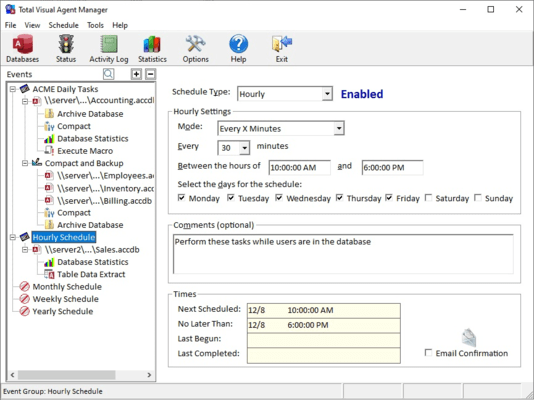
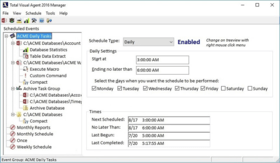
Define Your Own Schedules - Total Visual Agent lets you schedule and automatically perform these tasks multiple times per hour, once per hour, daily, weekly, monthly, or at a specific time in the future. Perform your daily chores in the middle of the night! You can even back up data while users are in the database (ideal for 24/7 environments) or execute your own custom code such as printing reports or data uploads and downloads.

Manage an Unlimited Number of Databases - Total Visual Agent manages an unlimited number of Microsoft Access/Jet Engine databases across your network. Install it on a PC that can see the databases you want to manage. It can even run as an NT Service to provide extra security and automatically restart if your PC goes down.

The administrative portion lets you specify what events you want to have:

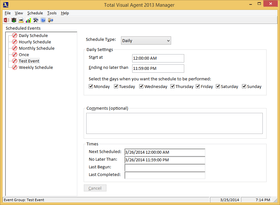
Create hourly, daily, weekly, monthly, or one time events

Set the start time

Specify an optional end time if you want to stop the tasks by a certain time. For instance, to make sure all the backups are done by 5 AM. If the deadline is hit, an email notifies you so you can adjust your tasks and events.

Define what you want to do:

Select a database and the tasks to perform on it

Specify a drive letter or directory and the tasks to perform on all the databases there (including sub-directories)

Create a task group (a set of tasks you want to perform) and assign the databases or directories you want the tasks applied. This makes it easy to change the set of tasks you want to apply against multiple databases.

When the time arrives, it performs its tasks, then goes back to "sleep" to await the next event.Total Visual Agent supports secured databases and lets you assign the security workgroups, user name, and passwords necessary to perform the tasks you need.

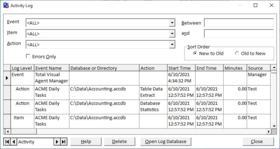
Audit Trail and Email Notification of Problems - Total Visual Agent offers a professional solution to ensure your Access/Jet databases perform optimally and are administered properly over time. A complete audit trail is maintained in a table for every task performed. If an error occurs, an email is automatically sent to alert the system administrator. System administrators will also appreciate the ability to specify a cut-off time for tasks be completed. This ensures that as your databases grow and your tasks require more time to complete, Total Visual Agent never interferes with your business needs and alerts you if it runs out of time to finish.

Runs as a Windows Service - Total Visual Agent can run as a standard Windows program and has a "hidden" Windows NT Service. The service runs even without a user logged on to the computer, providing increased security and automated restart if the machine crashes. Schedule the tasks you want, and let Total Visual Agent take care of it.

Database Maintenance - Whether your application is written in Microsoft Access, Visual Basic, C++, or Visual Studio .NET, if you rely on Microsoft Access/Jet Engine (*.MDB) databases, you need to periodically compact, repair, back up (copy or zip), and monitor them to achieve optimal performance, recover unused disk space, and prevent data corruption.

Automate Schedule Repetitive Microsoft Access and Jet Engine Database tasks.

Pricing: Total Visual Agent for Access 2007 1 Developer License, Total Visual Agent for Access 2007 1 Developer License Upgrade from previous version, Total Visual Agent for Access 2007 5 Developer License, Total Visual Agent for Access 2007 5 Developer Upgrade License from previous version, Total Visual Agent for Access 2003 1 Developer License, Total Visual Agent for Access 2003 1 Developer License Upgrade from previous version, Total Visual Agent for Access 2003 5 Developer License, Total Visual Agent for Access 2003 5 Developer Upgrade License from previous version, Annual Premium Support Subscription 1 Support License, Annual Premium Support Subscription 1 Support License Renewal, Annual Premium Support Subscription 5 Support License, Annual Premium Support Subscription 5 Support License Renewal

Evals & Downloads: Read the Total Visual Agent help file, Read the FMS License Agreement

Operating System for Deployment: Windows Vista, Windows XP, Windows 2000, Windows 98, Windows NT 4.0

Architecture of Product: 32Bit

Product Type: Application

Built Using: Visual Basic V6.0

General: Includes Digital Signature

Compatible Containers: Microsoft Visual Studio 6.0, Microsoft Visual Basic 6.0, Microsoft Office 2007, Microsoft Office 2003, Microsoft Access 2007, Microsoft Access 2003

Keywords: TOTAL VISUAL AGENT 2000 DATABASE MANAGEMENT DB ADMINISTRATION UTILITY DEVELOPMENT MONITOR SCHEDULE STATISTICS REPAIR COMPACT FIX RECOVER

FMS

Database DB Management

Part numbers: PC-510321-226596 510321-226596 PC-510321-226597 510321-226597 PC-510321-226598 510321-226598 PC-510321-226599 510321-226599 PC-510321-226592 510321-226592 PC-510321-226594 510321-226594 PC-510321-226593 510321-226593 PC-510321-226591 510321-226591 PC-510321-227003 510321-227003 PC-510321-227024 510321-227024 PC-510321-227045 510321-227045 PC-510321-227066 510321-227066

Mfr. Part No: VSAG11 VSAG11-5 VSAG11-U VSAG11-U5 VSAG12 VSAG12-5 VSAG12-U VSAG12-U5

Product Search

Enter search words:

Why buy from ComponentSource?

ComponentSource offers a unique global service, used by over 1,000,000 software developers worldwide.

More Info | About Us

Award