by Infragistics - Product Type: Add-In
Infragistics TestAdvantage for Windows Forms (for IBM Rational Functional Tester) by Infragistics
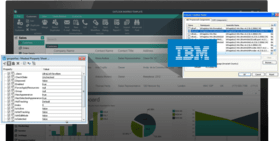
Enable automated testing of the presentation layer using IBM® Rational Functional Tester. Infragistics TestAdvantage for Windows Forms (for IBM Rational Functional Tester) is a collection of custom libraries built using IBM Rational Functional Tester extensibility. It enables automated testing of the presentation layer, allowing testers to fully regression test Windows Forms applications with user interfaces developed using Infragistics NetAdvantage for Windows Forms controls.
Infragistics and IBM are pleased to offer businesses the most innovative tool for automating UI testing! Infragistics TestAdvantage for Windows Forms (for IBM Rational Functional Tester) allows testers to automate the testing of the presentation layer in Windows Forms applications by extending IBM Rational Functional Tester to support Infragistics NetAdvantage’s presentation layer toolset. With its knowledge of the NetAdvantage Windows Forms object model, Quality Assurance teams can effortlessly regression test the presentation layer. Supports IBM Rational Functional Tester version 7.0.1 and newer.
Automate Regression Tests for applications built using NetAdvantage for Windows Forms 2007 Volume 1 (both CLR1.x and CLR2)
Easily Record and Replay tests utilizing the standard IBM Rational Functional Tester capabilities both with the record and replay agents and through the standard scripting functionality
Data-Drive tests by using the scripting abilities provided by IBM Rational Functional Tester and the object recognition provided by TestAdvantage for Windows Forms (for IBM Rational Functional Tester)
Supports the New and Enhanced NetAdvantage for Windows Forms Controls Released in NetAdvantage for Windows Forms 2007 Volume 1, including:
Accessibility Support – Enhanced
All Windows Forms controls are now compliant with US Government Section 508
Application Styling – Enhanced
Export Images from a Style Library
Add Your Personal Information to a Style Library
New ISL Generator - Style Library Templates that will automatically generate complete StyleSets at the click of a button
Multiple Controls Can Now Use Separate Style Libraries
Presentation Layer Framework – Enhanced
NetAdvantage for Windows Forms supports running on 64-bit operating systems such as the 64-bit Windows Vista operating system
WinExplorerBar – Enhanced
Outlook 2007 Navigation Pane Can Now Be Collapsed
WinFlowLayoutManager – Enhanced
More Alignment Options
WinGrid – Enhanced
Conditional Formatting of Cells in a WinGrid Column
WinSpellChecker – Enhanced
Adding Canadian and Australian Dictionaries brings the total dictionaries included to 9
WinToolbarsManager – Enhanced
New Glyphs for StateButton Tool: Checkbox and Radio Button
You Can Now Merge Ribbons in a Multiple Document Interface
New MiniToolbar – Replicates the new type of toolbar introduced in Microsoft® rd® 2007
New Tab Item Toolbar for the Ribbon – serves the same purpose as the Quick Access Toolbar
ControlContainer Now Works Inside the Ribbon
Prevent Ribbon KeyTips from Overriding Menu Mnemonics
What's new in TestAdvantage for Windows Forms (for IBM® Rational® Functional Tester) 2007 Volume 3?
WinNavigationBar - NEW! - New UltraNavigationBarProxy class lets you test the WinNavigationBar control with support for subitems including AtPoint, AtButton (for action buttons where AtText is the tooltip), AtLocation (either in the History button-activated drop down or "Root") and AtList. With AtList you can activate a text button on the control by giving the full path to the button (most lists will be Path Lists rather than just lists). When Location.DropDown is omitted, the button for that location will be activated (include Location.DropDown if you want to select a location by its text from the dropdown). In addition to all of the standard actions you would expect, the Navigate(Subitem) action allows you to directly navigate through the WinNavigationBar. A Locations verification point has been added which is a hierarchical listing of the locations contained by the underlying WinNavigationBar control.
Navigation Toolbar in WinToolbars - NEW! - Testing support for the new navigation toolbar added to the existing ToolbarsManager proxies, with support for subitems such as Text, Lists and Location that reflects the Back (AtLocation("NavigateBack")), Forward (AtLocation("NavigateForward")) or Location History button (AtLocation("HistoryButton")). The Navigate(Subitem) action added to these proxies allows you to directly navigate using the navigation toolbar, and will be recorded off the dock area that includes the navigation toolbar:
When users click the Back, Forward, or Location History buttons (as a Location Subitem)
When a location is clicked from the Navigation History list
When a manual index is specified to locate an item on the list by its index (top item on the list is always at index 0)
Note that the action Navigate(AtText) and Navigate(AtIndex) will first click the history button, if the history list of the navigation toolbar was not already dropped down. Verification points added to support automated testing of the navigation toolbar include the Navigation Locations, and the Current Navigation Location.
WinChart Histogram - NEW! - Support for testing the histogram chart includes subitems such as AtPoint() for clicks anywhere on the chart, AtList(AtLocation("DataPoint"),AtCell()) for clicks on the line of the histogram chart, and AtList(AtLocation("Column"),AtCell()) when clicking any of the columns of the histogram chart. Notice how "DataPoint" and "Column" differentiate which of the possible two layers of the histogram chart are to be tested.
PartNumbers: PC-518334-159052 518334-159052 PC-518334-159053 518334-159053 PC-518334-159054 518334-159054
Publisher PartNumbers: 87712 8799T
PurchaseOptions: Infragistics TestAdvantage for Windows Forms (for IBM Rational Functional Tester) 2007 Volume 3 1 Developer License - includes annual subscription, priority support and source code , Infragistics TestAdvantage for Windows Forms (for IBM Rational Functional Tester) 2007 Volume 3 1 Developer Subscription Renewal License - includes annual subscription, priority support and source code , Infragistics TestAdvantage for Windows Forms (for IBM Rational Functional Tester) 2007 Volume 3 bundled with IBM Rational Functional Tester V7.0.1 1 Developer License - includes annual subscription, priority support and source code (includes IBM Rational Functional Tester 1 Authorized User License + 12 Months Software Subscription and Support)
Resources: Read the Infragistics TestAdvantage for Windows Forms (for IBM Rational Functional Tester) help file, Read the Infragistics TestAdvantage for Windows Forms (for IBM Rational Functional Tester) License Agreement, Download the Infragistics TestAdvantage for Windows Forms (for IBM® Rational® Functional Tester) 2007 Volume 3 evaluation on to your computer - Expires After 30 Days
Operating System for Deployment: Windows Vista, Windows XP
Architecture of Product: 32Bit
Product Type: Add-In
Keywords: Debugging debug debugs Testing Test Tests Infragistics Sheridan Protoview Enterprise Partner ibm rational