Janus WinForms Controls Suite - .NET Component - V3.5
by Janus Systems - 상품타입: Component / .NET WinForms / .NET Class / 100% Managed Code
주의 : 별도의 안내가 없는 경우에는 영어제품 입니다.
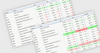
Outlook 스타일의 강력한 인터페이스를 응용 프로그램에 추가할 수 있습니다. Janus Controls for .NET 는 ComponentSource 의 베스트셀러인 Janus Systems 의 100% .NET관리자 코드 컴포넌트로 구성되어 있습니다. 이러한 스위트로는 Janus GridEX for .NET, Janus Schedule for .NET (Outlook Calendar View), Janus Timeline Control for .NET (Outlook Journal), Janus ButtonBar Control for .NET 및 ExplorerBar Controls for .NET (Outlook Shortcut Bar) 가 포함됩니다.
평균
19 리뷰(s).
일반 적인 소비자 가격은 하기에 표시되어 있습니다. 고객님의 할인가격은 표시 하시려면 로그인 해주시기 바랍니다.
Janus WinForms Controls Suite V3.5
| 주문 |
₩ 851,300 |
1 개발자 라이센스 |
|
다운로드 (27.7 MB) |
| 주문 |
₩ 2,469,800 |
4 개발자 팀 라이센스 |
|
다운로드 (27.7 MB) |
| 주문 |
₩ 4,196,100 |
8 개발자 팀 라이센스 |
|
다운로드 (27.7 MB) |
| 주문 |
₩ 8,512,000 |
1 사이트 일괄 라이센스 (단일 물리 주소에 있는 개발자에게 인원 수 무제한으로 라이센스 공여) |
|
다운로드 (27.7 MB) |
| 주문 |
₩ 519,500 |
1 개발자 업그레이드 라이센스 - Janus Controls for .NET V2.0 또는 GridEX.NET V2.0 1 개발자 라이센스 |
확인 |
다운로드 (27.7 MB) |
| 주문 |
₩ 1,614,800 |
4 개발자 업그레이드 라이센스 - Janus WinForms Controls Suite V2.0 또는 Janus GridEX .NET V2.0 4 개발자 팀 라이센스 대상 |
확인 |
다운로드 (27.7 MB) |
| 주문 |
₩ 2,685,600 |
8 개발자 업그레이드 라이센스 - Janus WinForms Controls Suite V2.0 또는 Janus GridEX .NET V2.0 8 개발자 팀 라이센스 대상 |
확인 |
다운로드 (27.7 MB) |
| 주문 |
₩ 4,868,300 |
1 사이트 와이드 업그레드 라이센스 - Janus WinForms Controls Suite V2.0 또는 GridEX .NET V2.0 1 사이트 와이드 라이센스 대상 |
확인 |
다운로드 (27.7 MB) |
가격에는 ComponentSource의 기술지원 요금이 포함되어 있습니다. 또한 다운로드 판매를 하고 있는 상품의 대부분은 온라인 백업요금이 포함되어 있어서 구입날로부터 30일 이내에 새로운 버전이 발매된 경우 무료로 업그레이드해 드리고 있습니다. 모든 주문에 대해서 당사표준 계약조건 및 반품조건 의 내용이 적용됩니다. 다음의 경우,고객 서비스로연락하시기 바랍니다. (상기의 리스트에 게재되지 않은 대량의 라이센스나 구 버전 등의 라이센스 옵션이 필요한 경우)
일반 적인 소비자 가격은 상기에 표시되어 있습니다. 고객님의 할인가격은 표시 하시려면 로그인 해주시기 바랍니다.
What's New in Janus Winforms Controls Suite V3.5?
- New Ribbon controls added
- New Office 2007 visual style for all controls
What's New in Janus Winforms Controls Suite V3?
The controls in the suite supports the new features in Visual Studio 2005 IDE like:
- Support for Snap Lines and Base Lines: Snap Lines are automatically displayed when a control is placed at the desired distance from another control and when aligning it's edge with another control's edge. Base lines are shown in VS 2005 IDE when the text in adjacent controls is located on the same line horizontally. Base lines help to align controls by their text instead of the control edges
- Association of Janus Editors to DataTypes: Associating a Janus Editor to a .NET DataType allows you to drag fields onto a form and create the appropriate editor bound to that field
- New UseCompatibleTextRendering property: Determines whether to use the compatible text rendering engine (GDI+) or (GDI) with support for complex scripts
- Support for ImageList Keys: Now in Visual Studio 2005 you can assign a string name to an item in an ImageList and define such string (instead of the ImageIndex) for the controls
- IPersistComponentSettings: This interface is used to serialize and deserialize user's settings automatically. This is interface is implemented in all Janus Controls that support saving its properties in layouts like GridEX, Schedule, TimeLine, CommandManager, PanelManager, Tab, ExplorerBar and ButtonBar
- VisualStyleManager: This new component allows you to create and store different ColorSchemes to be applied to all the Janus controls in a Form at the same time
- New Visual Studio 2005 VisualStyle: All the controls in the Janus Suite feature a new VS2005 VisualStyle that permits you to provide the look of Visual Studio 2005 to your applications
What's New in Janus GridEX Control for .NET V3?
- MultipleValues Columns: A column can be bound to a list of values. MultipleValues columns are especially useful when dealing with many-to-many relations. For example, if there is a many-to-many relation between tables “Products” and “Categories” you can bind a grid to the table “Products” and add a MultipleValues column bound to the relation showing (in a single cell) all the categories a product belongs. To edit these cells, you can use a checked combo box where the user can check/uncheck the list of available categories.The GridEX Control is also capable to group columns with more than one value. When grouping by a MultipleValues Column a record in the table could belong to more than one groups and the control will present a copy for those repeated records in each of the corresponding groups. When an edition in those copied record is made, the control will automatically reflect the changes in each copy
- SelfReferencing Tables: A table with a self-referencing relation can be displayed as a tree. For example, you can bind a GridEX control to a “Messages” table. If a message can contain other message as a child, you can use HierarchicalMode.SelfReferencing in the GridEXTable and show the control as tree with multiple columns
- Custom Grouping: A new GridEXCustomGroup class is provided to let you specify custom group definition. There are two types of custom groups:
- Composite Columns: Rows in the GridEX control are grouped based on the values of two or more columns in the same group row. For example: You can specify columns: “Country” and “City” and the control will create a group row for each different combination of the values of these columns
- Conditional Group Rows: You can specify each of the group rows a Group contains and specify the condition that rows must meet in order to be part of the group row
- Hierarchical Grouping: Rows in a table can be grouped based on the values of a column that belongs to a child table. For example, in a hierarchical grid showing Customers-Orders-Order_Details, you can group Customers table by the “Product” column in Order_Details table. Showing you a grouped view of customers based on the products ordered
- Hierarchical Filters: Rows in a table can be filtered based on the values of a column that belong to a child table
- Improved Performance on Hierarchical Mode: Janus data manipulation classes were completely redesigned to decrease the time used to load child lists to a fraction of the time needed in previous versions
- Nested Properties Binding: A column can now be bound to a property of a sub-object in the original DataRow. For example, if a control is bound to a list of “Contact” objects and the Contact class has a property that returns a “ContactName” object where “ContactName” is a class with two properties: “FirstName” and “LastName”, you can bind a column to Contact.ContactName.FirstName setting its DataMember property equal to “ContactName.FirstName”
- Unbound Mode: New Unbound mode in GridEX control allows you to populate rows using AddItem method.
- Unbound Columns:You can add an unbound column to a bound grid. There are two types of unbound columns:
- UnboundFetch: The value of the cells in these columns is set in the LoadingRow event. This mode is useful when you want to have a calculated cell where the value is based on the values of other cells in the same row
- UnboundKeep: The value of the cell can be set by the user and the control will keep that value
- KeepRowSettings Property: When this property is set to true, the control retains the row and cell properties even when the rows are scrolled out of view. By default, GridEX control fires the FormattingRow event to let you specify cell properties of rows that are displayed in the grid.These settings are cleared once a row is no longer visible and they must be set again when the FormattingRow event is fired for the row. In cases where you need to set cell properties (like its FormatStyle outside) the FormattingRow, you can use this property to true and the control will keep the property you set even when the row is scrolled out of view
- UseGroupRowSelector Property: This property allows you to display a checkbox in group rows that checks/unchecks all the rows inside a group with one click
- TotalRowPosition property: When using a TotalRow in the grid, you can now specify whether you want to show the total row as a scrollable row at the end of the list or fixed at the bottom of the display area in the control
- GridEXGroupHeaderTotal.ColumnAlign Property: This property allows you specify a column to which align a defined group header total
- CardView Appearance: CardViewGridLines and CardInnerSpacing properties were added to let you change the appearance of a card in GridEX control. Now, it is possible to show a card with grid lines between its fields and the space specified in CardInnerSpacing between those fields
- Export to Excel: A new GridEXExporter component is provided to let you export the data displayed in a GridEX control as an Excel XML document
- FieldChooser Control: In addition to the ShowFieldChooser method, you can use the new GridEXFieldChooserControl to use the control inside a panel of your form instead of showing it as a floating window outside your application
- CheckedComboBox Control: This new control acts as combo box that can be bound to a list of values where the user can check/uncheck multiple items in the dropdown to add/remove items from the list specified as value of the control
Janus Controls for .NET 에는 다음과 같은 내용이 들어있습니다.
- Janus GridEX for .NET
- Janus Schedule for .NET
- Janus ButtonBar for .NET
- Janus ExplorerBar for .NET
- Janus Timeline for .NET
Janus GridEX for .NET의 기능은 다음과 같습니다.
- Janus GridEX for .NET 는 100% C# 관리자 컨트롤이며, Microsoft의 .NET 프레임 워크 기능을 보다 적절하게 활용할 수 있도록 완전하게 개정되었습니다. 이러한 컨트롤에는 Grid기대되는 모든 기능이 포함되어 있으며, 그 외의 기능들도 포함되어 있습니다.
- 바인딩 :Janus GridEX for .NET는 데이터를 의식한 완전 편집이 가능한 컴포넌트이며, 데이터 세트의 임의의 표나 Ilist 인터페이스, ITypedList 인터페이스, IBindingList인터페이스 중 어느 한 쪽을 제공하는 기타의 데이터 소스에 바인드할 수 있습니다. Janus GridEX for .NET 에서는 위의 인테페이스 중 어디에 바인드 되더라도 그룹기능과 소트기능, 파일 기능이 소멸되지 않습니다.
- 편집 :이러한 컨트롤에는 MaskEdit, CheckBox, UpDown, Calendar DropDown, Combo*, DropDown 등, 복수의 기본제공 편집기가 포함되어 있습니다. GridEX for .NET컨트롤에서는 사용자 EditType" 을 열 용으로 정의하는 것도 가능합니다. *Combo EditType 에는 복수의 열을 포함할 수 있으며 Type ahead기능도 있습니다.
- 체제 :이 컨트롤에서는 다수의 강력한 포맷 기능이 제공되며 프로그래머는 데이터 표시 방법을 완전하게 제어할 수 있습니다. .NET 버전의 새로운 기능으로 계조도, 브랜드 컬러, 투명도 (알파브랜딩)의 제공 등, FormatStyles 강화기능을 들 수 있습니다. 커스텀 묘화, 워터마크, Windows XP Visual Styles의 제공도 추가되며, 풍부한 UI체제가 응용 프로그램으로 제공됩니다.
- CardView : 실용적인 CardView 가 강화되고, 복수 열 레이아웃의 제공 및 카드 전개와 축소를 간단하게 실행할 수 있는 기능이 포함되었습니다. 이러한 새로운 버전에서는 1 개의 레코드를 CardView로 표시하는 것도 제공됩니다.
- 마스터/디테일 : Janus GridEX for .NET 에서는 계층 데이터 세트로의 바인딩 및 동일 윈도우 내에서의 마스타/디테일 정보 표시가 제공되었습니다.
- 그립화와 소트 : 무제한 수의 열이며, Outlook 스타일의 그룹화와 소트를 자동적으로 실행할 수 있습니다.
- 행과 ColumnSets 미리보기 : 행의 미리보기에서는 강력한 인터페이스 엘레먼트가 제공됩니다. 이것을 사용하면Microsoft Ourlook 과 같이 각각의 행 아래에서 데이터 열 중에 한 가지 「미리보기」를할 수 있지만, GridEX ColumnSets 를 사용하게 되면 복수 행에서 1개의 레코드를 표현하는 것도 가능하며, 복수 행에 걸친 열을 포함하는 것이 가능하게 됩니다. ColumnSets는 컨트롤이 CardView 에 있는 동안에도 사용할 수 있습니다.
- 필터 :Janus GridEX for .NET 에는 FilterConditions가 추가됨으로써 현재 이상으로 기능화 되었습니다. 단순한 조건이나 복잡한 조건을 정의해서 사용하며 기준에 맞는 행 필터, 포맷, 정리, 검색이 가능합니다. GridEX 컨트롤의 새로운 필터 기능은 아주 강력하기 때문에 자식 표로 채워진 기준에 따라 모 표로 행을 필터 처리하는 것이 가능합니다. 이러한 컨트롤에는 새로운 Microsoft Access 와 같은 행 필터도 있으며, 사용자는 컨트롤 내에서 표현되고 있는 데이터를 간단하게 필터 처리할 수 있습니다.
- 포맷 :FormatConditions을 사용하여 셀 및 레벨 조건이 있는 포맷을 간단하게 실행할 수 있습니다. 포맷의 단순한 조건을 지정하거나 새로운 FilterCondition속성을 사용해서 복잡한 조건을 포함할 수 있습니다. 따라서 복잡한 포맷 계산용으로 작성할 필요가 있는 코드가 상당히 줄어듭니다. 이러한 버전의 새로운 기능을 이용하여 특정 기준을 만족시키는 셀의 단일 행에 복수의 포맷을 병합하는 기능도 있습니다.
- 데이터 정리 : 그룹화만으로는 불충분하여 합계, 평균, 그룹 내의 특정 열 수를 표시하는 간단한 방법이 필요하게 되는 경우가 있습니다. 이것은 GroupFooters를 사용하여 간단하게 달성될 수 있습니다. 새로운 GridEX for .NET컨트롤에서는 그룹이 축소된 경우에도 이러한 바닥글을 표시하거나, 정열 합계를 그룹 머리글에 표시하는 등 FilterCondition에 지정된 기준을 만족시킨 레코드의 합계를 표시하는 것이 가능합니다. GridEX 에서는 표 별로 합계 행을 표시하는 것도 가능합니다. 이것은 마스터/디테일 관계를 조작할 때 상당히 편리한 기능입니다.
- 인쇄 :GridEX Control for .NET 라이브러리에는 GridEXPrintDocument 컴포넌트도 구성되어 있으며, 컨트롤에 따라 표시되고 있는 데이터의 WYSIWYG (What-You-See-Is-What-You-Get)인쇄를 간단하게 실현할 수 있습니다. GridEXPrintDocument컴포넌트를 사용하여 페이지 머리글과 바닥글을 문서용으로 정의할 수 있습니다. 페이지의 특정 범위에 대한 인쇄가 가능하도록 하기 위해서는 FromPage 속성과 ToPage 속성을 설정으로 정의할 수 있습니다. 문서의 페이지 수를 사전에 알아야 할 필요가 있는 경우에는 , GridEXPrintDocument 에 PrepareDocument 메소드를 구성하면 문서에 페이지 수가 들어간 후에 인쇄 작업이 개시됩니다. GridEXPrintDocument 컴포넌트는 PrintPreviewDialog 나 PrintPreviewControl 와 병행해서 사용자 정의가 가능한 윈도우 미리보기를 응용 프로그램에 간단하게 제공할 수 있습니다.
- 독립 실행형 입력 컨트롤 : MaskEdit, MultiColumn Combo, Integer UpDow, ValueList UpDown 독립 실행형 컨트롤이 Janus GridEX Control for .NET Library 에 구성되었습니다.
Janus Schedule for .NET 의 기능은 다음과 같습니다.
- Janus Schedule for .NET 는 100% C# 관리자 컨트롤로 Outlook 캘린더 보기에 따라 패턴화되어 있습니다.
- 이러한 컨트롤에서는 종이의 예정표와 같이 예약이나 항목을 캘린더에 배열할 수 있습니다. 항목은 일자, 평일, 주간, 월간을 표시하며, 시간이나 보기의 다양한 블록으로 표시할 수 있습니다. 모든 보기가 동일 스케쥴 컨트롤의 일부로 되어있으므로, 그 사이를 간단하게 변환하는 것이 가능합니다.
- Janus Schedule Control 의 예약은 소유자와 관련 짓는 것이 가능하며, 컨트롤의 각종 보기에서 소유자와 관련된 예약을 표시할 수 있습니다.
- 사용자는 Microsoft Outlook와 마찬가지로 Schedule Control예약의 이동과 크기 변경을 할 수 있습니다.
- Schedule Control라이브러리는 Calendar 컨트롤이 있으며, 이것을 사용하여 다양한 보기와 일자를 스케쥴 컨트롤 내에서 탐색할 수 있습니다. 드랙 엔드 드롭에 의한 예약의 자동 재 스케쥴 대상으로 사용하는 것도 가능합니다.
- Janus Schedule Control은 DataSet 의 임의의 표에 바인드하거나 Ilist인터페이스, ITypedList 인터페이스, IBindingList 인터페이스를 제공하며, 그 외의 데이터 소스에 바인드 할 수 있습니다.
- Janus Schedule Control 에서는 예약의 [Text]속성, [Owner] 속성, [StartTime]속성, [EndTime]속성으로 사용하는 데이터 소스의 멤버를 지정할 수 있습니다. 뿐만 아니라 이 컨트롤에서는 필드 컬렉션 보기가 표시되며, 데이터 소스의 모든 멤버를 스케쥴 예약에 맵 설정이 가능합니다.
- 데이터 소스 조작 외에 Schedule Control 에는 완전하게 바인드 되지 않은 방법으로 예약 컬렉션을 조작할 수 있도록 하는 복수의 메소드가 있습니다. LoadAppointments 메소드와 SaveAppointments 메소드에서는 스케쥴 컨트롤 예약의 지속과 복원이 가능합니다.
- Janus Schedule control for .NET 에서는 FormatStyles (계조도, 브랜드 컬러, 투명도의 제공), FormatConditions, FilterConditions, 레이아웃 저장 기능과 복원 기능 등, Janus GridEX Control for .NET 의 강력한 기능이 다수 제공되고 있습니다.
- Schedule Control for .NET라이브러리에는 SchedulePrintDocument 컴포넌트도 구성되어 있으므로 컨트롤에 의하여 표현되는 데이터를 간단하게 인쇄할 수 있습니다.
- SchedulePrintDocument 컴포넌트를 사용하여 페이지 머리글과 바닥글을 문서용으로 정의할 수 있습니다. SchedulePrintDocument 컴포넌트는 PrintPreviewDialog 이나 PrintPreviewControl 와 병행해서 사용자 정의가 가능한 [미리보기 윈도우]를 응용 프로그램에 간단하게 제공할 수 있습니다.
- 독립 실행형의 Janus CalendarCombo Control 은 일자 변경에 사용되며, 시간 값도 스케쥴에 구성시킬 수 있습니다. 사용자는 이러한 컨트롤을 사용하여 [캘린더] 드롭 다운에서 일자를 선택하거나 업 다운 컨트롤을 사용해서 일자를 변경하고 [컨트롤]에 일자를 직접 입력하는 것이 가능합니다. [컨트롤]에서는 지정한 일자 포맷이 적용됩니다. 이러한 컨트롤에는 BindableValue속성이 있으며, 필드가 DBNull 인 경우에도 일자 필드에 바인드할 수 있습니다.
Janus ButtonBar 와 ExplorerBar Controls for .NET 의 기능은 다음과 같습니다.
- 지금까지의 Outlook 스타일의 숏 커트 바에 따라 패턴화 되고, Windows XP Folders Taskbar 의 외관을 갖는 Janus ButtonBar Control for .NET 과 새로운 Janus ExplorerBar Control for .NET 는 최종 사용자가 응용 프로그램에서의 작업을 보다 쾌적하게 실행할 수 있도록 하는 2개의 기존 유저 인페이스 컴포넌트 컨트롤입니다.
- Janus ButtonBar Control for .NET 를 사용하여 MS Outlook이나 MS Visual Studio 숏 커트 바의 외관과 분위기를 간단하게 달성할 수 있습니다. 이 컨트롤에서는 그룹의 작은 아이콘과 큰 아디콘이 제공되고 있으며, 수직방향이나 수평방향으로 위치를 맞추면서 표시할 수 있습니다. ButtonBar Control에서는 항목의 드랙 엔드 드롭을 간단하게 제공할 수 있습니다.
- ExplorerBar Control 의 그룹은 특수한 색과 아이콘을 머리글로 워터마크 이미지를 항목 영역으로 사용해서 사용자 정의할 수 있습니다. 복수의 열에 그룹을 걸치는 것도 가능합니다.
- 모든 Janus Systems Controls for .NET 와 마찬가지로 양 컨트롤에서는 많은 고도의 포맷기능이 제공되며, 프로그래머는 배경화상, 계조도, 브랜드 컬러, 투명도 (알파브랜딩)제공 등, 체제를 완전하게 제어할 수 있습니다.
- 커스텀 묘화 및 Windows XP Visual Styles서포트도 추가되며, 놀라운 외관을 응용프로그램으로 제공하는 것이 가능하게 되었습니다.
- 이 컨트롤에서는 사용자에 의한 레이아웃 변경 내용을 간단하게 유지하는 메소드가 제공됩니다.
- Janus ButtonBar と ExplorerBar Controls for .NET 그룹은 컨테이너로 설정하고 모든 UI 요소를 유지할 수 있습니다.
Janus Timeline Control for .NET 의 기능은 다음과 같습니다.
- 새로운 컨트롤이 MS Outlooks Journal 에 따라 패턴화 되었습니다. Janus Timeline Control 은 시간과의 관련에 의하여 항목을 표시하는 경우에 적합합니다.
- Janus Timeline 컨트롤 항목은 좌측에서 우측으로 시간 계열로 배열됩니다. 타임 스케쥴은 시간, 일자, 주간, 월간으로 분할할 수 있습니다.
- 항목 기간을 표시하는 바는 텍스트 위에 표시할 수 있습니다. 이 바의 체제는 FormatCondition로 간단하게 사용자 정의할 수 있습니다.
- Janus Schedule Control 은 DataSet 의 임의의 표에 바인드하거나, Ilist인터페이스, ITypedList 인터페이스, IBindingList 인터페이스를 제공하며, 그 외의 데이터 소스에 바인드 할 수 있습니다.
- Janus Schedule Control 에서는 예약의 [Text]속성, [StartTime]속성, [EndTime] 속성으로 사용하는 데이터 멤버를 지정할 수 있습니다. 뿐만 아니라 이 컨트롤에는 필드 컬렉션이 있으며, 데이터 소스의 모든 멤버를 Timeline 항목에 맵 설정이 가능합니다.
- 데이터 소스 조작뿐 아니라 Timeline Control에는 완전한 언바운드 방법으로 항목 컬렉션을 조작할 수 있는 복수의 메소드가 있습니다. LoadItems메소드와 SaveItems메소드에서는 Timeline컨트롤 항목의 지속과 복원이 가능합니다.
- Janus Timeline control for .NET 에서는 FormatStyles (계조도, 브랜드 컬러, 투명도 제공), FormatConditions, FilterConditions, Layouts 등, Janus GridEX Control for .NET의 강력한 많은 기능들이 제공됩니다.
- 관련항목은 그룹 내에서 표현할 수 있으며, 그룹 머리글에서는 필드 관련 항목에 바탕을 둔 합계를 표시할 수 있습니다. 머리글 내에 표시되는 합계는 FilterCondition 에 지정한 기준을 만족시키는 코드만을 사용하여 계산할 수 있습니다.
- 그 외에 Janus Controls for .NET 와 마찬가지로 Windows XP Visual Styles 이 제공되고 있습니다.