Screenshot Preview

uomConvert

by Jumar Solutions - 상품타입: Component / ActiveX DLL / DLL

주의 : 별도의 안내가 없는 경우에는 영어제품 입니다.

*

Incorporate accurate Unit of Measure conversions into your applications. uomConvert includes functions with a host of mathematical, scientific, and engineering uses that are appropriate for any scenario in which values need to be converted across types or are to be presented in multiple, possibly user-selected units. Includes over 30 built-in domains (length, time, volume, etc.) and nearly 1,000 units of measure. The may be conbined with user-defined units of measure and even new domains, if desired.

 *

uomConvert supports over 30 built-in Domains (length, time, volume, etc.) and nearly 1000 Units of Measure. These may be combined with user-defined Units of Measure and even new Domains if desired.

It also provides values for a range of mathematical and scientific constant values.

The functions have a host of mathematical, scientific and engineering uses, but are appropriate to any scenario in which values need to be converted across types or are to be presented in multiple, possibly user-chosen units.

With the help of uomConvert a host application can do the following:

  • Convert values accurately from one Unit of Measure to another chosen from an extensive range in a variety of domains (e.g. length, volume, etc.). Over 30 built-in Domains and nearly 1000 Units of Measure (UOMs) are supported.
  • Format returned values according to user-defined edit patterns.
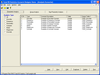
  • Navigate the simple supplied object model to retrieve lists of supported Domains, their corresponding Units of Measure and their properties including display names, symbols and conversion factors. This allows a developer to offer the application user the capability of viewing program data in any of a wide range of units without the need to specifically know any details of the individual units (the number of units available for each supported domain can be found below). The sample application shows how this may be done with just a few lines of code.
  • Add new custom Units of Measure to the supported domains so that they can be used in the conversion functions allowing conversions between the custom UOMs and any of the built-in UOMs.
  • Add whole new custom domains and corresponding sets of UOMs.
  • Accurately retrieve values for a range of mathematical and scientific constants.

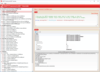
Once the component has been installed on the developer workstation, any development tool that supports the containment of ActiveX component can reference it. The developer can then access all of the uomConvert methods (functions) and properties from within their code. The User Guide contains example code for Microsoft Visual Basic or VBA (Visual Basic for Applications, as supported by Microsoft Word, Excel and Access).

This is a 32-bit in-process OLE server DLL which may be used on any 32-bit Windows platform (NT/2000 or 95/98/Me).

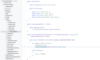
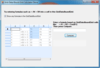
It includes a sample Visual Basic project which demonstrates how to call the component functions. The project builds a full stand-alone Unit of Measure conversion program.

It supports the following built-in domains (numbers in brackets indicate the number of units of measure supported for each):

  • Acceleration (15)
  • Angle (13)
  • Angular Acceleration (7)
  • Angular Velocity (9)
  • Area (83)
  • Density (29)
  • Electric Capacitance (13)
  • Electric Charge (15)
  • Electric Conductance (12)
  • Electric Current (13)
  • Electric Field Strength (13)
  • Electric Inductance (12)
  • Electric Potential (14)
  • Electric Resistance (12)
  • Energy (57)
  • Force (19)
  • Length (99)
  • Luminance (14)
  • Luminous Intensity (9)
  • Magnetic Field Strength (6)
  • Magnetic Flux (4)
  • Mass (86)
  • Power (65)
  • Pressure (50)
  • Temperature (4)
  • Thermal Conductivity (11)
  • Thermal Heat Capacity (9)
  • Time (40)
  • Torque (15)
  • Velocity (37)
  • Viscosity - Dynamic (18)
  • Viscosity - Kinetic (20)
  • Volume (107)
  • Volume Flow (40)

uomConvert incorporates full error-handling features giving the developer full control over how exceptions are handled. By default, no error messages are displayed to the user by uomConvert. It is left to the developer to decide when to display messages and when not to. It is possible, however, to programmatically switch on and off automatic error display using the DisplayErrors property of the supplied Convert object.


주의

제품 리뷰의 한국어 번역이 완료되지 않는 제품은 Google통역 서비스와 연동되어 표시되어 있습니다.통역 기계에 의한 자동 번역인 관계로 한국어 표기가 조금 부자연 스러운 점 양해 바랍니다.
에서 제공
FireFox와 Opera에서는 Flash가 필요합니다.

상품검색

검색어를 입력해주세요:

ComponentSource에서 구입하는 이유?

ComponentSource는 세계 1,000,000명 이상의 개발자에게 각종 글로벌 서비스를 제공합니다.

상세 | About Us