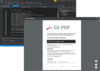
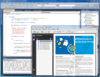
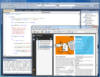
Screenshot Preview

PDFTechLib

經 PDF Technologies - 產品類型: 構件 / .NET 類

‏請注意: 除非另有說明,此為英語產品

*

Add complex PDF creation functionality to your applications. PDFTechLib PDF Core Library is a .NET class library used to create and edit PDF documents. The library does not require the use of third-party products and is not a print driver. You can create stylish PDF documents with just a few lines of code. You will be able to fill PDF e-forms, merge and split PDF documents, add barcodes and create your own PDF reports and documents. With no extra effort, you will be able to create PDF documents that are ISO 19005: PDF/A (PDF/A-1b : 2005) compliant, the new standard in long term archiving of electronic documents. The library is written in 100% C# managed code allowing you to develop royalty free server-side or desktop applications with great ease. You may use any .NET compatible language, such as C#, VB.NET or ASP.NET to create stylish PDF documents that deliver great results.


平均評分:   基於 3 評分
₩331,400

‏我們的常規價格如下。 請登錄後查看打折後的價格。

價格 顯示 所有價格 | 只限更新價格

PDFTechLib V1.7.37   *

加入購物車 ₩ 331,400 1 Developer License with 1 Year Subscription  * 下載 (14.3 MB)
加入購物車 ₩ 813,500 4 Developer Team License with 1 Year Subscription  * 下載 (14.3 MB)
加入購物車 ₩ 1,386,000 8 Developer Team License with 1 Year Subscription  * 下載 (14.3 MB)
加入購物車 ₩ 2,711,800 1 Site Wide License (Allows Unlimited Developers at a Single Physical Address) with 1 Year Subscription  * 下載 (14.3 MB)
加入購物車 ₩ 3,917,000 Corporate License (Allows Unlimited Developers at a Unlimited Physical Address) with 1 Year Subscription  * 下載 (14.3 MB)

PDFTechLib Subscription Renewal   *

加入購物車 ₩ 143,100 1 Developer License 1 Year Subscription Renewal  * 驗證 下載 (14.3 MB)
加入購物車 ₩ 436,900 4 Developer Team License 1 Year Subscription Renewal  * 驗證 下載 (14.3 MB)
加入購物車 ₩ 677,900 8 Developer Team License 1 Year Subscription Renewal  * 驗證 下載 (14.3 MB)
加入購物車 ₩ 1,280,600 1 Site Wide License (Allows Unlimited Developers at a Single Physical Address) 1 Year Subscription Renewal  * 驗證 下載 (14.3 MB)
加入購物車 ₩ 2,485,800 Corporate License (Allows Unlimited Developers at a Unlimited Physical Address) 1 Year Subscription Renewal  * 驗證 下載 (14.3 MB)

我們的價格包括ComponentSource的技術支持。對於大多數可下載的產品,還提供線上備份和免費升級為新版本,若新版本在購買後的30日內發佈的話。  所有銷售都是按照我們的標準條款 進行的,並且適用我們的退貨政策. 請 聯繫我們 若您需要任何未在列出的License選擇,包括批量License及以前的版本。

‏我們的常規價格見上。 請登錄後查看打折後的價格。

 *

What's new in PDFTechLib V1.7.37?

  • Performance improvements
  • Page Header and Footer  Enhancements
  • Table support extended to include row spans

 *

PDFTechLib Technical Overview - PDFTechLib PDF Core Library is a .NET class library used to create and edit PDF documents. The library does not require the use of third-party products and is NOT a print driver. You can create stylish PDF documents with just a few lines of code. You will be able to fill PDF e-forms, merge and split PDF documents, add barcodes and create your own PDF reports and documents. The library is written in 100% C# managed code allowing you to develop royalty free server-side or desktop applications with great ease. The simple and intuitive PDF class library is easy to learn and use. Within minutes, you will be able to create robust PDF documents from text, extract text from PDF documents, split and merge previously created PDF documents, create complex reports, build mail merge applications, fill server side PDF forms and generate PDF documents from various image formats with just a few lines of code. With no extra effort, you will be able to create PDF documents that are ISO 19005: PDF/A compliant, the new standard in long term archiving of electronic documents. You may use any .NET compatible language, such as C#, VB.NET or ASP.NET to create stylish PDF documents that deliver great results.

PDFTechLib Core PDF Library Features

  • Standard Fonts - Standard fonts are fonts used by Adobe and need not be embedded. The PDFTechLib supports the use of standard fonts.
  • True Type Fonts - The PDFTechLib fully supports True Type fonts and automatically embeds them into the generated PDF.
  • Open Type Fonts - The PDFTechLib fully supports Open Type fonts and automatically embeds them into the generated PDF.
  • CJK Fonts - The PDFTechLib also supports Far East Fonts. Supported Far East Fonts:
    • HeiseiKakuGothicW5
    • HeiseiMinchoW3
    • HanyangSystemsGothicMedium
    • HanyangSystemsShinMyeongJoMedium
    • MonotypeHeiMedium
    • MonotypeSungLight
    • SinoTypeSongLight
  • Unicode - The PDFTechLib fully supports the Unicode Encoding
  • Character Sets -In addition to providing support for Unicode, the PDFTechLib supports character sets such as Greek, Russian, Turkish, Baltic, Eastern European character sets.
  • Font embedding -The PDFTechLib can use and embed all fonts.
  • Tables -Advanced table support for the creation of stylish reports from SQL Queries. Column and row spanning.
  • Text Generation:
  • Text Formatting
  • Text align
  • Break long words
  • First line indent
  • Line spacing
  • Orientation
  • Column count
  • Clipping text
  • Multiple Columns
  • Ability to add text format options to columns - The core library supports two or three column page options.
  • Auto Text - Auto text method support the flow of text to next page automatically if the added text does not fit the current page.
  • Text Justification - Supports alignment parameters such as Left, Center, Right and Justified.
  • Text Boxes - Using the text box functionality, you may set text on any location on the page. You may also set properties such as rotate and clip.
  • Tagged texts - Using the AddTaggedText method, you may set text with embedded HTML tags. The following HTML tags are interpreted and supported:
    • font
    • b
    • i
    • u
    • st
    • br
    • sup
    • sub
    • a
    • hr
    • p
  • Drawing - Various Shapes. Rendering and color support for shapes such as Lines, Rectangles, Circle, and Bezier curves.
  • Brush Types: Hatch, Gradient
  • Barcode Support - PDF Technologies Core library supports the creation of 1D and 2D barcodes. These are:

    • EAN Family - Symbologies used to mark retail products and publications worldwide.
      • Ean13
      • Ean8
      • Isbn
      • Ismn
      • Issn
      • Jan13
      • Jan8
      • Scc14
      • Sscc18
      • UccEan128
      • Upc_E
      • UpcA
    • 128 Full ASCII Family -Highly dense and general purpose full ASCII range symbologies used in shipping and distribution industry.
      • Code_128
      • Telepen
    • 3 of 9 Family - Symbologies used in automotive and defense industry.
      • Code32
      • Code39
      • Code93
      • NumlyNumber
      • Pharmacode
      • Pzn
    • 2 of 5 Family - General purpose numeric symbologies used in warehouse, airline ticketing, medical, and automotive industry.
      • Industrial2of5
      • Interleaved2of5
      • Itf14
      • Opc
    • Plessy Family - Symbologies used for marking retail shelves.
      • Msi
    • Codabar - Discrete and self-checking symbology used in blood banks, photo labs, and on FedEx air bills.
      • Codabar
      • Code11
    • Postal - Symbologies used by postal services for sorting mails.
      • AustraliaPost
      • DeutschePostIdentcode
      • DeutschePostLeitcode
      • Planet
      • Postnet
      • RoyalMail
      • Kix
      • SingaporePost
      • SwissPostParcel
      • UspsFim
      • UspsHorizontalBars
      • IntelligentMail
      • UspsPicUccEan128
      • UspsSackLabel
      • UspsTrayLabel
    • 2D Family - Encode more data in less space with 2D symbologies. These symbologies also offer better error correction mechanisms.
      • AztecCode
      • Code16k
      • CompactPdf417
      • DataMatrix
      • MacroPdf417
      • MicroPdf417
      • PDF417
      • QRCode
      • Semacode
  • Images
    • Support for vector images such as EMF and WMF
    • Scalar images can be embedded into any PDF page.
    • Ability to add an image mask
    • Support for transparency
    • Support for any type of PDF stamp. You can use any image or text as a stamp.
    • Support for Watermarks.
  • Interactivity
    • Support for Acro forms.
    • Form filling
    • Ability to open an existing PDF document and filling form values.
    • Flatten Acro form objects
    • Ability to flatten form values in existing PDF documents.
    • Form filling with XML, FDF and XFDF
    • Ability to fill forms with XML, FDF, XFDF
    • Ability to attach any type of document into an existing PDF file as an attachment.
    • Ability to place any type of annotation to PDF files. Examples of annotation types that can be used are: PDFTextAnnotation, PdfRubberStampAnnotation, PdfLineAnnotation, PdfFileAttachmentAnnotation, PdfMarkupAnnotation, PDFCircleAnnotation
    • Ability to place a bookmark any location of a PDF document.
  • Actions - Support for the following actions
    • Go to Page
    • import data
    • java script
    • launch
    • remote go to
    • reset form
    • submit form
    • url
    • visible control
  • Page Elements:
    • Ability to adjust page margins (top, bottom, left, right)
    • Ability to set a page header and footer
    • Ability to set the unit of measure such as inches, pixels, centimeters, millimeters etc.
    • Ability to specify transition effects in full screen mode.
    • Automatic page numbering using Roman and Arabic numerals.
    • Ability to set thumbnails
  • Settings:
    • Document Properties
    • Ability to set property fields such as Author, Subject and Keywords
    • Ability to set Custom Properties
    • Ability to set the page orientation (Landscape and Portrait)
    • Ability to set any page size.
  • Viewer Preferences:
  • Ability to set how the viewer behaves by changing settings such as HideToolBar, HideMenuBar, HideWindowUI, FitWindow, CenterWindow
  • Security:
    • Ability to encrypt and decrypt any PDF file.
    • You may set passwords and permissions on any PDF document. The library supports 128-bit and 40-bit encryption. You may edit encrypted PDF file
    • Ability to recover the owner password for any PDF file.
  • Permissions:
  • Ability to set permissions on any PDF file such as (Allow print, Allow editing, Allow text and image extraction, etc).
  • Digital signatures  - Ability to apply digital signatures to any PDF file.
  • Conversion and Reporting:
  • HTML to PDF - PDFTechLib uses the MSHTML.DLL to convert HTML pages to PDF. It automatically splits pages and can identify and embed internal and external links.
  • XML to PDF - PDFTechLib can automatically match up XML and XSL files to generate PDF document.
  • Text to PDF - PDFTechLib can use the "Add Text" method to convert text into PDF.
  • Tiff to PDF with CCITT Fax compression -PDFTechLib can convert multi-page TIFF files into PDF.
  • Text extraction - PDFTechLib can extract Text out of any PDF file.
  • Misc Features:
    • PDF Page Templates
    • Split, Merge and Extract functions
    • Compatible with PDF/A-1b : 2005

注意

還未完成翻譯的產品說明, 我們提供了Google 翻譯的連結方便您使用. 但請注意, 自動翻譯有時候可能會有翻譯錯誤.
由「」技術提供
在Firefox 和Opera 需要Flash.

產品搜索

輸入搜索詞:

快速連結

發佈者

首要類別

為什麼從ComponentSource購買?

ComponentSource 提供獨特的全球國際服務, 在世界各地共有超過1,000,000 開發者客戶.

更多訊息 | 關於我們

節省的開發量

請閱讀我們的白皮書
計算投資收益

代碼的行數: 88,381
人月數: 88
人工成本: $441,905

需要的功能:

每1000行代碼的工作量

每月的人工成本:

獎勵