Prof-UIS - C++/MFC/Visual Studio .NET/2005 - V2.83

de FOSS Software - Tipo de producto: Componente / DLL / VC++ Class Library / Source Code / Static Link Library

Por favor note que la información sobre este producto no está disponible en español.
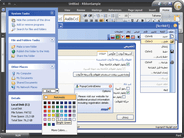
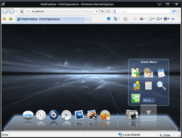
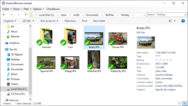
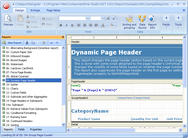
Captura de pantalla Prof-UIS - C++/MFC/Visual Studio .NET/2005 - V2.83Deliver Windows applications with a professional, modern and user-friendly interface. Prof-UIS is an MFC extension library that allows you to create enterprise-class applications in the Visual Studio 2005/NET/6.0 environment. More than 150 thoroughly tested and documented C++ classes, templates and interfaces will help you take the time and complexity out of incorporating rich and up-to-date GUI facilities in your projects: Microsoft Office 2000/XP/2003 and Visual Studio 2005 look-and-feel interface, tabbed docking windows, tab containers with detachable tabs, extremely customizable data grid and property grid controls, customizable menus, toolbars and keyboard accelerators, multi profile GUI persistence, and more.

Desde
$289.10
Precio en

Nuestros precios Standard están indicados abajo. Inicia una sesión para ver sus precios con descuento.

Prof-UIS V2.83 with 90 days technical support

Añadir a la Cesta $ 289.10 1 Developer License Descarga (49.3 MB)
Añadir a la Cesta $ 387.10 2 Developer License Descarga (49.3 MB)
Añadir a la Cesta $ 485.10 3 Developer License Descarga (49.3 MB)
Añadir a la Cesta $ 583.10 4 Developer License Descarga (49.3 MB)
Añadir a la Cesta $ 681.10 5 Developer License Descarga (49.3 MB)
Añadir a la Cesta $ 779.10 6 Developer License Descarga (49.3 MB)
Añadir a la Cesta $ 1,220.10 Unlimited Developer License Descarga (49.3 MB)

Prof-UIS V2.83 with 1 year technical support

Añadir a la Cesta $ 387.10 1 Developer License Descarga (49.3 MB)
Añadir a la Cesta $ 485.10 2 Developer License Descarga (49.3 MB)
Añadir a la Cesta $ 583.10 3 Developer License Descarga (49.3 MB)
Añadir a la Cesta $ 681.10 4 Developer License Descarga (49.3 MB)
Añadir a la Cesta $ 779.10 5 Developer License Descarga (49.3 MB)
Añadir a la Cesta $ 877.10 6 Developer License Descarga (49.3 MB)
Añadir a la Cesta $ 1,710.10 Unlimited Developer License Descarga (49.3 MB)

Prof-UIS 1 year Technical Support Renewal

Añadir a la Cesta $ 142.10 1 Developer License Verificar Descarga (28 KB)
Añadir a la Cesta $ 181.30 2 Developer License Verificar Descarga (28 KB)
Añadir a la Cesta $ 220.50 3 Developer License Verificar Descarga (28 KB)
Añadir a la Cesta $ 259.70 4 Developer License Verificar Descarga (28 KB)
Añadir a la Cesta $ 298.90 5 Developer License Verificar Descarga (28 KB)
Añadir a la Cesta $ 338.10 6 Developer License Verificar Descarga (28 KB)
Añadir a la Cesta $ 828.10 Unlimited Developer License Verificar Descarga (28 KB)

Este producto esta disponible con precios reservados al GSA Schedule.Nuestros precios incluyen servicio técnico de ComponentSource y, para la mayoría de los productos disponibles para descarga, una copia de seguridad en línea y una actualización GRATUITA a la nueva versión si ésta se publica en un período de 30 días después de la compra.  Todas las ventas están sujetas a nuestros Términos y condiciones standard y a nuestra Política de devolución. Por favor, póngase en contacto con nosotros si necesita alguna opción de licencia no incluida en la lista anterior, incluida la compra por volumen de licencias y versiones anteriores.

Nuestros precios Standard están indicados arriba. Inicia una sesión para ver sus precios con descuento.

What's New V2.83

General Look and Feel

  • Added a CExtNSB template class that provides theme support for the CExtScrollWnd scroll bar window
  • Added a CExtNCSB template class that provides theme support for any scrollable windows and common controls
  • ProfSkin library now provides skin support for Prof-UIS grids and scroll bars
  • Refactored the CExtNCW template class to make the non-client area of a window better consistence with Prof-UIS themes and fixed all the reported problems

Common Controls

  • Added a CExtDateBrowserWnd control that implements a date picker similar to that in Windows Vista
  • Added support for a cue banner (watermark) in the CExtEditBase class, which is provided by the GetCueBanner() and CExtEditBase::SetCueBanner() methods

Data Grid

  • Added cell merging capabilities to the CExtGridWnd class. The following methods allow you to merge/split both regular and header grid cells:
    • CExtGridWnd::GridCellJoinGet()
    • CExtGridWnd::GridCellJoinSet()
    • CExtGridWnd::GridCellJoinTest()
  • You can learn more about how to merge/split cells from How to merge a group of grid cells?
  • Updated the SynchronizedGrids sample (download), which now demonstrates how to merge grid cells.
  • Added a CExtGCJ template class, which implements the cell merging functionality at the cell level. The CExtGCJ is applied to the CExtGridCellEx and CExtGridCellHeader classes, which means most of grid classes now support cell merging.
  • Added support for frozen columns and rows in the CExtGridWnd and CExtTreeGridWnd classes (the latter supports only frozen columns). You can enable/disable/query frozen columns and frozen using the following methods of CExtGridBaseWnd, which is the base class for all Prof-UIS grids:
    • FrozenColumnCountLeftGet()/FrozenColumnCountLeftSet()
    • FrozenColumnCountRightGet()/FrozenColumnCountRightSet()
    • FrozenRowCountTopGet()/FrozenRowCountTopSet()
    • FrozenRowCountBottomGet()/FrozenRowCountBottomSet()
  • Below are listed new constants defined in the CExtGridBaseWnd class, which allow you to determine if a grid cell belongs to a frozen column or/and row:
    • __EGBWA_FROZEN_AREA_TOP
    • __EGBWA_FROZEN_AREA_BOTTOM
    • __EGBWA_FROZEN_AREA_LEFT
    • __EGBWA_FROZEN_AREA_RIGHT
  • Added a CExtScrollItemWnd::OnSiwGetFrozenRange() virtual method, which returns the number of frozen columns and rows at each side of a grid window or a generic scrollable window.

Property Grid

  • Added the following properties to the CExtPropertyGridCtrl class to include/exclude particular parts of a property grid:
    • m_bCreateComboBoxBar
    • m_bCreateToolBar
    • m_bCreateTipBar
    • m_bCreateCategorizedGrid
    • m_bCreateSortedGrid
    • m_bEnableResetCommand
  • Added a CExtPropertyGridComboBoxBar::SynchronizeCurSel() method which updates the entire content of the tree grids in a property grid control to make it synchronized with the currently selected property store in the combo box.
  • Added a CExtPropertyValueSingleCell class that implements a special kind of the CExtPropertyValue property value object which contains only one CExtGridCell object in it. This grid cell object is used as both the active and default values. A property value based on CExtPropertyValueSingleCell cannot be reset so the Reset command in the context menu displayed over this property value is always disabled.
  • Added a CExtPropertyGridCtrl::PropertyValueSynchronizeSimple() method which allows you to synchronize only one property value in the property store that is currently displayed in the property grid control.

All Grids

  • Increased the number of text/background colors for highlighting different states of a grid cell. The CExtGridCell::e_cell_state_t introduces new states, which allows you to assign a text/background color to a cell in a particular state:
    • __ECS_READ_ONLY
    • __ECS_HIGHLIGHT_PRESSING
    • __ECS_HIGHLIGHT_BY_FOCUS (see screenshot)
    • __ECS_HIGHLIGHT_BY_SELECTION
    • __ECS_HIGHLIGHT_BY_HOVER
  • Added the following methods to the CExtGridCell class, which makes it more convenient to manage cell colors:
    • AssignColors()
    • CompareColors()
    • ResetColors()
    • ResetColors()
    • SerializeColors()
  • Added a CExtScrollItemWnd::OnSiwGetReadOnlyBackgroundColor() virtual method that returns the default background color of a read-only cell.
  • Added an __EGCS_EX_INVISIBLE extended cell style, which when applied to a cell, hides its content so the cell looks as though it is empty, but if fact its data remains intact.
  • Added a __EGCPF_EXPANDED_CONTENT flag which allows you to change the way the text in the content expand window over a grid cell is drawn when the following virtual methods are called:
    • CExtGridCell::OnPaintForeground()
    • CExtGridWnd::OnGridHookCellPaintForeground()
  • Added a CExtGridBaseWnd::OnGbwResizingAdjustHtInfo() virtual method that allows you to cancel column or row resizing when needed.
  • Added a CExtGridCell::OnParseAutoEditStartText() method that is invoked when the user starts editing a grid cell and the in-place editor has not yet created for it. The method allows you to validate what character the user entered and, if needed, cancel editing. For example, there is no point in editing a numeric cell, if the user typed a letter. A new __EGCS_EX_NO_VALIDATE_AUTO_EDIT_TEXT extended grid cell style disables this validation.
  • Added a CExtGridCellFile::GetFile() virtual method that is called to show a File Open or a File Save As dialog box.
  • The CExtGridCellCheckBox class now allows you to change the text associated with the checked, unchecked and indeterminate states of a check box cell (see the CExtGridCellCheckBox::LabelTextGet() and CExtGridCellCheckBox::LabelTextSet() methods).
  • Added a CExtGridCellBool::g_strTextIndeterminate static property which contains the default text value displayed in a boolean cell when it is in the indeterminate state.
  • Added OnQueryBackColor() and OnQueryTextColor() virtual methods to the CExtComboBoxBase class for querying the text and background colors of a combo box.
  • Changed the signatures of the following methods so their new parameters now specify the location of a cell:
    • CExtGridCell::OnQueryEnabledIncrement()
    • CExtGridCell::OnQueryEnabledDecrement()
    • CExtGridCell::OnValueIncrement()
    • CExtGridCell::OnValueDecrement()
    • CExtGridCell::OnQueryButtonInfo()
    • CExtGridCell::IsButtonEnabled()
    • CExtGridCell::IsButtonPressed()
    • CExtGridCell::IsButtonStayPressed()
    • CExtGridCellVariant::OnValueIncrement()
    • CExtGridCellVariant::OnValueDecrement()
    • CExtGridCellComboBox::_DoItemsIterate()
    • CExtGridWnd::OnGridHookCellQueryEnabledIncrement()
    • CExtGridWnd::OnGridHookCellQueryEnabledDecrement()
    • CExtGridWnd::OnGridHookCellValueIncrement()
    • CExtGridWnd::OnGridHookCellValueDecrement()
    • CExtGridWnd::OnGridHookCellQueryButtonInfo()
  • Now the cell's in-place editor supports auto-sizing, which can be turned on by applying two new extended styles to a cell: __EGCS_EX_AUTO_SIZE_INPLACE_CONTROL and __EGCS_EX_WRAP_TEXT . When the user is typing some text in a cell with __EGCS_EX_AUTO_SIZE_INPLACE_CONTROL applied, the text editor increases its width to fit the text. When the user presses the Enter key when editing a cell with both __EGCS_EX_AUTO_SIZE_INPLACE_CONTROL and __EGCS_EX_WRAP_TEXT styles applied, the in-place editor increases its height.
  • Added a __EGCS_EX_NO_INPLACE_CONTROL_SELECTION extended style, which makes the text in a cell unselected when the user starts editing the cell.

Miscellaneous

  • The CExtCustomizeCmdTreeNode::m_iconCustomized property is now public. This icon object contains the current icon of a command tree node. So you can now customize the icon of any command tree node from outside of the classes representing command tree nodes.
  • Added support for the SC_CONTEXTHELP button in the window caption for the Office 2007 paint managers.
  • Added a __ERGS_ENABLE_DEACTIVATION_OF_LAST_COLUMN report grid style. If applied (by default), this style does not allow the user to remove the last column that remains after the user removed all other columns from the report grid control.
  • Improved the scrolling behavior of the CExtScrollBar control on first click.
  • Updated the documentation

What's new in Prof-UIS V2.81?

General Features - Enhanced the compatibility with the High Contrast color scheme, which is a Windows accessibility feature designed for people who have vision impairment. Corrected button text in menus and toolbars, the background color of selected menu items, icons for hovered and checked menu items, colors of disabled text, toolbar painting, tabs and more.

Toolbars and Control Bars

  • Added a CExtBarButton::OnCreatePopupMenuWnd() virtual method, which allows you to control the creation of the pop-up menu displayed from a toolbar button
  • Added caption flashing for simple (CExtControlBar) and dynamic (CExtDynamicControlBar) control bars. This allows you to draw the user's attention to one or more control bars when a particular event occurs. Added the following methods in the CExtControlBar class:
    • FlashCaption_DoPaintNC()
    • FlashCaption_OnRepaint()
    • FlashCaption_OnTimer()
    • FlashCaptionIsInProgress()
    • FlashCaption()
  • Added a CExtTMDBS template class, which when used with CExtTabMdiWnd, allows you to flash tab items associated with dynamic control bars switched into document mode

Grids

  • Changed the base class of CExtGridCellUpDown to CExtGridCellNumber, moved all the functionality of CExtGridCellUpDown to CExtGridCellVariant so this functionality is now available in all CExtGridCellVariant-derived cell classes
  • Improved the CExtGridCellScientific class so now the in-place editor can initialized with a value in exponential form. This allows you to edit extremely large and small values which cannot be edited in normal form
  • Improved the CExtGridCellComboBox so now when the user is typing a letter in the combo box grid cell, the first item in the combo list whose text begins with this letter will be selected. This also works if the the pop-up list box is open. If there are several items beginning with the same letter, they are selected cyclically when the user keeps typing the same letter. This behavior is identical to that in the standard combo box
  • Added a __EGCS_EX_AUTO_SIZE_INPLACE_CONTROL extended cell style, which allows you to make CEdit-based in-place editors auto-resizable. That is when the user is typing in and there is no room for text, the editor width is getting increased as the text size. Added the following methods in the CExtGridCell class:
    • virtual bool OnQueryAutoSizeInplaceControl()
    • bool AutoSizeInplaceControlGet()
    • void AutoSizeInplaceControlSet()
  • You can now hide particular rows and/or columns when printing or print previewing a grid control. Added a __EGCS_EX_PPVW_HIDDEN extended cell style and the following methods:
    • CExtGridCell::HiddenInPrintPreviewGet()
    • CExtGridCell::HiddenInPrintPreviewSet()
    • CExtGridWnd::OnGridQueryPpvwVisibilityForColumn()
    • CExtGridWnd::OnGridQueryPpvwVisibilityForRow()
    • CExtTreeGridWnd::OnTreeGridQueryPpvwVisibilityForItem()
  • Added a CExtTreeGridWnd::ItemSetCell() method, which allows you to re-instantiate or erase grid cells in the tree grid (CExtTreeGridWnd) and report grid (CExtReportGridWnd)
  • Changed the way of setting focus when expanding/collapsing a tree grid item (the CExtTreeGridWnd::ItemExpand() method). Now focus changes only if it was set on one of child items that get collapsed

Common Controls

  • Added support for disabled items in the CExtComboBoxBase class:
    • CExtComboBoxBase::LbItemIsEnabled()
    • CExtComboBoxBase::LbItemEnable()
    • CExtComboBoxBase::LB_ITEM::IsEnabled()
    • CExtComboBoxBase::LB_ITEM::Enable()
  • The disabled items cannot be selected by the user. When the Owner Draw style is applied to the combo box, the disabled items are grayed out.
  • Added support for a custom bitmap in the CExtLabel class:
    • GetBitmapEx()
    • SetBitmapEx()
    • GetImageMode()
    • SetImageMode()
  • The CExtLabel::SetImageMode() allows you to align, tile, or stretch the bitmap. Because the bitmap is based on CExtBitmap, you can use any 32-bit bitmaps with alpha channel
  • Improved the CExtLabel class so it now correctly supports the SS_ENDELLIPSIS and DT_PATH_ELLIPSIS styles
  • The text color and background color of the edit part of the CExtComboBoxBase are now synchronized with the colors you can set for the combo box by using the CExtComboBoxBase::SetBkColor() and CExtComboBoxBase::SetTextColor() methods. This was achieved by adding OnQueryBackColor() and OnQueryTextColor() virtual methods to the CExtEditBase class

Page Navigator - Added ShowConfigButton() and IsConfigButtonVisible() methods to the CExtPageNavigatorWnd class, which allow you to control the visibility of the Configure buttons button.

Miscellaneous

  • Added a CalcWindowRect() method in the CExtNCW template class, which allows you to compute the entire window rectangle for windows with the skinned non-client area as the CWnd::CalcWindowRect() method does this for simple windows
  • Win32 APIs are no longer used in the CExtResourceManager class for loading bitmap resources. The CExtBitmpap class is used instead, which guarantees 32-bit bitmaps with alpha channel will always be loaded correctly
  • Added RTL support for non-client areas when Office 2007 themes are used

What’s New

General Features
Added support for Microsoft Visual Studio 9.0 Codename "Orcas" (Beta). You can now compile any Prof-UIS project and sample using this IDE. The Application Wizard and Integration Wizard were also updated so that you can build the Prof-UIS library and create new Prof-UIS projects with Visual Studio 9.0.

Toolbars and Control Bars

  • Added support for multiline text in toolbar buttons: GetMaxButtonWidth(), SetMaxButtonWidth(), and OnQueryMaxButtonWidth() methods. To make a toolbar button multiline, use its SetMaxButtonWidth() method to set a maximum width so the button text can wrap when it is too long. Besides, you can forcibly break a line by using a space character or a CRLF
  • Added GetDrawBorder() and SetDrawBorder() methods to the CExtBarButton class with which you can specify if a one pixel border around the toolbar button should be drawn or not when it is hovered over. By default, the border is on
  • Added a set of methods to the CExtBarButton classes so that you can control the alignment and margins of the icon and text of the toolbar button
  • Added tooltip support for disabled toolbar buttons. Now a tooltip is displayed regardeless of whether the button is enabled or disabled. You can change this behavior by overriding the following two methods: CExtBarButton::IsShowTipWhenDisabled() and CExtToolControlBar::IsShowTipWhenDisabled()
  • Improved alignment, measuring and background painting of the buttons in the menu bar when it is docked horizontally and vertically

Tree Grid
Added a CExtTreeGridWnd::ItemEnsureVisibleBranch() method which, when a tree item is collapsed and the user clicks it to expand its child item, the content of the tree grid window is scrolled in such a way that ensures the visibility of expanded child items as much as possible.

Common Controls

  • Added a SubclassChildControls() global function for subclassing standard controls with Prof-UIS controls. Now, if you have a dialog with controls, you can subclass all these controls by using a single invocation of this function. The list of standard controls that can be subclassed with SubclassChildControls() includes:
    • Static
    • Edit
    • Combo box
    • Push button
    • Check box button
    • Radio button
    • Group box
    • Progress
    • Scroll bar
    • Spin button
  • The SubclassChildControls() global function also eliminates the potential problem of a wrong tab order for the controls used in CExtGroupBox
  • Added a SubclassChildControls() method to the CExtWS template for subclassing standard controls in the window to which this template is applied. You can use it instead of invoking the SubclassChildControls() global function directly. You should invoke this method after the window is created. One more way to subclass standard controls in CExtWS-wrapped windows is just to invoke SetAutoSubclassChildControls(true) before the window is created
  • Added a set of methods to the CExtButton and CExtBarButton classes so that you can control the alignment of the icon and text of the push button and toolbar button:
    • OnQueryAlignmentText()
    • OnQueryAlignmentIcon()
    • GetTextAlignment()/SetTextAlignment()
    • GetIconAlignment()/SetIconAlignment()
  • Added a set of methods to the CExtButton and CExtBarButton classes so that you can control the margins of the icon and text of the push button and toolbar button:
    • OnQueryMarginsText()
    • OnQueryMarginsIcon()
    • GetTextMargins()/SetTextMargins()
    • GetIconMargins()/SetIconMargins()
  • Added a e_ButtonFocusMode_t enumeration to the CExtPaintManager class. It defines how the focus rectangle on a button is drawn, around the whole button or just around its text. You can set and get it by using the GetFocusMode() and SetFocusMode() methods of the CExtButton class
  • Updated the Buttons page of the Prof-UIS_Controls sample. You can now see how to change the alignment and margin properties of the text and icon in a button
  • Updated the Date & Time page of the Prof-UIS_Controls sample. You can now see now to specify if the selected field in the duration control should remain selected or not after the control loses focus (the NoHideSelectionGet() and NoHideSelectionSet() methods of the CExtDurationWnd class)

Miscellaneous

  • The resizing gripper is now hidden when a CExtResizableDialog dialog is set to be not resizable (the Border property of the dialog resource is set to any value but Resizing)
  • 64-bit __int64 and unsigned __int64 integer values in the VARIANT data structure are now supported on old Windows versions. 64-bit VARIANT values are often used in grid cells
  • Updated the documentation

What's New in V2.70:
Prof-UIS 2.70 is a major release. The version introduces a lot of new features, improvements and bug fixes. It also includes all new features, enhancements and sample applications added in the minor releases 2.61, 2.62, 2.63 and 2.64.

What's New in V2.64:

Ribbon Bar

  • Added key tips for controls in CExtRibbonBar and CExtRibbonPage
  • The Ribbon Bar control can now be used in MDI applications
  • Added a CExtRibbonNodeMdiRightButtons class that implements a node for MDI buttons in the right top corner of the ribbon bar

Toolbars and Control Bars

  • Added GetPaneBkColor() / SetPaneBkColor() , GetPaneTextColor() / SetPaneTextColor() , and OnQueryPaneBackColor() methods to the CExtStatusControlBar , which allows you to get and set colors of the background and text of a pane in the status bar
  • Added support for the indeterminate state of toolbar buttons and menu items in all paint managers
  • Added support for help activation when F1 is pressed over the selected menu item or the toolbar button highlighted by the mouse pointer. The following static properties were added:
    • CExtMenuControlBar::g_bTranslateContextHelpCmd
    • CExtMenuControlBar::g_accelContextHelp
    • CExtPopupMenuWnd::g_bTranslateContextHelpCmd
    • CExtPopupMenuWnd::g_accelContextHelp

Tab Controls and Tab Page Containers

  • Added two overloaded versions of CExtTabPageContainerWnd::PageSelectionSet() method
  • Added CloseOnTabsSet() , CloseOnTabsGet() and CloseOnTabsSelectedOnlyGet() methods to the CExtTabPageContainerWnd class. The methods allow you to control the Closebutton in tabs by using the __ETWS_EX_CLOSE_ON_TABS and __ETWS_EX_CLOSE_ON_SELECTED_ONLY tab styles (introduced in v.2.62) in an indirect way

Data Grid, Tree Grid, Property Grid and Report GridAll Grids

  • Added a CExtPPVW template class that provides printing and print preview for CExtGridWnd , CExtTreeGridWnd , CExtPropertyGridWnd and CExtReportGridWnd classes
  • Updated the SimpleGrids sample, which now demonstrates the printing and print preview
  • The gridlines can now be displayed not only around grid cells but also extended to the blank area of the grid. The following extendedBSE/EAL grid styles (BSE stands for Behavior/Sort/Editing and EAL for Empty Area Lines) were added:
    • __EGBS_BSE_EX_EAL_BOTTOM_H
    • __EGBS_BSE_EX_EAL_BOTTOM_V
    • __EGBS_BSE_EX_EAL_RIGHT_H
    • __EGBS_BSE_EX_EAL_RIGHT_V
    • __EGBS_BSE_EX_EAL_CORNER_H
    • __EGBS_BSE_EX_EAL_CORNER_V
  • You can get and set these styles using the CExtGridWnd::BseGetStyleEx() and CExtGridWnd::BseModifyStyleEx() methods. You can also control grid lines using the following new methods of CExtGridWnd :
    • GridEmptyAreaLinesHorzBottomGet()
    • GridEmptyAreaLinesHorzBottomSet()
    • GridEmptyAreaLinesVertBottomGet()
    • GridEmptyAreaLinesVertBottomSet()
    • GridEmptyAreaLinesHorzRightGet()
    • GridEmptyAreaLinesHorzRightSet()
    • GridEmptyAreaLinesVertRightGet()
    • GridEmptyAreaLinesVertRightSet()
    • GridEmptyAreaLinesHorzCornerGet()
    • GridEmptyAreaLinesHorzCornerSet()
    • GridEmptyAreaLinesVertCornerGet()
    • GridEmptyAreaLinesVertCornerSet()
  • Added an OnGbwQueryEmptyAreaLinesMetrics() overridable method to the CExtGridBaseWnd class that is called when gridlines are to be drawn
  • Uploaded a little sample that demonstrates all possible variants of gridlines

Cell Types

  • Added a set of __EGCPF_*** flags for controlling the print rendering of grid cells
  • Added LimitTextGet() and LimitTextSet() methods to the CExtGridCellEx class, with which you can get and set the maximum number of characters the user can type in the in-place editor
  • Added GetAllowTrailingZeroes() and SetAllowTrailingZeroes() methods to the CExtGridCellNumber and CExtGridCellCurrency classes, which allow you to suppress trailing zeros
  • Added an OnQueryTrailingZeroes() virtual method to the CExtGridCellNumberBase class, which is called to determine if trailing zeros should be suppressed
  • Added bHovered and bFocused parameters to the CExtGridCell::OnPaintButton() , CExtGridCell::OnPaintCheck() and CExtGridCell::OnCalcCheckSize() virtual methods so that the built-in push button and check box (that are available in all grid cells but CExtGridCellButton ) can support the hovered and focused states
  • Added a CExtGridCellButton class that implements a cell button. The new cell button is demonstrated in the ProfUIS_Controls sample (on theGrid page)
  • When entering floating-point numbers in numeric cells (e.g. CExtCellCurrency ), both the point (".") and the comma (",") are now supported as the decimal symbol regardless of the system locale settings
  • Added a dwHelperPaintFlags parameter to the CExtGridCell::OnQueryDrawTextFlags() method for controlling the print rendering of grid cells
  • Added an overloaded version of CExtGridCellComboBox::FindString() method, which allows you to search by user-defined values associated with combo box items. This can be helpful when your combo box is filled with data from a database table and you want to find a particular item by its ID that is stored as the user-defined value associated with the item
  • Added a CExtGridCellHotKey class, which implements a hotkey grid cell. The following methods were added to the CExtGridCell and CExtGridWnd classes for handling input from the hotkey control:
    • CExtGridCell::OnInplaceControlHotKeyInputComplete()
    • CExtGridCell::OnInplaceControlHotKeyInputVerify()
    • CExtGridWnd::OnGridCellInplaceControlHotKeyInputVerify()
    • CExtGridWnd::OnGridCellInplaceControlHotKeyInputComplete()
  • Updated the ProfUIS_Controls sample, which now demonstrates the hotkey cell

Tree Grid

  • Added support for more than one outer row/column in the CExtTreeGridWnd class
  • The end user can now swap columns in CExtTreeGridWnd via drag-and-drop. You can download a test project that demonstrates this feature
  • Added ItemCopyMove() and ItemCopyMoveTest() methods to the CExtTreeGridWnd class, which allow you to move and/or copy tree rows using a drag-and-drop operation

Report Grid

  • You can now invoke the context menu over the column header of the report grid when all columns in the report grid are hidden
  • The report grid is now immediately redrawn when you check/uncheck columns in the context menu

Common Controls

  • Added a CExtEditHotKeyBase class, which implements a hotkey control. It is a window that displays a text representation of the key combination the user types in it (e.g.,Ctrl+Shift+Q). It is similar to the Windows common hotkey control but implements the following additional features:
    • Prof-UIS context menu
    • Custom tooltip text
    • Custom text and background colors
  • Added a CExtEditHotKey class, which makes the CExtEditHotKeyBase control consistent with the themes supported in Prof-UIS
  • Added a CExtProgressWnd class that implements a progress bar control
  • Removed the following virtual methods from CExtDurationWnd :
    • virtual void OnSpinButtonSyncVisibility();
    • virtual void OnDropDownButtonSyncVisibility();
    • virtual BOOL OnCreateSpinButton();
    • virtual BOOL OnCreateDropDownButton();
  • Added multiline support for the hyperlink button
  • The fonts of the following controls are now inherited from their parent dialog:
    • CExtLabel
    • CExtTabWnd
    • CExtTabPageContainerWnd
    • CExtDatePickerWnd
  • You can change this behavior by overriding the OnQueryFont() virtual method. NOTE: The signatures of the following methods of the CExtDatePickerWnd class changed:
    • OnDatePickerQueryHeaderPopupFont()
    • OnDatePickerQueryDayCellFont()
    • OnDatePickerQueryMonthHeaderFont()
    • OnDatePickerQueryDaysOfWeekFont()
  • Added a CExtIPAddressCtrl class, which is similar to the Windows common IP address control and consistent with the themes supported in Prof-UIS
  • Added SetBkColor() / GetBkColor() methods to the CExtColorCtrl class, with which you can set and get the background color of the CExtColorCtrl control
  • Added SetBkColor() / GetBkColor() methods to the CExtWS template class, with which you can set and get the background color of the window to which this template is applied. For example, you can control the background color of the CExtResizableDialog dialog
  • Updated the FormEditor sample. You can now drop Prof-UIS controls onto the form

Miscellaneous

  • All paint managers now support persistence across application launches. The following methods were added to the CExtPaintManager::CExtPaintManagerAutoPtr class:
    • PaintManagerStateLoad()
    • PaintManagerStateSave()
    • PaintManagerStateSerialize()
  • Updated all Prof-UIS samples, which now demonstrate how to load and save the paint manager state
  • The UI state is now serialized under the key ProfUIS independently from the library version
  • If you use more than one copy of Prof-UIS in your application (e.g., one copy is used in the main application and one in a loaded regular DLL), you can now easily synchronize the paint managers between them. The following methods were added to the CExtPaintManager::CExtPaintManagerAutoPtr class:
    • Advise()
    • Unadvise()
    • UnadviseAll()
  • Added support (beta) for the Windows IA-64 platform with corresponding Visual Studio projects added to the library

Prof-UIS is now localized to Slovak

Note: For more details, please refer to the Release Notes from the Evals & Downloads page.


Overview

Prof-UIS is an extensible, object-oriented framework that enables you to easily customize and extend its' functionality. That, combined with Foss Software's striving to keep abreast of the latest UI trends, ensures that you get one of the most innovative and up-to-date graphical user interfaces that fits your needs.


Features:

  • Microsoft Visual Studio 2005 and Office 2000/XP/2003 themes changeable on-the-fly
  • Support for colorizing the Office 2003 theme
  • Visual Studio .NET-like resizable control bar, which can optionally show its contents while dragging/resizing. Such control bars can be placed in all sorts of combinations relative to each other both in the main frame window and in smart floating containers
  • Docking markers for resizable control bars (Visual Studio 2005 docking algorithm)
  • Microsoft Visual Studio .NET-like resizable control bar, which supports docking into dynamic tab containers with detachable tabs
  • Autohide feature for resizable control bars like in Visual Studio .NET and Visual Studio 2005
  • Custom docking outline for the resizable control bars being dragged or resized
  • Customize dialog and completely customizable toolbars, menus, and keyboard accelerators (shortcuts)
  • Quick toolbar customization with "Add or Remove Buttons" submenu available from the chevron button
  • ALT customization (without the Customize dialog). By pressing and holding the ALT key, you can move, copy, or remove any toolbar button or menu item with the mouse pointer.
  • Rich featured dockable toolbars and menu bar
  • Tabbed toolbars
  • Consistent resizable combo/edit/date fields in toolbars and menus
  • Built-in toolbar button with a drop-down menu
  • Support for the chevron button in toolbars
  • Undo/redo buttons in toolbars and pop-up menus
  • Color picker toolbar buttons with color pop-up menus
  • Sliders/scroll bars in toolbars and pop-up menus
  • Context menu over areas occupied by the menu bar, toolbars and/or resizable control bars in the frame window
  • Support for alpha icons for disabled menu items and toolbar buttons in the Microsoft Office 2003 and Visual Studio 2005 themes when high/true color monitor mode is turned on
  • Support for large icons in toolbars and menus
  • Fixed-size control bar
  • OLE Automation support including COM wrappers for menus, toolbars, and the status bar, which allows you to customize GUI and respond to events programmatically with any COM-compliant language
  • Tab control, which supports the grouped mode, the Close, Help and Tab List buttons (optional), different align modes for its tab items, horizontal and vertical styles, and the ability to dock automatically to the left/right/top/bottom side of its parent window
  • MDI tab window, which can be docked to the left/right/top/bottom side of its parent window and combine the border around the MDI client area with its own border like in Visual Studio .NET
  • Tab page container control, which allows you to create tabbed windows
  • One Note tab control, MDI tabs, and tab page container
  • Whidbey tab control, MDI tabs, and tab page container
  • Flat tab control, MDI tabs, and tab page container
  • Pop-up menu window
  • Tear-off menu
  • Palette menus
  • Pop-up menu shadows
  • Ten animations for pop-up menus
  • Expandable frequently/rarely used items in menus based on commands' usage data
  • Enhanced Windows 2000-like balloon tooltips over menu items
  • Support for custom drawn area at the left side of pop-up menu
  • Menus are compatible with the OLE client/server technology and can manage OLE verb commands depending on the active OLE object in the view window
  • Support for automatic hiding of all control bars when any OLE-object becomes active in the view window
  • All control bars can be used inside the inplace frame window of any OLE document server application
  • System menu for the MDI/SDI main frame and MDI child frame windows
  • Icon editor dialog
  • Image editor control which supports icons and bitmaps of any color depth
  • Color selection dialog box, which supports fifteen different color picker modes
  • Microsoft Office-like color picker control and Visual Studio .NET-like color palette
  • Color selection menu
  • Enhanced resizable dialog
  • Enhanced resizable property sheet and resizable property page
  • Resizable dialog for managing open child windows in MDI-applications (the "Windows..." dialog)
  • Page container control that features both the Microsoft Outlook shortcut bar and 3D Studio MAX scrollable page container
  • Toolbox control similar to that available in Visual Studio .NET and Visual Studio 2005
  • Page Navigator control that looks like and has similar features to the Microsoft Outlook 2003 Navigation Pane
  • Microsoft Outlook-like date picker control
  • Date picker pop-up menu
  • Shortcut list window which supports features of a single shortcut page of the Microsoft Outlook shortcut bar
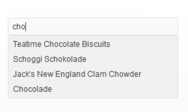
  • Edit control with optional auto-complete, flat/semi-flat style and context menu consistent with supported GUI themes
  • Combo box with optional auto-complete, flat/semi-flat style and context menu consistent with supported GUI themes
  • Push button control
  • Enhanced check box and radio button controls whose appearance is based on bitmaps and can be easily customized
  • Group box control, which allows its child controls to be drawn correctly when the Office 2003/Visual Studio 2005 theme is applied and which supports three border styles: ETCHED, ROUNDED, and FLAT
  • Hyperlink control
  • Enhanced status bar control
  • Splitter window that is consistent with the currently selected GUI theme
  • Full-Screen mode
  • Content pop-up window for displaying the full contents of a partially visible item and for highlighting its screen position with special arrow marks
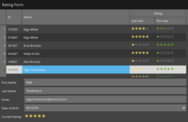
  • Data grid control
  • Property grid for setting up and browsing properties of objects of any complexity
  • Resource manager, which supports on-the-fly switching of the resource languages supported in Prof-UIS and/or your application and implements loading of resources from a single or multiple dll files
  • Localized to 28 languages including Arabic, Brazilian Portuguese, Canadian French, Chinese, Czech, Danish, Dutch, French, German, Greek, Indonesian, Italian, Japanese, Korean, Latvian, Lithuanian, Norwegian, Polish, Romanian, Russian, Serbian, Slovenian, Spanish, Swedish, Turkish, and Ukrainian
  • Multiple profile GUI persistence and archive-based serialization of GUI state , which supports commands usage statistics
  • Generalized template window classes for various common tasks like injecting non-client area borders into any window, providing flicker-free repainting, and anchoring child windows to the borders of their parent window
  • ANSI, MBCS and Unicode library build configurations with support for the built-in Unicode character type in Visual Studio .NET and Visual Studio 2005
  • Multiple monitor support
  • Compatible with Visual Studio 6.0/7.0/7.1/8.0
  • Application Wizard for Microsoft Visual C++ 6.0/7.0/7.1/8.0
  • Integration Wizard for building any library configuration, setting library paths, adding the Application Wizard to Visual Studio and integrating Prof-UIS Help with Visual Studio Help
  • Help compliant with Microsoft Help 1.x and 2.x

Búsqueda de productos

Escriba palabras de búsqueda:

Ahorro sobre desarrollo

Lea nuestro Libro Blanco sobre como calcular
el Retorno sobre la Inversión

Líneas de código: 364,000
Hombre-mes: 364
Costo Recursos Humanos: $1,820,000

Funciones Requeridas:

Esfuerzo por 1000 líneas de código:

Costo Mensual de Recursos Humanos :

Enlaces

Autor

Categoría principal

Productos relacionados

Categorias relacionadas

Galería de capturas de pantalla

Award