
Official Supplier
As official and authorized distributors, we supply you with legitimate licenses directly from 200+ software publishers.
See all our Brands.


Description: A modern commenting platform for smooth interaction with your community. Oxygen Feedback provides a simple and efficient way for your community to interact and offer feedback. It is easy to configure and integrate, and it includes a user-friendly ... Read more

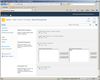
Description: Check in multiple SharePoint documents. Bulk Check In allows you to check-in an entire group of SharePoint documents and change their properties all in one operation. It can also be integrated into the SharePoint Multiple Upload tool making it possible to ... Read more

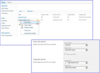
Description: Combine different SharePoint lists into one. SharePoint List Sync simplifies project management among different departments in your company by combining their SharePoint lists so you can work with one aggregated list. SharePoint lists may also be sorted ... Read more
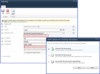
Description: Edit, Import, Check boxes, Approve/Reject and Tag in bulk for SharePoint. SharePoint Bulk Properties Editor allows end users to batch/bulk edit properties. Additionally, the product makes it possible to bulk approve/reject documents or list items and to ... Read more
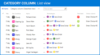
Description: Track, organize and group SharePoint list items by marking them with colored indicators. Category Column allows tracking, organizing and grouping of SharePoint list items. The component uses the Microsoft Outlook approach for element categorization. It ... Read more
Description: Add due date flags to your SharePoint pages. Follow-Up Column enables due date flags similar to those seen in Microsoft Outlook to be added to SharePoint messages, meeting request, tasks, events, etc. The component derives from the Date and Time column so ... Read more
Description: Add Key Performance Indicators (KPI) to your SharePoint systems. KPI Column provides SharePoint users with the ability to define and measure progress toward predefined goals and display current status by using easy-to-understand graphical indicators. The ... Read more
Description: Auto set a SharePoint document title. SharePoint Document Auto Title can set a SharePoint document title with its file name automatically when the document is uploaded or modified in a SharePoint Document library. SharePoint Document Auto Title provides a ... Read more
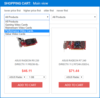
Description: A simple and efficient Shopping Cart solution for eCommerce. ArtfulBits Shopping Cart provides a commonly used set of shopping cart functionalities for SharePoint. Features include shopping cart view, product information view, categories, product ... Read more
Description: Display numbers with a specific unit of measurement in SharePoint lists. SharePoint Measured Number Column displays the numbers with a unit of measurement in the New/Edit/View item form. By creating a Measured Number Column, you can add a specific unit ... Read more
Tel: (888) 850 9911
Fax: +1 770 250 6199


