SourceGear Vault

de SourceGear Corporation - Tipo de producto: Aplicación

Por favor note que al menos que se indique lo contrario, esta es la versión en Inglés del producto.
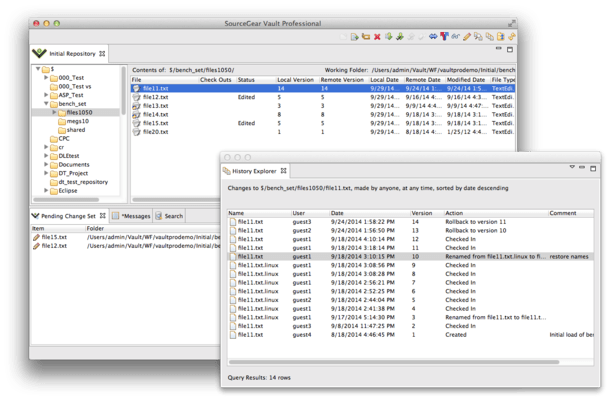
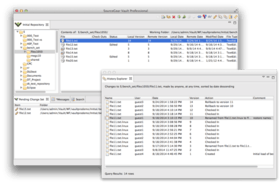
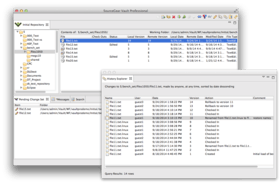
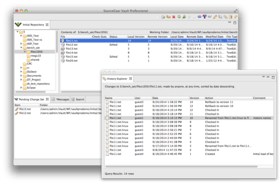
Captura de pantalla SourceGear Vault - Application/Web Service - V4.1.3A compelling replacement for Visual SourceSafe. SourceGear Vault is a version control system for Windows developers, with full integration into the Visual Studio .NET environment. SourceGear Vault is implemented entirely in the .NET Framework and uses SQL Server for its repository storage. SourceGear Vault is designed specifically to offer a seamless transition from Visual SourceSafe. SourceGear Vault's basic architecture is a centralized Vault server which manages one or more repositories. SourceGear Vault includes several client applications and also provides a way to create custom clients using any .NET language. SourceGear Vault now also includes a Eclipse client, works with SQL Server 2008 and features VS2008 and VS2005 integration.

Desde
367,800₩
Precio en

Nuestros precios Standard están indicados abajo. Inicia una sesión para ver sus precios con descuento.

SourceGear Vault V4.1.3

Añadir a la Cesta ₩ 367,800 SourceGear Vault - 1 User License
Ref. Fabricante: V01
Descarga (55.6 MB)
Añadir a la Cesta ₩ 1,802,100 SourceGear Vault - 5 User Pack License
Ref. Fabricante: V05
Descarga (55.6 MB)
Añadir a la Cesta ₩ 3,420,300 SourceGear Vault - 10 User Pack License
Ref. Fabricante: V10
Descarga (55.6 MB)
Añadir a la Cesta ₩ 7,815,100 SourceGear Vault - 25 User Pack License
Ref. Fabricante: V25
Descarga (55.6 MB)
Añadir a la Cesta ₩ 29,383,300 SourceGear Vault - 100 User Pack License Descarga (55.6 MB)

SourceGear Vault V4.1.3 (with Maintenance)

Añadir a la Cesta ₩ 441,600 SourceGear Vault - 1 User License with Maintenance
Ref. Fabricante: VG01
Descarga (55.6 MB)
Añadir a la Cesta ₩ 2,171,300 SourceGear Vault - 5 User Pack License with Maintenance
Ref. Fabricante: VG05
Descarga (55.6 MB)
Añadir a la Cesta ₩ 4,158,800 SourceGear Vault - 10 User Pack License with Maintenance
Ref. Fabricante: VG10
Descarga (55.6 MB)
Añadir a la Cesta ₩ 9,661,400 SourceGear Vault - 25 User Pack License with Maintenance
Ref. Fabricante: VG25
Descarga (55.6 MB)
Añadir a la Cesta ₩ 35,868,800 SourceGear Vault - 100 User Pack License with Maintenance
Ref. Fabricante: VG100
Descarga (55.6 MB)

SourceGear Vault - Maintenance Subscription Licenses

Añadir a la Cesta ₩ 72,400 1 Maintenance Subscription, one user for one year (only for licenses which are already current) Verificar Descarga (28 KB)

SourceGear Vault V4.1.3 - Upgrade

Añadir a la Cesta ₩ 150,800 1 Developer Upgrade License (Upgrade from Vault 3.x.) Verificar Descarga (55.6 MB)

Este producto esta disponible con precios reservados al GSA Schedule.Nuestros precios incluyen servicio técnico de ComponentSource y, para la mayoría de los productos disponibles para descarga, una copia de seguridad en línea y una actualización GRATUITA a la nueva versión si ésta se publica en un período de 30 días después de la compra.  Todas las ventas están sujetas a nuestros Términos y condiciones standard y a nuestra Política de devolución. Por favor, póngase en contacto con nosotros si necesita alguna opción de licencia no incluida en la lista anterior, incluida la compra por volumen de licencias y versiones anteriores.

Nuestros precios Standard están indicados arriba. Inicia una sesión para ver sus precios con descuento.

What's new in SourceGear Vault V4.1.3?

  • Branch performance has been dramatically increased
  • Fixed a server memory corruption when rolling back a shared and renamed file
  • Fixed a server memory corruption when running under the 2.0 framework
  • 4.1.3 will now work for SQL Server 2008

What's new in SourceGear Vault V4.1.2?

  • New 64-bit server installer. There is now a native 64-bit build of the server.
  • IIS7 is now supported without turning on the IIS6 compatibility mode.
  • The client install is no longer a component of the server install. At the end of the server installation, you will be prompted to run the client install seperately. The server and the client must be uninstalled independantly as well.
  • New Cruise Control.Net plugin. This new plugin offers fewer login/logout requests on the server, as well as performance and accuracy improvements.
  • In the stand-alone GUI client, pending a delete for a file no longer deletes the working folder copy automatically. There is a checkbox in the delete dialog to control this behavior.

What's new in SourceGear Vault V4.1.1?

  • Visual Studio 2008 support. This is the first version of Vault that offers integration with Visual Studio 2008.
  • Legacy IDE options. Users requested a few options available in the Classic Client be implemented in the VS Enhanced Client. The two options that have been implemented are Get Latest when a solution is opened and Check In when a solution is closed.
  • VS Enhanced Context Menus. The VS Enhanced Client's context menus were rearranged in order to provide easier access to commonly used operations.
  • Better progress indicators In the VS Enhanced client. The Add Solution and Check In commands now give status as to what is occurring.
  • Refresh Source Control Status. In the VS Enhanced client, there's a new menu item in the File->Vault submenu to refresh all source control statuses to update file icons in the Solution Explorer.
  • 64 bit support. We've corrected the installer issue that was preventing server installs on a 64 bit OS. IIS will still need to be put into 32 bit mode.
  • Ant Tasks. Tasks are included for calling Vault source control operations from the Ant build tool.
  • Java CLC. For users on non-Windows platforms, there is now a Java based command line client.
  • New Web Diff Page. The Web Diff page has been rewritten to make it more useful for code reviews

What's new in SourceGear Vault V4.0?

  • Visual Studio 2005 client. This new client allows a much deeper integration in Visual Studio, including the ability to work in either VSS or CVS mode
  • Eclipse client. This new client allows integration with the Eclipse IDE, including Eclipse on non-Windows platforms, like Linux, Solaris and Mac OS X
  • Preview Move, Rename and Delete options. For users who have the auto-commit option disabled, or who are working in the Visual Studio 2005 or Eclipse IDE clients, move, rename and deletes will be reflected in the working folder when they are pended. This allows users to see all the implications of a refactoring operation and correct the build before checkin in any changes
  • New Web-based admin tool. The new Admin Web client allows administrators to configure their Vault server without installing a separate application. All previous operations are available to administrators through the Admin Web Client


SourceGear Vault is a version control system built on the latest Microsoft tools and technologies including the .NET Framework and SQL Server 2005.

SourceGear Vault is built entirely in C# and is designed for the Internet. The basic architecture is a centralized Vault server which manages one or more repositories. Vault includes several client applications and also provides a way to create custom clients using any .NET language.

SourceGear Vault server is a .NET Web Service running under IIS. All communication between client and server is conducted over HTTP, optionally with SSL. This architecture allows the use of standard IIS administration tools to manage the Vault server. a 64 bit installer is now included.

SourceGear Vault server stores all repository data in a SQL Server 2000 database. This architecture allows Vault to benefit from the ten years of maturity behind SQL Server. As an additional reliability feature, Vault uses SQL transactions to support Atomic Checkin Transactions. When you checkin a set of changes to your repository, the set will entirely succeed or entirely fail. There is no way to get your repository into a state.

The main SourceGear Vault client is built using C# and Windows Forms. It communicates with the Vault server using XML Web Services. The user interface is designed to familiar for users of SourceSafe.

SourceGear Vault includes a SourceSafe Import Tool which can be used to migrate data from a SourceSafe database into a Vault repository. Every version of every file is imported, including all history.

SourceGear Vault also includes an IDE integration client which allows Vault to be used from within the Visual Studio .NET environment.

SourceGear Vault Admin Tool is an additional client which allows Vault administrators to manage Vault servers and repositories.

SourceGear Vault Command Line Client is a client which functions as a console application. The source code for this client is included as a sample application for the Vault Client API. This API allows users to build custom client applications on the same libraries used by SourceGear.


Búsqueda de productos

Escriba palabras de búsqueda:

Enlaces

Autor

Categoría principal

Productos relacionados

Galería de capturas de pantalla

Award Award