Syncfusion Essential Grouping - Summary

by Syncfusion - Product Type: Component / .NET WinForms / .NET Class / 100% Managed Code / Source Code

Summary

Syncfusion Essential Grouping by Syncfusion

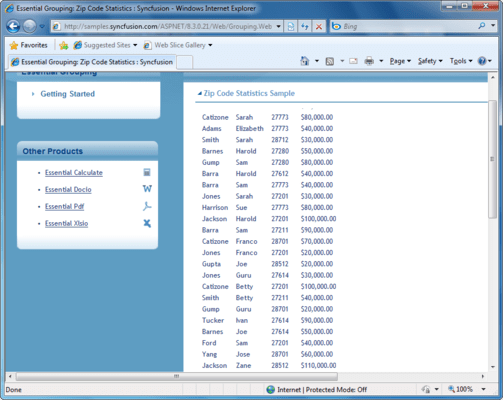
Group data in your .NET applications. Syncfusion Essential Grouping is a high-performance engine that can group any data that implements the .NET framework’s IList interface. Syncfusion Essential Grouping is ideal for use in projects where there is a need to group large amounts of dynamic data. Extremely optimized, Syncfusion Essential Grouping provides high performance and includes excellent support for summaries and related data at all levels. All aspects of Syncfusion Essential Grouping are extensible and users can add functionality as needed. Additional supported functions include sorting, filtering and Expression Fields. Syncfusion Essential Grouping is enabled for both Windows Forms and ASP.NET development.

General Features

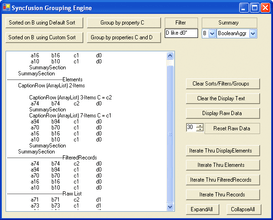
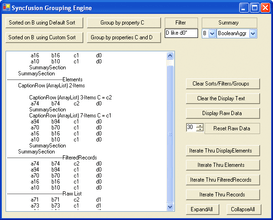
Essential Grouping allows you to group your data, access filtered results and have summary information without the overhead of graphical display code. The Grouping Engine extracts all the data manipulation so it just handles the data, and gives you ways to access the results for your needs.

DataSources supported: Any IList whose objects have public properties

Automatic updates: For any IBindingList data source – immediately reflects changes in data

Internal data structures: Uses balanced binary trees – updates only take 0[Log2[n]] operations

Flat Grouping: Group flat data structures

Hierarchical Grouping: Group nested tables

Sorting

Essential Grouping allows you to support multi-key sorting without relying on ADO.NET. It will sort any IList data source.
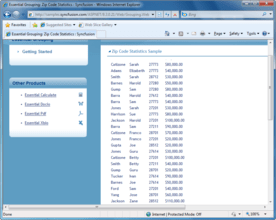
Sort: Sort by any property from the IList’s schema

Comparer Sorting: Customize sorting through IComparer objects

Multi-key Sorting: Sort by multiple properties from the IList’s schema

Filtering

With Essential Grouping, you may impose filters on your data to easily access only those items that meet your specified criteria.

Filters: Hide records that match user-defined criteria

Standard operators: Supports =, !=, <, <+, >, >=, Like, Match

Custom filters: Customize data filters with virtual callbacks

Summaries

Summaries allow you to easily see statistics on grouped data. You can access information such as the maximum value of columns in every group, or the sum of the items, median value, etc.

Summaries: Summarize data on a group-by-group basis

Standard calculations: Sum, Max, Min, Average, Median, Count, DistinctCount, Values array, DistinctValues array

Custom summaries: Add custom summaries

Expression Fields

Expressions allow for record-oriented calculations, effectively adding a new value to your data collection calculated from the existing values.

Expression Fields: Add fields calculated from other fields in the same record

Supports expressions: Use any algebraic combination of other numeric fields

Use as a standard field: Sort, group, and filter an Expression Field

Additional Noteworthy Features

Eliminate spaghetti code

Large amounts of data can lead to the “spaghetti effect,” a tangled web of information that makes it impossible to see where the data leads, and how it affects other data. Essential Grouping untangles this problem, allowing you to pose straightforward cause and effect questions, compute statistics and filter data, letting you focus on business logic.

Uniquely-optimized implementation

Essential Grouping uses balanced binary trees as its core data structure to provide optimal performance for everything from a simple framework to the most demanding applications. Comparable solutions on the market use array-based structures, which provide less than favorable performance updates and possess severe limitations in their ability to handle custom summaries.

UI-independent

Essential Grouping is free from User-Interface (UI) dependencies. Developers may use the architecture with any UI control or with no control at all. Users are not restricted to the Syncfusion UI controls when working with Essential Grouping. Enjoy the freedom of the .NET framework controls or any other third party control.

Syncfusion Essential Grouping’s source code version comes with full source code. Unlike other components on the market, which offer unsupported source code in a zip file, Syncfusion Essential Grouping offers complete integration of the source code with the product. Syncfusion offers the ability to step into the source code directly from your application with the Assembly Manager technology. Syncfusion offer support and extension hints with reference to the source code.

What’s new in Syncfusion Essential Grouping 2008?

Complete Visual Studio 2008 support

What's new in V5?

Improved Office 2007 support - V5 expands on the Microsoft Office 2007 functionality currently available in Essential Studio. In addition to a full fidelity Ribbon control there is expanded support for Microsoft Office 2007 look and feel across controls. The Docking Manager, GroupBar, Editors and more can all be switched to the Office 2007 look with no code

Vista compatibility - Starting with the install which offers complete and seamless integration with Vista's UAC features to provide you the best possible install experience, all Syncfusion controls have been tested on and are 100% compatible with Vista. Recompile your applications with the new release and get ready to release to Vista users

Updates & bug fixes - V5 has solid updates and bug fixes for every product in Essential Studio. Recompile with the latest version to benefit from improved stability, better documentation and improved performance

What's new in V4.2x?

Added support for Mercury QTP, enabling automated testing of end-user applications using the GridGrouping control

What's new in V4.1x?

Now supports Visual Studio 2005!

PartNumbers: PC-515343-149902 515343-149902 PC-515343-149904 515343-149904 PC-515343-149912 515343-149912 PC-515343-149908 515343-149908 PC-515343-149903 515343-149903 PC-515343-149906 515343-149906 PC-515343-149913 515343-149913 PC-515343-149910 515343-149910

PurchaseOptions: Syncfusion Essential Grouping 2008 Vol. 2 1 Developer License - with 1 Year Subscription , Syncfusion Essential Grouping 2008 Vol. 2 1 Developer Annual Subscription Renewal License (for subscriptions soon to expire or up to 2 weeks past expiration) , Syncfusion Essential Grouping 2008 Vol. 2 1 Developer Reinstatement of Lapsed Subscription License (for subscriptions lapsed longer than 2 weeks) , Syncfusion Essential Grouping 2008 Vol. 2 1 Developer License without Subscription Upgrade from previous version , Syncfusion Essential Grouping 2008 Vol. 2 with Source Code 1 Developer License with Source Code (with 1 Year Subscription) , Syncfusion Essential Grouping 2008 Vol. 2 with Source Code 1 Developer Annual Subscription Renewal License (for subscriptions soon to expire or up to 2 weeks past expiration) with Source Code , Syncfusion Essential Grouping 2008 Vol. 2 with Source Code 1 Developer Reinstatement of Lapsed Subscription License (for subscriptions lapsed longer than 2 weeks) with Source Code , Syncfusion Essential Grouping 2008 Vol. 2 with Source Code 1 Developer License without Subscription Upgrade from previous version with Source Code

Resources: Read the Syncfusion Company brochure - Requires Acrobat Reader, Read the Syncfusion Essential Grouping brochure - Requires Acrobat Reader, Read the Syncfusion Essential Studio brochure - Requires Acrobat Reader, Read the Syncfusion License Agreement - Requires Acrobat Reader, Download the Syncfusion Essential Studio 2008 Vol. 2 evaluation on to your computer - Expires after 30 days

Operating System for Deployment: Windows Vista, Windows XP, Windows Server 2003, Windows 2000

Architecture of Product: 32Bit

Product Type: Component

Component Type: .NET WinForms, .NET Class, 100% Managed Code, Source Code

Built Using: Visual C# .NET

Compatible Containers: Microsoft Visual Studio 2008, Microsoft Visual Studio 2005, Microsoft Visual Studio .NET 2003, Microsoft Visual Studio .NET, Microsoft Visual Basic 2008, Microsoft Visual Basic 2005, Microsoft Visual Basic .NET 2003, Microsoft Visual Basic .NET, Microsoft Visual C++ 2008, Microsoft Visual C++ 2005, Microsoft Visual C++ .NET 2003, Microsoft Visual C++ .NET, Microsoft Visual C# 2008, Microsoft Visual C# 2005, Microsoft Visual C# .NET 2003, Microsoft Visual C# .NET, Delphi 8.0, C#Builder, .NET Framework 3.5, .NET Framework 3.0, .NET Framework 2.0, .NET Framework 1.1, .NET Framework 1.0

Product Class: User Interface Components

Search Items: New Product Sep 04, New Product Feb 05, New Product May 05, New Product June 05

Keywords: Database DB Reporting Report reports Syncfusion Sync fusion Reporting Reports Report Corporate Partner Group filter sort summaries expression fields

Product Search

Enter search words:

Screenshot Gallery

Award