
PowerGadgets
강력한 IT 모니터링 기능을 바탕화면 또는 사이드바에 추가.
- WMI, Exchange, SQL 및 Windows 레지스트리에서 정보 검색
- 개발 환경이 필요없이 복잡한 가젯 구축
- 풍부한 차트, 게이지 및 맵을 시각적이고 프로그래밍적으로 표시

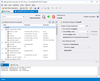
릴리스 노트: dbForge Data Compare for SQL Server V2026.1.39- May 15, 2026 dbForge Data Generator for SQL Server V2026.1.39- May 15, 2026 dbForge Data Pump V2026.1.39- May 15, 2026 dbForge Documenter for SQL Server V2026.1.39- May 15, 2026 dbForge Index Manager V2026.1 ... 더 읽기

설명: All-in-one DB management and development platform for seamless querying, design, and analytics across multiple databases with AI assistance. Aqua Data Studio by AquaFold, is designed to simplify and enhance the database management and development process ... 더 읽기

설명: MySQL manager and admin tool. SQLyog Ultimate is the most powerful manager, admin and GUI tool for MySQL, combining the features of MySQL Query Browser, Administrator, phpMyAdmin and other MySQL Front Ends and MySQL GUI tools in a single intuitive ... 더 읽기
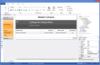
설명: Ready-to-go reporting software for creating, delivering and scheduling reports. FastReport Desktop is a standalone reporting software package that doesn't require creating a custom application. With FastReport Desktop you can get rid of reporting ... 더 읽기


설명: Browser based Server-/Webserver Reporting solution. The combit Report Server is included in the combit List & Label Enterprise Edition. Whether you use it as an add-on for your List & Label application or as a standalone BI reporting solution: the ... 더 읽기

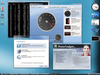
설명: Complement your client server and Web based applications with data visualization components with no additional coding. PowerGadgets adds advanced IT monitoring on your desktop and in your Vista Sidebar. IT professionals can now create gadgets that consume ... 더 읽기
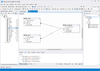
설명: Visually create MySQL queries without code. dbForge Query Builder for MySQL is a solution for quickly creating MySQL queries and extended data management. It allows you to effortlessly create any complex queries. The main component of dbForge Query ... 더 읽기
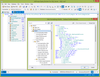
설명: Build complex SQL queries visually. dbForge Query Builder for SQL Server makes your query writing faster and simpler regardless of complexity. It creates database queries on a new interactivity level using visual features of the graphical SQL query ... 더 읽기
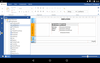
릴리스 노트: Added a new FastReport.NET Avalonia theme. Added a new properties panel. Added a new Docking manager for all panels. Added a new workspace: reworked rulers, guides and band headers. Added Toolbars for the Data and ReportTree panels. Added Designer ... 더 읽기

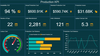
설명: Create, edit, and view reports and dashboards. Stimulsoft Designer helps you easily create reports and dashboards. Just connect to your data, drag it onto the template page, configure the display, and save the finished document. You can send it by email, ... 더 읽기
전화 : 00798 14 800 6332
팩스 : +1 770 250 6199





 (6)
(6)