dbForge Query Builder for SQL Server 관련 정보

복잡한 SQL 쿼리를 시작적으로 빌드 합니다.

dbForge Query Builder for SQL Server makes your query writing faster and simpler regardless of complexity. It creates database queries on a new interactivity level using visual features of the graphical SQL query designer in a neat, intuitive UI. Polish your code and accelerate performance using word suggestions and tips in addition to the via drag and drop functionality.

dbForge Query Builder for SQL Server Features:

  • AI Assistant
    • Context-aware query generation.
    • Conversion of natural language to SQL.
    • Query optimization.
    • SQL explanations.
    • SQL troubleshooting.
    • Error analysis and clarifications.
    • AI chat.
    • Web search.
  • Visual query building
    • Construction of basic and advanced SQL queries.
    • State-of-the-art diagrams with zooming and keyboard support.
    • Diagram preview and printing.
    • Visual addition of sub-queries to any part of the main query.
    • Query outline (displayed in Document Outline window).
    • Visual editing of sub-queries.
    • Complex conditions expression builder.
    • Graphical SQL query builder with undo/redo options.
    • Quick conversion of SELECT statements into INSERT, UPDATE, or DELETE.
  • Query optimization
    • SHOW PROFILE, EXPLAIN results and STATUS variables.
    • Query plans displayed in the tree view for easy examination and evaluation.
    • Profiling history that can be saved for further data analysis.
    • Comparison of profiling results with highlighted differences.
    • Printing of profiling results.
    • Detailed information on the most frequently used command types.
  • Completion-aided SQL development
    • SQL editor with syntax coloring, bookmarks, and text search.
    • Context-aware code completion.
    • Instant SQL syntax check.
    • Quick information about schema objects.
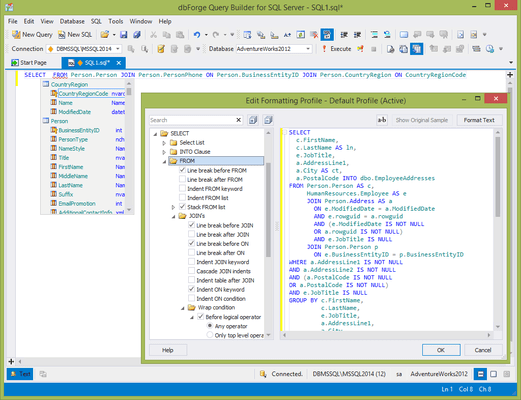
    • Instant SQL formatting.
    • Predefined and custom formatting profiles.
    • CLI-powered automated formatting.
    • Document Outline window for quick navigation through large scripts.
    • Execution of entire scripts, selected SQL fragments, and individual statements.
    • History of executed SQL queries.
  • Versatile data management
    • Asynchronous data fetching with the ability to cancel.
    • Batch table update mode where changes are accumulated and applied explicitly.
    • Copying of data with column headers.
    • SQL query manager with server-side data filtering and column-hiding features for complex queries.
    • Data Viewer and Editor for large objects.
    • Foreign key lookup editor, full card view.
    • Full-text and incremental search through the data grid.
    • Grouping by arbitrary columns.
    • Editing of multi-table query result sets.
    • Paginated data browsing for large result sets.
    • Visible column picker.
    • Editing of microseconds in columns with TIME, DATETIME, and TIMESTAMP.
  • Data analysis
    • Quick creation of pivot tables.
    • Visualization of data relationships with pivot charts.
    • Reordering of fields in pivot tables.
    • Data sorting and filtering by predefined conditions.
    • Calculation of grand totals using summary functions.
    • Visualization of relationships between tables in Master-Detail Browser.
    • Export of diagrams to images.
    • Quick sending of tables to Query Builder.
    • Easy switching between Data and Design Views.
  • Data reports
    • Easy creation of simple, data-aware, and master-detail reports.
    • Export of SQL data to text files.
    • Rich customization options.
    • Rearrangement and addition of new bands to insert different data.
    • Search by entire words.
    • Report scaling.