
LEADTOOLS Multimedia Suite SDK
創建範圍廣泛的行業的企業級多媒體應用程式。
多媒體轉換 SDK - 利用 DirectShow 和 Media Foundation 將音訊和視訊轉換功能添加到 .NET (C# & VB) 和 C/C++ 應用程式中,以滿足存檔、互聯網串流和移動相容性等要求。.

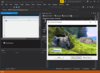
描述: A smart video API for.NET Framework,.NET Core, Delphi and C++ developers. MFormats SDK is a frame-based video software development framework that simplifies and improves the development experience when working with live sources, playing out to ... 閱讀詳情
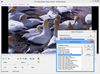
描述: Create powerful multimedia applications based on DirectShow and Media Foundation. LEADTOOLS Multimedia is specifically designed for the development of audio/video applications across a wide variety of industries, including healthcare, defense, broadcast, ... 閱讀詳情

描述: A complete collection of performant, extensible.NET UI controls for mobile, Web, and desktop. ComponentOne Studio Enterprise (formerly ComponentOne Studio) is a comprehensive, flexible collection of performant, extensible.NET UI controls for mobile, web, ... 閱讀詳情
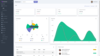
描述: A set of 80+ native Blazor UI components. Blazorise is a component library built on top of Blazor with support for popular CSS frameworks like Bootstrap, Bulma, AntDesign and Material. The Blazorise library provides state-of-the-art solutions for startups ... 閱讀詳情

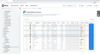
描述: Full-stack framework to develop enterprise-scale web applications using standard.NET. Wisej.NET is a cross-platform web framework for building modern HTML5 applications using.NET and C#/VB.NET instead of HTML and JavaScript. It contains everything you 閱讀詳情

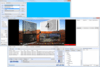
描述: Build broadcast automation, ingest and video mixing applications in the fastest and most reliable way. MPlatform is a professional multimedia software development kit with native support for C#, VB.NET, VB6, Visual C++ and Delphi. MPlatform includes ... 閱讀詳情
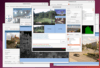
描述: 元件用於處理本地網路攝像機和 IP 攝像機、透過 IP 網路傳輸視頻和組織視頻聊天。 RVMedia is a set of Delphi and C++Builder VCL components which allow you to add the following functions to your apps. Receive video from local web cameras and IP-cameras, configure IP-cameras and control their ... 閱讀詳情
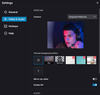
描述: Record the screen, webcam and audio in your application. FlashBack Screen Recorder SDK helps you build powerful applications with screen, webcam and audio recording. The Flashback capture engine creates standard MP4/H264 video files using acceleration ... 閱讀詳情
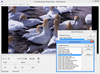
描述: Develop audio and visual applications across a wide variety of industries. The LEADTOOLS Multimedia Suite SDK is a collection of multimedia development technology that provides developers with everything they need to create enterprise-level multimedia ... 閱讀詳情
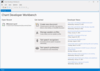
描述: Develop Software that speaks, listens and interacts with users. Chant Developer Workbench helps you develop applications that speak, listen, and interact with users. You can easily manage conversations, grammars, lexicons, movement, profiles, speech, and ... 閱讀詳情
聯繫電話: (888) 850 9911
傳真: +1 770 250 6199






 (1)
(1)