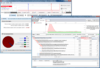
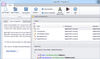
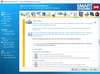
by Code Systems - Product Type: Application
in Development
Other information on this page is shown for historical reference only and may have changed considerably since.
Xenocode Virtual Application Studio Developer Edition 2010 by Code Systems
URLs: xenocode-virtual-application-studio-isv-edition, xenocode virtual application studio isv edition, xenocodevirtualapplicationstudioisvedition, code-systems, code systems, codesystems
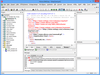
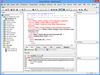
Convert your Windows, .NET, Java, Flash, Shockwave or other Windows-compatible application into a self-contained virtual appliance that runs instantly. Xenocode Virtual Application Studio lets you deploy your application, data files, settings, and runtimes in a single executable. It dramatically simplifies application deployment and maintenance by shipping a single executable that runs immediately anywhere. No more "DLL hell", separate setups, or missing dependencies. Xenocode Virtual Application Studio also lets you execute .NET and Java applications with no runtime present and convert Flash and Shockwave applications into native x86 executables.
Features
Deploy a single file that runs right away - Improve the user download and startup experience by packaging all application files, settings, runtimes, and components into a single executable that runs immediately
Convert .NET Framework and Java-based to native x86 executables - Make your Java and/or .NET-based application execute just like a native executable, with no separate installation steps or runtime versioning conflicts. Execute multiple runtime versions concurrently with no conflicts
Eliminate annoying Vista UAC prompts - Deploying in a Xenocode virtual appliance eliminates requirements for access to privileged system resources, relieving users of annoying Vista UAC prompts
Deploy instantly on USB drives - Improve mobile worker productivity by placing your virtual appliance onto a USB drive. Run your application immediately on remote PCs, with no setups, administrative privileges or driver installations
Advanced virtualization engine
Generate a native executable- No "player" software or other separate components are required to execute your virtual appliance. Run your appliance just like a native binary
Filesystem and registry virtualization - "Windows-on-Windows" virtualization environment simulates Windows filesystem and registry subsystems, including process-local, isolated versions of privileged resources. Apply merge or override semantics to govern interaction with the host device
Unprecedented performance -Unlike whole-machine virtualization, Xenocode Low-Overhead Virtualization (LOV) technology allows virtualized applications to execute at virtually the same speed as non-virtualized binaries. No host OS is required, drastically reducing appliance size
User-mode virtual machine -Xenocode virtualization takes place entirely in user-mode. No device drivers or privileged operations are required for Xenocode virtual appliances to execute
Get started quickly
One-click component configuration - Add popular runtimes, components, and viewers such as the .NET Framework 1.1, 2.0, and 3.0, Java, Flash, and Shockwave with a single click
Application snapshotting -Configuring even the most complex application is as easy as setting it up. Virtual Appliance Studio's snapshotting feature takes "before and after" images of your system and automatically constructs the appliance configuration
Easy filesystem and registry setup - Configure virtual appliance contents with a simple drag-and-drop. Pre-configure application settings with direct registry editing
Leverage existing Xenocode investments -With compatible configuration file formats, it's easy to migrate settings between Postbuild and Virtual Appliance Studio
.NET Obfuscator
Protects .NET code against decompilation and reverse engineering
Converts .NET applications to native binaries that run without the .NET Framework
Embeds SQL Server Express databases directly into the application binary
Eliminates compatibility errors by linking all application components into a single EXE
Optimizes application performance with metadata reduction and code pruning
What’s new in Virtual Application Studio 2010?
Windows 7 compatibility: Xenocode is the first virtualization engine in its class to include full support for all editions of the new Windows 7 operating system.
Publish to Web: Publish apps to the web with a single click. Once online, apps can be launched with a single click directly within a web browser over 10 times faster than traditional download.
Software Expiration: Automatically create evaluation or license-restricted versions of existing apps with run time or date-based "timebomb" expiration.
Multi-platform capabilities: Platform merge allows virtual application behavior to be customized on a per-operating system basis while distributing a single executable.
Built-in support for the latest .NET runtimes and Windows components: The 2010 edition of Virtual Application Studio includes one-click configuration of the latest popular components, including .NET Framework 3.5, .NET 3.5 Client Profile, and Silverlight.
What’s new in Virtual Application Studio 2009?
Active Directory deployment and Windows shell integration: Easily deploy virtual applications to Active Directory user groups. A fully scriptable shell integration tool allows virtual application shortcuts and file associations to be registered on user desktops.
Enhanced sandbox management: Dynamic management of virtual “bubbles” allows fine-grained control over application linking and communication. Sandbox reset allows changes to application settings to be instantly reverted.
One-click import of MSI setups, ThinApp configurations, and Novell AXT packages: Existing MSI setup packages and other configuration formats can be virtualized with a single click, eliminating the need for time-consuming recapture.
Dozens of new application templates: Virtual Application Studio’s unique application template wizard allows one-click virtualization of many popular applications, including the latest versions of Microsoft Office, OpenOffice, Mozilla Firefox, and Internet Explorer.
What’s new in Virtual Application Studio 2008?
MSI generation: Build Windows Installer MSI packages directly within the Virtual Application Studio environment. Setup packages support Start Menu and desktop shortcut creation, application executable installation, and shell file associations.
Jukeboxing: Easily virtualize product suites such as Microsoft Office and OpenOffice and expose multiple startup files within a single virtual executable. Automatically activate multiple applications on startup with "shotgun" launch support.
Internet Explorer 6 Emulation Mode: New Internet Explorer 6 shell emulation mode allows the IE6 web browser to run side-by-side with IE7, and to run on the Windows Vista operating system.
Pre-fabricated application library: Automatically synthesize virtual machines for popular Windows applications with a few clicks. The new pre-fabricated application wizard gets you started quickly, with no need to snapshot popular applications.
Rich metadata customization: Enhanced metadata customization support includes improved icon resource handling and custom metadata management. Metadata support is fully interoperable with Postbuild 2008.
Enhanced virtualization capabilities: New virtual machine features include comprehensive support for virtualizing Windows Services and environment variables.
Compatibility with the latest applications and components: The virtual machine kernel has been upgraded to support the latest applications, operating systems, and runtime platforms, including the .NET Framework 3.5.
What's new in Xenocode Virtual Application Studio 2007 SP2?
This update introduces major updates to the Xenocode virtualization engine, including the ability to virtualize major Windows applications like Microsoft Office, Mozilla Firefox, and popular runtimes and components
Convert your Windows, .NET, Java, Flash, Shockwave or other Windows-compatible application into a self-contained virtual appliance that runs instantly.
Operating System for Deployment: Windows 7, Windows Vista, Windows XP
Architecture of Product: 32Bit
Product Type: Application
Keywords: xeno code
Development
ComponentSource offers a unique global service, used by over 1,000,000 software developers worldwide.