

 (5)
(5) (2)
(2)Fournisseur officiel
Comme nous somme les distributeurs officiels et autorisés, nous vous fournissons des licences légitimes directement à partir de 200+ éditeurs de logiciels.
Voyez toutes nos marques.
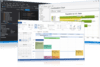
Description : Donnez à votre application un aspect professionnel et moderne. Codejock Toolkit Pro for Visual C++ MFC helps you create professional applications that incorporate a full set of highly customizable user interface components including Visual Studio style docking panes and Office style Ribbons, ... Lire la suite Affichez plus de résultats de ce produit
Description : Give your application a professional, modern appearance. Codejock Toolkit Pro for Visual C++ MFC helps you create professional applications that incorporate a full set of highly customizable user interface components including Visual Studio style docking panes and Office style Ribbons, Toolbars, ... Lire la suite
Notes de publication : DockingPane, TaskPanel and Propety Grid. Expandable ShortcutBar The ShortcutBar now includes Office 2010 style ... Software's Xtreme Chart Pro provides Windows developers with a sophisticated charting library that supports ... Lire la suite

Description : Donnez à votre application un aspect professionnel et moderne avec des barres d’outils, des menus, des ancrages, des grilles de propriétés, des rapports et des calendriers. Codejock Suite Pro helps you create professional applications that incorporate a full set of highly customizable user ... Lire la suite Affichez plus de résultats de ce produit
Description : Give your application a professional, modern appearance with toolbars, menus, docking, property grid, reporting and calendar functionality. Codejock Suite Pro helps you create professional applications that incorporate a full set of highly customizable user interface components including Visual ... Lire la suite
Notes de publication : DockingPane, TaskPanel and Propety Grid. Expandable ShortcutBar The ShortcutBar now includes Office 2010 style ... Software's Xtreme Chart Pro provides Windows developers with a sophisticated charting library that supports ... Lire la suite
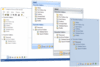
Description : Windows Outlook Style ShortcutBar Visual Styles Shortcut Caption Bar Expandable Shortcut List Expandable ... Lire la suite Affichez plus de résultats de ce produit
Description : Add themed ShortcutBars to your MFC and ActiveX applications. Codejock Shortcut Bar for ActiveX ... ShortcutBar Visual Styles Shortcut Caption Bar Expandable Shortcut List Expandable "Navigation" ... Lire la suite
Notes de publication : Updates in 2011 Vol 1 (V15.0.1) MinimizedWidth property added to ShortcutBar Added ShortcutBar ... Lire la suite
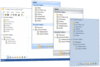
Description : Office Windows Outlook Style ShortcutBar Visual Styles Shortcut Caption Bar Expandable Shortcut List ... Lire la suite Affichez plus de résultats de ce produit
Description : Add themed ShortcutBars to your MFC and ActiveX applications. Codejock Shortcut Bar for Visual C++ ... Outlook Style ShortcutBar Visual Styles Shortcut Caption Bar Expandable Shortcut List Expandable ... Lire la suite
Notes de publication : Updates in 2011 Vol 1 (V15.0.1) MinimizedWidth property added to ShortcutBar Added ShortcutBar ... Lire la suite
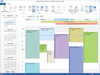
Notes de publication : Updates in 2011 Vol 1 (V15.0.1) Added RemindersUpdatePeriod, by default if reminders were enabled it checked every 2 hours, now you can set this period Fixed expand arrow position for all day headers ... Lire la suite Affichez plus de résultats de ce produit
Notes de publication : Updates in 2009 Vol 4 V13.4.1 Fixed- When Calendar marked header as "Out of Office" color it didn't reset it back when event was moved/deleted ... Lire la suite
Notes de publication : Updates in 2009 Vol 4 Code change for overlapping multi day event bug fix Fixed DayView printing with 2 pages ... Lire la suite
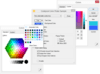
Notes de publication : Updates in 2011 Vol 1 (V15.0.1) BuddyButton added for ControlEdit TabControl- SelectTabOnDragOver can now be "2" to allow selection after a small delay Added HasChildren and ExpandedOnce events for dynamic trees MarkupContext property added for TaskDialog ControlToolTip property added for ... Lire la suite Affichez plus de résultats de ce produit
Notes de publication : Updates in V13.4.1 Fixed- ColorPicker problem when some control grab focus when ColorPicker is about to show Popup Fixed- CXTBrowseDialog didn't return Computer if BIF_BROWSEFORCOMPUTER specified Fixed- If user clicked on Button and move out/move in cursor, tooltip not longer showed Fixed- ... Lire la suite
Notes de publication : Updates in 2009 Vol 4 Fixed Radio and CheckBox marks for High dpi modes (125/150) ... Lire la suite
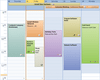
Notes de publication : Updates in 2011 Vol 1 (V15.0.1) Added RemindersUpdatePeriod, by default if reminders were enabled it checked every 2 hours, now you can set this period Fixed expand arrow position for all day headers ... Lire la suite Affichez plus de résultats de ce produit
Notes de publication : Updates in 2009 Vol 4 V13.4.1 Fixed- When Calendar marked header as "Out of Office" color it didn't reset it back when event was moved/deleted ... Lire la suite
Notes de publication : Updates in 2009 Vol 4 Code change for overlapping multi day event bug fix Fixed DayView printing with 2 pages ... Lire la suite
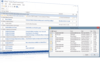
Notes de publication : Updates in 2011 Vol 1 (V15.0.1) Enhanced Alignment for IconView. DrawShellIcon didn't DestroyIcon, leading to memory leak. Hardcoded Increasing\Decreasing strings moved to resources Minor change to allow call Records::RemoveAt for Array mode Fixed crash when ExpandAll is called for empty ... Lire la suite Affichez plus de résultats de ce produit
Notes de publication : Updates in V13.4.1 Fixed- strNoItems text now can have markup tags New feature- Markup support added for TrackControl blocks Fixed- Minor fix for m_oleValue.vt == VT_NULL case Fixed- Fixed indent problem while editing an item with 2 or more levels of grouping Fixed- COleDataSource now created ... Lire la suite
Notes de publication : Updates in 2009 Vol 4 Fixed case where group rows would process [and] that are used for group formulas even when GetFormula was empty. This causes a group caption with [] to be displayed incorrectly Fixed sort arrow offset problems Set column maximum width constraint now works correctly independent ... Lire la suite
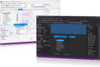
Notes de publication : Updates in 2011 Vol 1 (V15.0.1) Change in behavior: If you are using a SlideIn Hidden Pane it won't SlideOut if user activats another application. (to allow drag for example) New feature: SelectTabOnDragOver can now be "2" to allow selection after a small delay Added Alpha Splitter ... Lire la suite Affichez plus de résultats de ce produit
Notes de publication : Updates in V13.4.1 New feature- Added Accessibility for DockingPane caption buttons Fixed- Minor fix for xtpPaneNoDockable/Stickers and Dock to Window client case New feature- ShowCloseTabButton option added to show close button on each tab ... Lire la suite
Notes de publication : Updates in 2009 Vol 4 Don't show tooltip for items with DT_WORDBREAK draw style- fixed ... Lire la suite
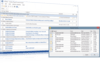
Notes de publication : Updates in 2011 Vol 1 (V15.0.1) Enhanced Alignment for IconView. DrawShellIcon didn't DestroyIcon, leading to memory leak. Hardcoded Increasing\Decreasing strings moved to resources Minor change to allow call Records::RemoveAt for Array mode Fixed crash when ExpandAll is called for empty ... Lire la suite Affichez plus de résultats de ce produit
Notes de publication : Updates in V13.4.1 Fixed- strNoItems text now can have markup tags New feature- Markup support added for TrackControl blocks Fixed- Minor fix for m_oleValue.vt == VT_NULL case Fixed- Fixed indent problem while editing an item with 2 or more levels of grouping Fixed- COleDataSource now created ... Lire la suite
Notes de publication : Updates in 2009 Vol 4 Fixed case where group rows would process [and] that are used for group formulas even when GetFormula was empty. This causes a group caption with [] to be displayed incorrectly Fixed sort arrow offset problems Set column maximum width constraint now works correctly independent ... Lire la suite
Tél : (888) 850 9911
Fax : +1 770 250 6199


