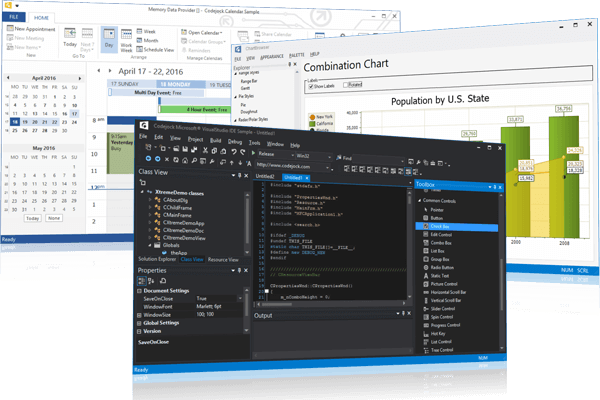
Features Overview
Codejock Suite Pro for ActiveX COM provides Windows developers with a robust set of components combining 11 popular components: Command Bars, Controls, Chart Pro, Calendar, Docking Pane, Property Grid, Report Control, Shortcut Bar, Syntax Edit, Skin Framework and Task Panel.
- Calendar - Calendar provides Windows developers with a sophisticated Outlook style calendar and date selection components.
- Chart Pro - Chart Pro is easy to use and can be added to your project with only a few lines of code to create any charting style.
- Command Bars - Command Bars includes customizable menus, toolbars and ribbons to give your application a professional and modern interface.
- Controls - Controls provides Windows developers with several ready-to-use components that have been thoroughly designed and tested.
- Docking Pane - Docking Pane allows you to create tear off tabs and auto hide windows that allow for a more manageable application workspace.
- Gauge - Bring your data to life with the Gauge control, offering modern data visualization options, and customizable light and dark themes.
- Property Grid - Property Grid provides an easy to create hierarchical list of editable properties and represent any data type or sub-item.
- Report Control - Report Control includes an easy to create Office style report to group and sort data in a flat or hierarchical format.
- Shortcut Bar - Shortcut Bar has several options to choose from including Expandable Navigation Bar and List, Client Pane, style themes.
- Skin Framework - Skin Framework incorporates an application skinning framework technology that can be used with Windows Themes
- Syntax Edit - Syntax Edit provides users with a highly sophisticated text editor control that supports syntax colorization and features.
- Task Panel - Task Panel is an Office Task Panel similar to what is seen in Microsoft Office, Explorer and Visual Studio tool box.