

 (2)
(2)
 (31)
(31) (4)
(4)Official Supplier
As official and authorized distributors, we supply you with legitimate licenses directly from 200+ software publishers.
See all our Brands.

Screenshots: You can view all of your styling modifications that involve the WinDockManager component in the DockManager canvas. The canvas shows the WinDockManager component in several common configurations that you might encounter in your own application. ... Read more
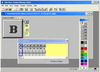
Description: of buttons that can be docked to the top, sides or bottom of your MDI form. The Notebook Tab Control- ... toolbars of buttons the user can 'dock' to the top, sides or bottom of a Multiple Document ... 'dock' to the top, sides or bottom of a Multiple Document Interface (MDI) form. When toolbars ... Read more Show more results from this product
Customer Review: This product is now very old. Another review says, quite rightly, that it is a means of upgrading "VB", should be clarified by saying VB6. I bought it because I needed to revive some software and had lost some of my original license keys. Got it working and so I am content. The Component ... Read more
Screenshots: 'dock' to the top, sides or bottom of a Multiple Document Interface (MDI) form. ... Read more

Release Notes: Charts Added OthersCategoryBrush and OthersCategoryOutline to DataPieChart. XamDataGrid Grid with RecordSelectorNumberType set to DataItemIndex makes the grid show horizontal scrollbar. XamRichTextEditor XamRichTextEditor selecting all and then pasting content from an outside source results in an ... Read more Show more results from this product
Release Notes: Added LabelFormatOverride event to TimeXAxisLabelFormat so you can now override the formatting with an event at all time-formatting levels on the TimeXAxis. XamSyntaxEditor Characters after the character in question disappear due to full-width number conversion. Error occurs when dragging selected ... Read more
Release Notes: .NET 10 Support- As of version 25.2, the Ultimate UI for WPF toolset supports.NET 10. Note it no longer supports.NET 6 and.NET 7. Azure Map Imagery is now RTM. New Chart Features Collision Detection for Axis annotations (Beta)- Added the ability for axis annotations to automatically detect ... Read more

Release Notes: AI-assisted development toolchain- Agent Skills, Ignite UI CLI MCP server, and Theming MCP server across Angular, React, Web Components, and Blazor (CLI MCP Blazor docs & API support since CLI 15.2.0). Ignite UI Grid Lite- new free, MIT-licensed open-source data grid; Angular wrapper ships in ... Read more Show more results from this product
Release Notes: LLM Agent Skills (updated)- four in-package skills teach AI agents React component usage, theming, design-to-code, and bundle optimization. CLI MCP Server: React support- ig mcp serves React component docs, full API reference, and scaffolding guidance to any connected AI assistant. Invoker Commands ... Read more
Release Notes: Resolved CSP violations coming from the usage of inline styles in disposable element created for measurements. Updates in Ignite UI for jQuery 25.1.x 1 ... Read more

Release Notes: AI-assisted development toolchain- Agent Skills, Ignite UI CLI MCP server, and Theming MCP server across Angular, React, Web Components, and Blazor (CLI MCP Blazor docs & API support since CLI 15.2.0). Ignite UI Grid Lite- new free, MIT-licensed open-source data grid; Angular wrapper ships in ... Read more Show more results from this product
Release Notes: LLM Agent Skills (updated)- four in-package skills teach AI agents React component usage, theming, design-to-code, and bundle optimization. CLI MCP Server: React support- ig mcp serves React component docs, full API reference, and scaffolding guidance to any connected AI assistant. Invoker Commands ... Read more
Release Notes: Resolved CSP violations coming from the usage of inline styles in disposable element created for measurements. Updates in Ignite UI for jQuery 25.1.x 1 ... Read more
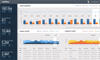
Release Notes: Charts Added OthersCategoryBrush and OthersCategoryOutline to DataPieChart. Editors UltraDateTimeEditor always select last month and date while changing the year and month respectively. CheckEditor was unable to create a custom style using GlyphInfo. UltraToolbarsManager Context menu does not show ... Read more Show more results from this product
Release Notes: Added LabelFormatOverride event to TimeXAxisLabelFormat so you can now override the formatting with an event at all time-formatting levels on the TimeXAxis. UltraDataChart The scale set for IntervalType Ticks in TimeAxisInterval is not displayed. 0.00001 scale tick marks are displayed overlapping ... Read more
Release Notes: .NET 10 Support- As of version 25.2, the Ultimate UI for Windows Forms toolset supports.NET 10. Note, it no longer supports.NET 6 and.NET 7. Azure Map Imagery is now RTM. New Chart Features Collision Detection for Axis annotations (Beta)- Added the ability for axis annotations to automatically ... Read more


Release Notes: AI-Assisted Development- Agent Skills Added structured knowledge files that teach AI coding assistants (GitHub Copilot, Cursor, Windsurf, Claude, JetBrains AI, etc.) how to work with Ignite UI for React. The skill files are included in the igniteui-react package and also live in the skills/ ... Read more Show more results from this product
Release Notes: with precision and style. Dock Manager Sample Framework: Angular. Components: Dock Manager, AI Chat component. ... Read more
Release Notes: property. If enabled, docking indicators are not visible and the end user can dock the dragged pane ... the floating panes are kept inside the Dock Manager boundaries. Defaults to false. Added a new ShowPaneHeaders ... Read more
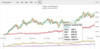
Release Notes: AI-Assisted Development- Agent Skills Added structured knowledge files that teach AI coding assistants (GitHub Copilot, Cursor, Windsurf, Claude, JetBrains AI, etc.) how to work with Ignite UI for React. The skill files are included in the igniteui-react package and also live in the skills/ ... Read more Show more results from this product
Description: Layout Dock Manager Editors Multi-Column Combo Box Date Picker Grids and Lists Cell Editing Data Grid ... Read more
Release Notes: component. IgrDockManager Added a new ProximityDock property. If enabled, docking indicators are not visible ... and the end user can dock the dragged pane by dragging it close to the target pane edges. Added a new ... ContainedInBoundaries property. Determines whether the floating panes are kept inside the Dock Manager boundaries. ... Read more
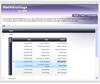
Description: Add WPF (Windows Presentation Foundation) and.NET user interface functionality to your applications. NetAdvantage for.NET + WPF includes controls, designed and developed specifically for the Windows Presentation Foundation (WPF) platform plus you also get NetAdvantage for.NET which is a ... Read more Show more results from this product
Screenshots: Gauges and Chart controls let you create an executive dashboard. ... Read more
Screenshots: Create Outlook style applications with integrated NetAdvantage for Windows Forms controls. ... Read more
Description: Add, grid, ribbon, scheduling, toolbar, menu, listbar, tree, UI and editing functionality to your.NET, Visual Studio, ASP.NET and Tablet PC applications. Infragistics NetAdvantage Select is a comprehensive presentation layer toolset for quickly building and styling polished application UIs and ... Read more Show more results from this product
Features: Infragistics NetAdvantage includes: Windows Forms Rich Client Components WinGrid WinCalcManager WinChart WinCombo WinDataSource WinTrackBar WinDesktopAlert WinDockManager WinExtras WinAnimation WinButton WinCalculator WinDropdownButton WinPopupContainer WinLabel WinFormattedLinkLabel ... Read more
Screenshots: A complete toolset for rapidly creating the application user interface of your high performance Web applications. ... Read more
Tel: (888) 850 9911
Fax: +1 770 250 6199


