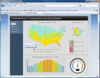
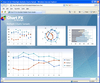
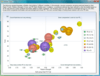
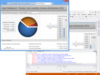
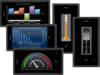
An advanced .NET charting component. TeeChart for .NET 2011 is a 100% Managed C#.NET charting control that brings across the board support for Windows Forms, ASP.NET Web Forms, WPF, Compact Framework, Silverlight and Reporting Services. TeeChart for .NET 2011 also includes gauges and maps components, offers Windows Phone 7 support, OpenGL 3D support, multiple unlimited custom axes, real-time, AJAX client-side WebChart processing, includes C# and Visual Basic (VB.NET) examples and output in Silverlight and Flash. TeeChart for .NET 2011 Source Code is available. Buy TeeChart for .NET 2011 Subscription to obtain 1 year updates and upgrades with your TeeChart for .NET License.
Publisher: Syncfusion Primary Category: Charting and Graphing Product Type: Component / ASP.NET WebForms / ASP.NET AJAX (ATLAS) / ASP.NET MVC / .NET WinForms / .NET WPF / Silverlight / Source Code / JavaScript / AJAX
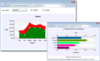
Add business charts to your WPF applications. Syncfusion Essential Chart for WPF is a charting component that handles business data and plots visual graphs. It includes many different chart types that help visualize data in a variety of forms. Many chart elements can be customized including chart series, legends, ticks, axis labels, and chart areas. Syncfusion Essential Chart for WPF also supports drill down which enhances the user experience. Written fully in WPF, Syncfusion Essential Chart for WPF supports initialization via eXtensible Application Markup Language (XAML) or through procedural code.
Publisher: Syncfusion Primary Category: Charting and Graphing Product Type: Component / ASP.NET WebForms / ASP.NET AJAX (ATLAS) / ASP.NET MVC / .NET WinForms / .NET WPF / Silverlight / Source Code / JavaScript / AJAX
Add business charts to your Silverlight applications. Syncfusion Essential Chart for Silverlight is an easy-to-use, business-oriented charting control that includes many chart types including line, column, area, pie, Kagi, candle, high-low, box-and-whisker, polar, radar, and much more. Syncfusion Essential Chart for Silverlight has a rich feature set including features like zooming, multiple axes, and the ability to create combination charts that contain different chart types for each series in the same chart. Syncfusion Essential Chart for Silverlight is very customizable, with many chart elements that can be modified - including chart series, legends, ticks, axis labels, and chart areas.
Publisher: Syncfusion Primary Category: Charting and Graphing Product Type: Component / ASP.NET WebForms / ASP.NET AJAX (ATLAS) / ASP.NET MVC / .NET WinForms / .NET WPF / Silverlight / Source Code / JavaScript / AJAX
Add rich, interactive financial and business charts to your Windows Forms applications. Syncfusion Essential Chart for Windows Forms is a data visualization tool that helps you generate professional graphs and charts. It supports a large variety of chart types and comes with an object-oriented application programming interface (API). Syncfusion Essential Chart for Windows Forms comes with a rich style architecture, which separates the display styles from the data model, providing flexibility in the appearance definition for each display element. Styles form the core of the chart control, providing extensive customization. They can be inherited from parent charts, making complex formatting relatively easy.
Publisher: Syncfusion Primary Category: Charting and Graphing Product Type: Component / ASP.NET WebForms / ASP.NET AJAX (ATLAS) / ASP.NET MVC / .NET WinForms / .NET WPF / Silverlight / Source Code / JavaScript / AJAX
Add charts to your ASP.NET MVC applications. Syncfusion Essential Chart for ASP.NET MVC is a business-oriented charting component which offers an innovative data object model that makes it easy to populate a chart with any kind of data source. Syncfusion Essential Chart for ASP.NET MVC features an advanced styles architecture that simplifies complex multilevel formatting. It can handle data in different ways. You can add data points to a series and let the chart manage them. Alternatively, you can achieve easier data binding to a data set using the built-in ChartDataBindModel control, and you can specify column names containing the x- and y-coordinate values. For additional flexibility, you can implement the IChartSeriesModel interface and plug-in a custom model.
Publisher: Syncfusion Primary Category: Charting and Graphing Product Type: Component / ASP.NET WebForms / ASP.NET AJAX (ATLAS) / ASP.NET MVC / .NET WinForms / .NET WPF / Silverlight / Source Code / JavaScript / AJAX
Add rich, interactive financial and business charts to your ASP.NET applications. Syncfusion Essential Chart for ASP.NET is a business-oriented charting component that offers an innovative data object model which makes it easy to populate a chart with any kind of data source. Syncfusion Essential Chart for ASP.NET features an advanced style architecture which simplifies complex multilevel formatting. Syncfusion Essential Chart for ASP.NET includes many chart types ranging from simple column charts to complex financial charts. All of these can be configured to suit users needs. All charts except Radar and Polar charts can be rendered in 3-D mode.
Publisher: Syncfusion Primary Category: Charting and Graphing Product Type: Component / ASP.NET WebForms / ASP.NET AJAX (ATLAS) / ASP.NET MVC / .NET WinForms / .NET WPF / Silverlight / Source Code / JavaScript / AJAX
Add charts to your .NET applications. Syncfusion Essential Chart is a business-oriented charting component which offers an innovative data object model that makes it easy to populate a chart with any kind of data source. Syncfusion Essential Chart features an advanced styles architecture that simplifies complex multilevel formatting. It can handle data in different ways. You can add data points to a series and let the chart manage them. Alternatively, you can achieve easier data binding to a data set using the built-in ChartDataBindModel control, and you can specify column names containing the x- and y-coordinate values. For additional flexibility, you can implement the IChartSeriesModel interface and plug-in a custom model. Syncfusion Essential Chart includes components for Windows Forms, ASP.NET, ASP.NET MVC, Silverlight and WPF platforms.
Business intelligence chart controls for the display of OLAP data. Syncfusion Essential BI Chart is a great way to visualize business-intelligence data buried in OLAP and relational databases. Syncfusion Essential BI Chart is an interactive control with drill down capabilities that allows you to surface big-picture data and makes it available at your finger tips. All common chart types are supported.
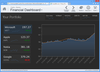
Add feature-packed, interactive, flexible, customizable charts to your Silverlight applications. ComponentArt Charting for Silverlight is a comprehensive set of charting components designed to deliver highly interactive visualization of business data. Featuring brilliant rendering, interactive drill-downs, built-in zooming & scrolling, extremely large dataset handling and integration with the CalcEngine data processing control. ComponentArt Charting for Silverlight includes: XyChart, PieChart, FunnelChart, RadarChart, TreeMap, Legend, DrillDownManager, WcfDataProvider, DashboardLayout, DashboardPanel and DashboardPopup components.
Silverlight treemap control. Infragistics xamTreemap lets you add treemaps to your Silverlight applications. Treemaps (a.k.a., heatmaps in the financial industry) appear in applications as diverse as inventory management to "maps of the market" showing hot stocks and cold sectors. Unlike pie charts, treemaps show the relative weight of data points at more than one level with no drilldown required. Infragistics xamTreemap helps you communicate these differences more effectively in color with either a group-based organizational mechanism, or a graduated scale-based mechanism similar to choropleth shading. Infragistics xamTreemap also supports layout algorithms that optimize your treemap for either order or aspect ratio so you can decide which presentation format is more important to your end users. Infragistics xamTreemap displays data in proportion to its weight, enables users to look top-down onto hierarchical relationships in your data, and examines multiple levels of detail like never before.