Visual Basic (Controls & Components, Tools & Add-ins)
Microsoft Visual Basic (MS Visual Basic) allows Visual Basic programmers to create Windows applications for their end users fast. Visual Basic developers can extend the standard functionality available inside the Visual Basic IDE with a variety of Visual Basic add-ins and Visual Basic tools. The extensibility of Visual Basic software is one of the main reasons it has proved to be so popular with developers, as Visual Basic software engineers can find Visual Basic downloads from other companies or other developers to act as a Visual Basic extension to their Visual Basic IDE.
The versatility of Visual Basic also extends to various forms of Visual Basic software components. Visual Basic controls can be used to create feature rich Visual Basic user interfaces on forms and Web pages for Visual Basic apps. These Visual Basic UI controls are augmented by non-visual Visual Basic components or Visual Basic libraries that can help a developer add many hidden features in Visual Basic applications running in the background. These non-visual components are commonly available as a Visual Basic library, Visual Basic Class library or as a Visual Basic custom control or ActiveX/OCX component.
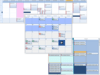
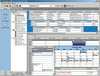
An example of a visual Visual Basic control is Janus GridEx, a Visual Basic UI control that allows you to create an MS Outlook style or look and feel to your latest Visual Basic project. A non-visual Visual Basic component example is a Visual Basic compatible product that allows you to create and output files in different formats, such as: PDF, XPS, PostScript, RTF, HTML, XML to help solve file conversion and document storage needs.
The Visual Basic software products listed in this Visual Basic product gallery will allow you to save a lot of time and effort in creating your new Visual Basic app. Whether you are looking for a Visual Basic plug-in or Visual Basic utility, or you are looking for a Visual Basic control or a Visual Basic component, you will be able to find a wide variety of Visual Basic tools to help you finish your project faster.
We also have other Visual Basic product galleries for: Visual Basic 2010, Visual Basic 2008, Visual Basic 2005 and Visual Basic .NET compatible products.








 (1)
(1)

 (1)
(1)


 (3)
(3)